With a staggering 1.96 billion daily active users, Facebook remains an unparalleled titan in the digital ecosystem. For businesses ranging from local boutiques to global enterprises, the platform serves as a critical bridge between brand identity and consumer acquisition. Currently, over 200 million businesses utilize Facebook’s suite of professional tools, proving that a well-optimized Business Page is no longer an optional digital accessory—it is a fundamental requirement for modern market competitiveness.
This guide provides a professional deep dive into the strategic establishment and optimization of a Facebook Business Page, ensuring your brand is positioned for maximum visibility and engagement.
The Strategic Importance of a Facebook Presence
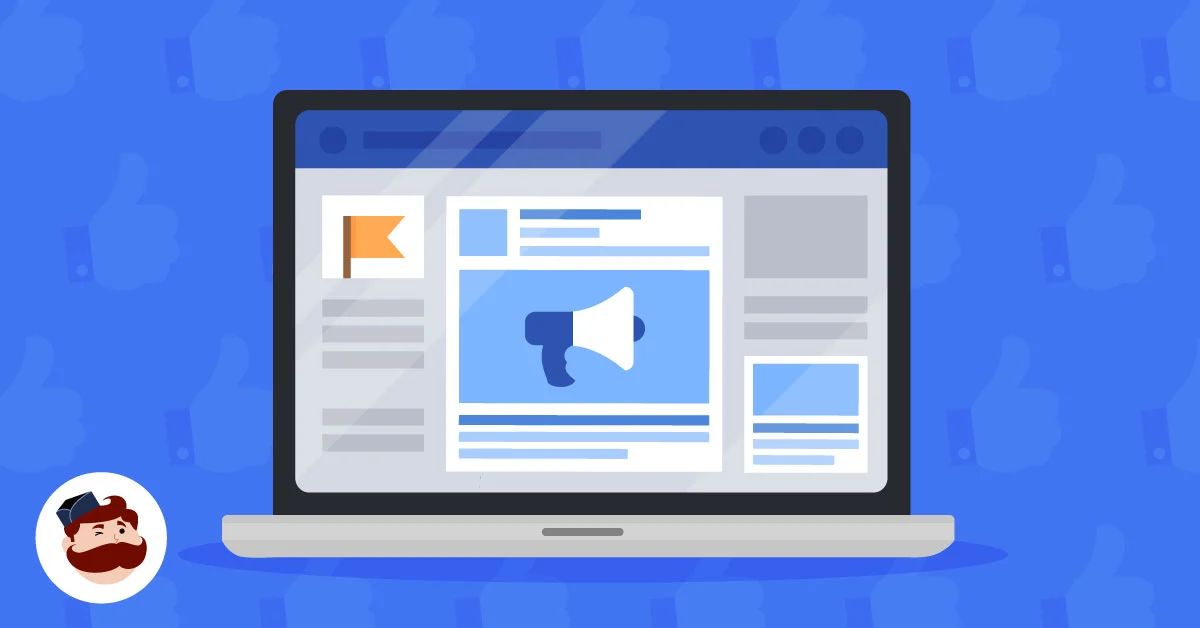
A Facebook Business Page is more than just a digital profile; it is a public-facing hub for brands, organizations, and public figures. By establishing a presence here, businesses unlock access to sophisticated advertising accounts, robust analytical data, and the ability to launch integrated Facebook Shops.
The primary objective of a Page is to facilitate direct communication with potential customers, build brand loyalty through consistent storytelling, and leverage the platform’s algorithm to reach hyper-targeted audiences. In an era where consumer trust is the primary currency, a professional Facebook presence validates your legitimacy and serves as a 24/7 customer service touchpoint.
The Genesis: Creating Your Business Page
Every successful Facebook Page begins with a personal connection. Because Facebook requires administrative oversight for security and accountability, every Page must be linked to at least one personal account. It is crucial to note that while your personal profile acts as the "key" to the account, your personal data remains strictly confidential and invisible to the public.
Phase 1: Setup and Foundation
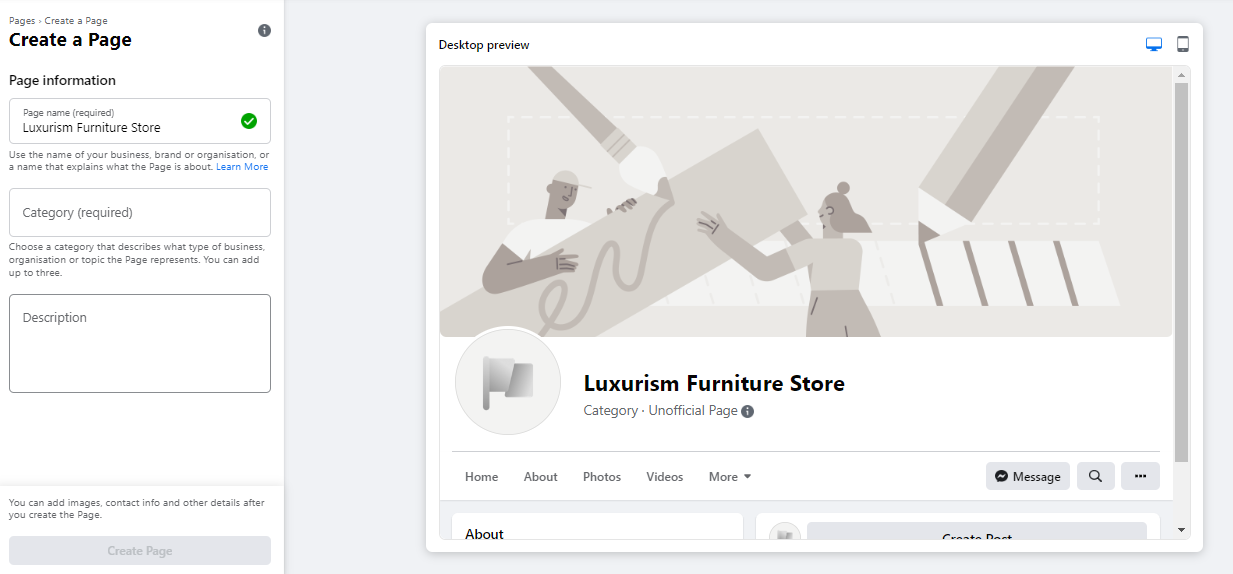
- Initiation: Navigate to facebook.com/pages/create. The intuitive interface allows you to input your business name and category, with a real-time preview updating on the right side of your screen.
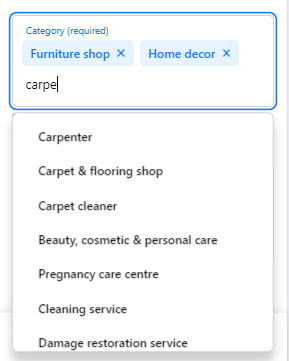
- Branding: Select your category carefully; you can choose up to three descriptors to help Facebook’s search engine categorize your business correctly.
- The Hook: Use the 255-character "Description" field to craft a punchy, value-driven summary. This snippet is what appears in search engine results, so prioritize clarity and keywords.
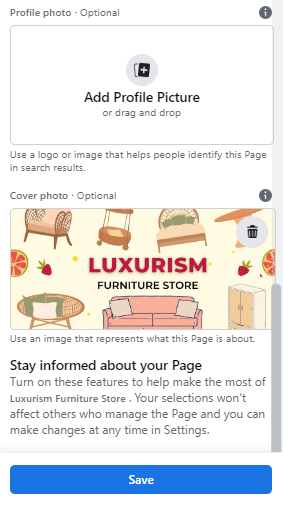
- Visual Identity: Upload a high-resolution profile picture (180 x 180 pixels). For established brands, a logo is standard; for solopreneurs or creators, a high-quality professional portrait is more effective.
- The Hero Image: Your cover photo is your digital storefront’s billboard. At 1640 x 856 pixels, it should encapsulate your brand personality. Use the mobile-versus-desktop toggle to ensure your focal points aren’t cropped out on smaller screens.
Phase 2: Refinement and Connectivity
Once the shell of your page is created, the focus must shift to functionality.
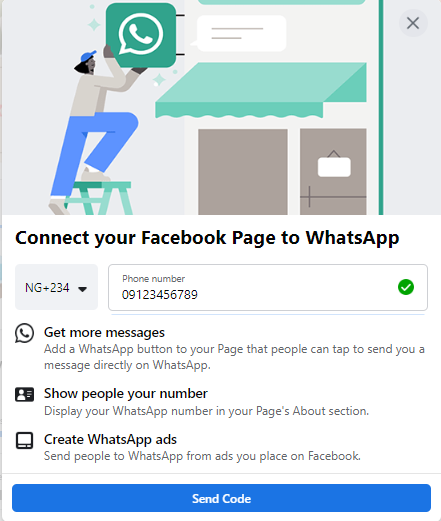
- WhatsApp Integration: Optionally connect your WhatsApp Business account. This provides a direct line for inquiries, significantly reducing the friction between interest and conversion.
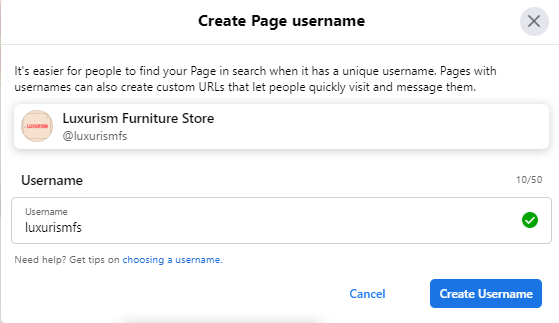
- The Vanity URL: Create a custom username. A concise, memorable URL (e.g., facebook.com/YourBrandName) is essential for offline marketing materials and searchability.
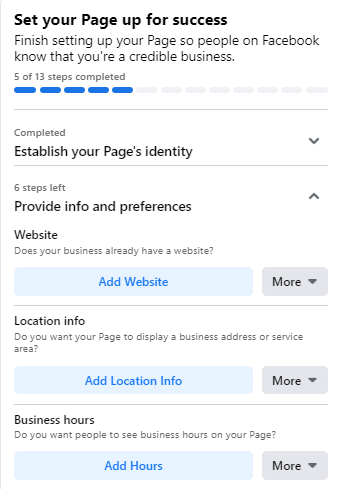
- Comprehensive About Section: Never leave your "About" section blank. Customers frequently check business hours, addresses, and website links here. Missing information is a primary driver for bounce rates; if a customer cannot find your contact details, they will inevitably look to a competitor who provides them.
Optimization: From "Live" to "Thriving"
Creating the page is merely the first step. To achieve a return on investment (ROI), you must move beyond a static profile.
Leveraging Page Insights
The "Insights" tab is your strategic compass. It provides granular data regarding audience demographics, peak activity times, and engagement rates. By monitoring which posts generate the most reactions and shares, you can refine your content calendar to align with what your specific audience values most. Tracking "Actions on Page"—such as clicks to your website or "Get Directions" requests—allows you to measure the tangible impact of your social media presence on your bottom line.
Strategic Content: The Pinned Post
For major announcements, limited-time promotions, or upcoming events, use the "Pin to Top" feature. A pinned post acts as the "above-the-fold" content of your page, ensuring that no visitor misses your most vital message. This is your most valuable real estate; rotate this content frequently to maintain a sense of dynamism.
Community Building
Social media is designed for interaction, not just broadcasting. Like and follow non-competing businesses in your industry or local area. By engaging with their content as your Page, you signal your presence to their audience and build professional rapport.

Technical Considerations and Best Practices
The Role of Templates and Tabs
Facebook allows you to customize the layout of your page through templates tailored for specific business models (e.g., "Services," "Restaurants," or "Non-Profit"). These templates automatically rearrange your tabs, ensuring the most relevant information is prominent. For instance, a restaurant may prioritize a "Menu" or "Reservations" tab, while a professional service firm may prioritize "Reviews" and "About."
The Power of Backlinks
Do not silo your Facebook page. Integrate it into your broader digital strategy by adding "Follow Us" icons to your email signature, your website footer, and your blog posts. Every backlink from an external site to your Facebook page boosts your credibility and increases the likelihood of organic traffic discovery.
Administrative Governance
As your organization grows, manual management becomes inefficient. Transitioning to Facebook Business Manager is a critical step for scaling. This tool allows for the delegation of administrative roles, separating personal accounts from professional assets and allowing team members or external agencies to collaborate without compromising the security of your primary account.
Implications of a Robust Strategy
The implications of a well-maintained Facebook presence are profound. Businesses that treat their Page as a living, breathing extension of their customer service department report higher levels of brand advocacy.
By consistently analyzing data, engaging in community discourse, and providing clear, actionable information to consumers, you transform a passive social media profile into an active sales funnel.
Final Recommendations for Success
- Post Consistently: Use a scheduling tool to maintain a steady cadence of content.
- Prioritize Value: Every post should either inform, entertain, or solve a problem for your audience.
- Audit Regularly: Every quarter, review your Page settings, update your contact information, and ensure your imagery is current.
While the landscape of social media is constantly evolving, the foundational principles of engagement, trust, and professional presentation remain constant. By following these steps, you are not just creating a Facebook page; you are establishing a long-term digital asset capable of driving sustainable growth for your business. For those looking to take their strategy to the next level, leveraging integrated tools like Hootsuite can unify your management efforts, allowing you to schedule content, monitor conversations, and measure performance from a single, cohesive dashboard.
Your journey into effective social media marketing begins here. Optimize your page, invite your audience, and start building the community that will define your brand’s future.