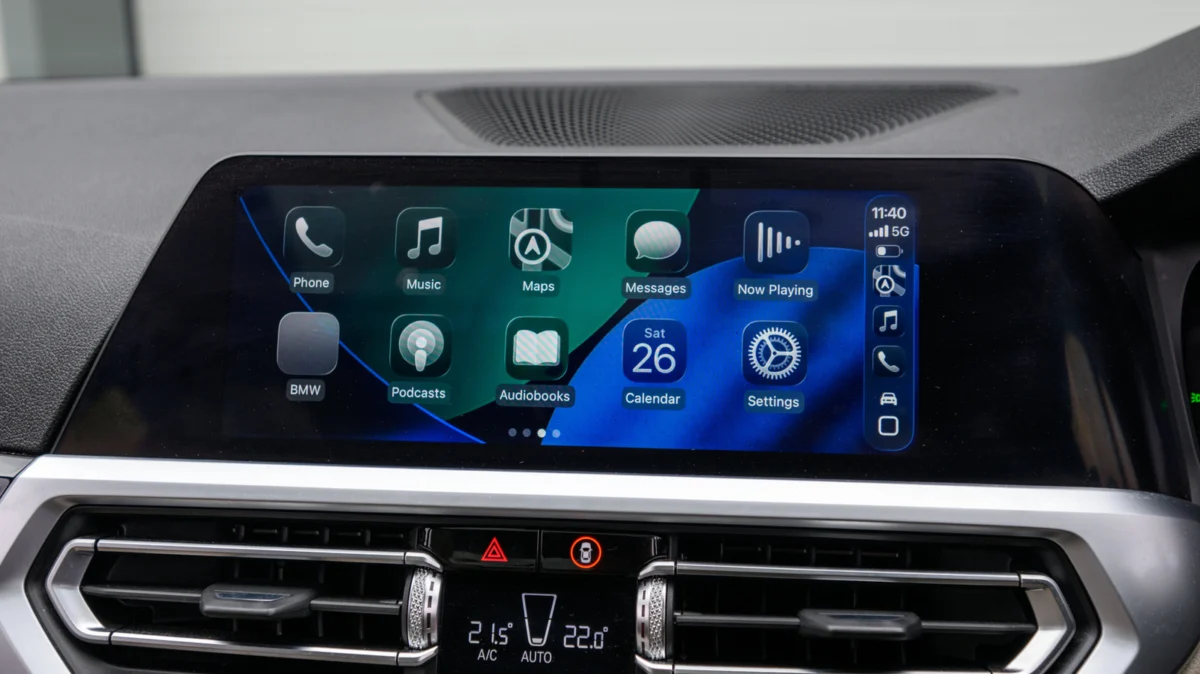
For millions of drivers, Apple CarPlay has become an essential travel companion, providing seamless access to navigation, music, and communication. Yet, a significant friction point remains: the tether. Despite the convenience of the interface, many vehicles—even those manufactured as recently as 2022—require a physical Lightning or USB-C cable to establish a connection.
While wired connections offer unmatched stability and audio fidelity, the desire for a "cable-free" cockpit has created a booming market for aftermarket wireless CarPlay adapters. These compact, plug-and-play devices promise to bridge the gap between legacy wired systems and modern convenience. However, not all adapters are created equal, and navigating the market requires a careful understanding of automotive technology and wireless standards.
Main Facts: What Are CarPlay Adapters?
At their core, wireless CarPlay adapters are small, dongle-like devices that act as a hardware handshake between your vehicle’s infotainment system and your iPhone. When you plug the adapter into the USB port typically reserved for wired CarPlay, the device tricks the car into "thinking" an iPhone is physically connected via cable.
Simultaneously, the adapter creates a private Wi-Fi network and a Bluetooth bridge with your smartphone. Once this pairing is established, the adapter handles the data transmission wirelessly, mirroring the CarPlay interface onto your vehicle’s screen.
The Critical Limitations
Before considering a purchase, it is vital to understand what these devices cannot do.
- Existing CarPlay Requirement: These adapters do not add CarPlay to a vehicle that lacks it. If your car’s head unit does not support CarPlay out of the box, an adapter will be useless. In such instances, your only recourse is to install a third-party head unit or use a portable, mountable CarPlay display.
- Data Latency: Because the system relies on wireless signals rather than a direct copper connection, there is an inherent, albeit often imperceptible, increase in latency. For most users, this manifests as a slight delay in music track scrubbing or voice commands.
- The Power Factor: Unlike a wired connection, which charges your phone while you drive, a wireless connection drains your battery. Drivers who rely on wireless CarPlay for long road trips will likely still need to plug their phones into a separate 12V charger to maintain battery health.
Chronology: The Evolution of the Wireless Bridge
The rise of the wireless adapter market is a direct result of Apple’s strategic rollout of CarPlay.

2014–2015: Apple officially launches CarPlay, but the initial iteration is strictly tethered. It requires a Lightning cable connection, which sets the industry standard for the next half-decade.
2016–2017: Apple introduces Wireless CarPlay at the software level (iOS 9+), but hardware adoption by automotive manufacturers is slow. Only luxury brands (notably BMW) begin offering the feature, leaving the vast majority of consumers with wired systems.
2019–2021: As consumers grow tired of cable clutter, the aftermarket industry recognizes a gap. Early, "first-generation" adapters appear on crowdfunding sites. These units are often plagued by connection drops, firmware bugs, and significant audio lag.
2022–Present: The market matures. Major manufacturers like Ottocast, Carlinkit, and others refine their hardware. Modern adapters now utilize 5GHz Wi-Fi and Bluetooth 5.0, significantly improving reliability. Today, we are in the "optimization phase," where buyers must distinguish between budget-tier legacy hardware and premium, updateable units.
Supporting Data: Technical Considerations for Buyers
When selecting an adapter, the technical specifications are not just marketing jargon—they are the determinants of your user experience.
Wi-Fi and Bluetooth Standards
The most frequent complaint among users of cheap, bottom-tier adapters is "lag." This is usually caused by the use of 2.4GHz Wi-Fi, which is notoriously congested in urban areas, leading to interference from other devices and Wi-Fi networks.
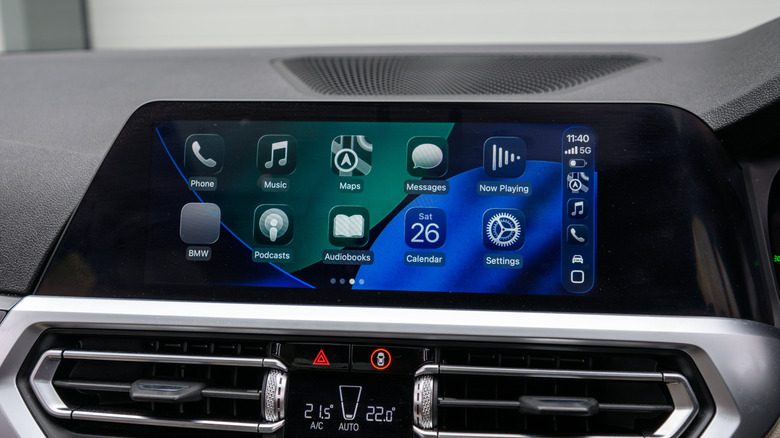
- The 5GHz Rule: Always look for an adapter that supports 5GHz Wi-Fi. This higher-frequency band provides significantly higher bandwidth and lower latency, ensuring that your maps update smoothly and your music tracks switch instantly.
- Bluetooth 5.0+: Bluetooth is used for the initial handshake and device discovery. Modern versions (5.0 and higher) offer faster pairing and more stable background connections, preventing the dreaded "device not found" error when you start your car.
Compatibility and Firmware
Not all infotainment systems are built the same. Some vehicles use proprietary software overlays that may conflict with the "bridge" method employed by adapters.
- Check the Manufacturer’s List: Reputable brands (like Amzfeel or Ottocast) maintain databases of compatible vehicles. If your specific make and model are not listed, search owner forums (such as Reddit’s r/CarPlay or vehicle-specific enthusiast boards) to see if others have successfully used the device.
- Firmware Updates: This is arguably the most important feature. Because Apple updates iOS regularly, an adapter that works today might be rendered obsolete by an iOS update tomorrow. Choose an adapter that features a "web-based update" or "app-based update" capability. This allows you to patch the adapter’s internal software to maintain compatibility with the latest iPhone features.
Official Perspectives and Industry Implications
While Apple does not manufacture these adapters, their influence on the market is absolute. Apple’s stance has been to prioritize the native, integrated wireless experience in new vehicles. However, they have remained silent on the aftermarket ecosystem.
From an industry perspective, the proliferation of these adapters serves as a "patch" for a broader automotive issue: the slow upgrade cycle of car infotainment systems. While a smartphone is replaced every 2–3 years, the average car remains on the road for over a decade. By utilizing these adapters, consumers are effectively extending the life of their vehicle’s technology without needing a costly head-unit replacement.
Implications for the Driver: Is It Worth It?
The decision to transition to wireless CarPlay involves balancing convenience against potential technical friction.
The Pros
- Seamless Entry: You can leave your phone in your pocket or bag. The system connects automatically as soon as you start the ignition.
- Reduced Wear: You no longer need to worry about the wear and tear on your phone’s charging port caused by constant plugging and unplugging.
- Aesthetic Clarity: A cable-free cabin looks cleaner and eliminates the dangling wires that often interfere with cupholders or gear shifters.
The Cons
- Battery Management: As mentioned, your phone will deplete faster. If you are a heavy user of GPS, you will likely need a wireless charging pad in your car to compensate.
- Initial Setup Frustration: The "plug-and-play" promise is sometimes interrupted by firmware conflicts or Bluetooth pairing failures, which may require troubleshooting.
- Cost vs. Quality: While you can find adapters for as low as $30, these are often "disposable" tech. Investing in a $70–$100 unit from a well-regarded brand usually pays for itself in reduced frustration and longevity.
Final Recommendations for the Consumer
Before clicking "buy," follow this checklist:
- Verify your Port: Check if your car uses USB-A or USB-C. Buying an adapter that matches your port is far superior to using a dongle-on-a-dongle.
- Look for "Auto-Reconnect": Ensure the product description explicitly mentions automatic reconnection. Some cheaper units require you to select the device from your phone’s Bluetooth menu every time you enter the car, which defeats the purpose of "wireless" convenience.
- Read Recent Reviews: Look at reviews from the last six months. Because these products rely on software compatibility, a review from two years ago is largely irrelevant. Focus on how the device handles the latest versions of iOS.
- Consider Multi-User Support: If your vehicle is shared between family members, look for a "multi-pairing" feature. This allows the adapter to remember multiple iPhones and connect to whichever one is in the vehicle, saving you from having to manually disconnect one device to pair another.
In conclusion, the transition to wireless CarPlay is a significant quality-of-life upgrade for any driver. By selecting a high-quality, firmware-updateable adapter that supports modern 5GHz Wi-Fi standards, you can effectively modernize your vehicle’s infotainment system for a fraction of the cost of a new car, ensuring that your digital life remains seamlessly integrated with your journey.