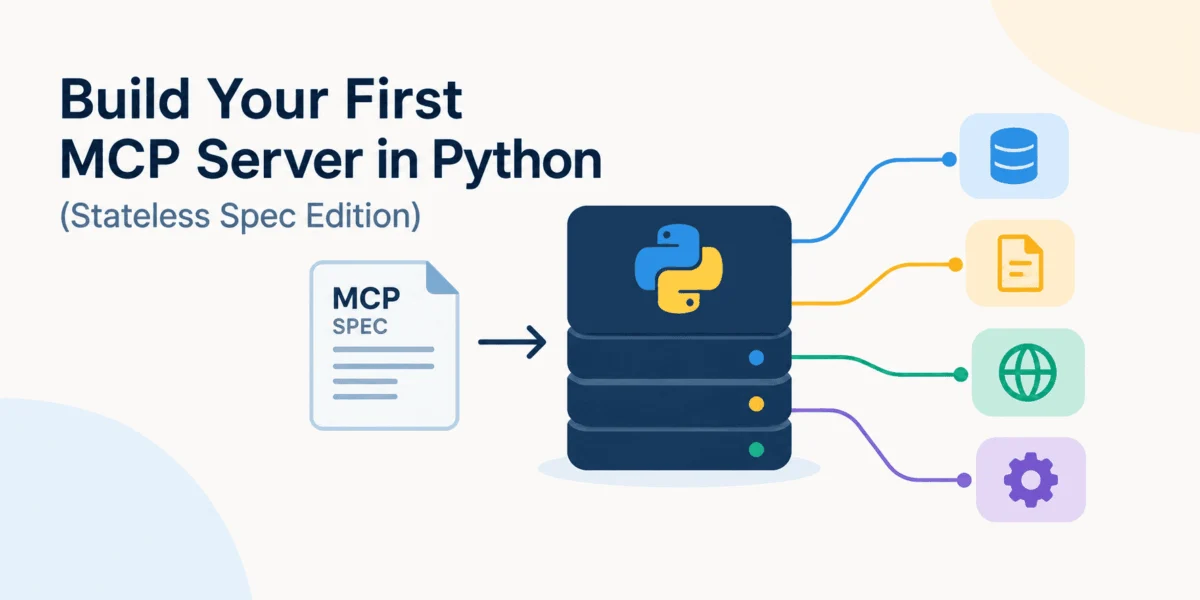
In the rapidly evolving landscape of Large Language Models (LLMs), the bridge between artificial intelligence and local data has become the most critical frontier for developers. For the past year, the Model Context Protocol (MCP) has emerged as the industry standard for connecting AI assistants to local tools, databases, and knowledge bases. However, a significant architectural shift introduced in the summer of 2026—the transition to a stateless specification—has fundamentally altered how developers build, deploy, and scale these AI-powered applications.
By moving away from session-dependent handshakes, the MCP has matured from a complex, stateful protocol into a lean, highly scalable interface that aligns perfectly with modern cloud-native architectures. This guide explores the "Stateless Spec Edition" of MCP, providing a comprehensive walkthrough for building your first high-performance MCP server using the latest Python SDK (v2).
The Evolution of the Model Context Protocol
The Core Shift: Why Statelessness Matters
Until the mid-2026 update, MCP relied on a stateful lifecycle. When an LLM client connected to an MCP server, it had to establish a session, negotiate capabilities, and maintain an Mcp-Session-Id for all subsequent requests. While this provided a consistent environment for the session, it introduced significant friction for developers. It required "sticky" routing in load balancers and made it difficult to scale servers across multiple containers or serverless functions, as any given request needed to be routed back to the specific instance that held the session state.
The 2026-07-28 specification effectively dismantled this dependency. By mandating that modern clients no longer need to establish a persistent protocol session before making requests, the MCP has adopted a request/response model similar to REST. Servers no longer rely on session IDs for standard tool execution or resource retrieval. This change is not merely technical; it is a paradigm shift that allows MCP servers to be deployed behind standard HTTP infrastructure without complex configuration, unlocking true horizontal scalability.
Chronology of the MCP Maturity
- Early Phase: MCP introduced as a standard to unify how LLMs interact with external systems.
- Stateful Era: Initial versions required bi-directional persistent connections and session-based handshake protocols.
- July 2026 (The Stateless Pivot): The release of the 2026-07-28 specification marks the move to a stateless request/response model, simplifying load balancing and cloud deployment.
- Current State: The v2 Python SDK simplifies the developer experience by abstracting complex protocol handling into a high-level
MCPServerAPI, allowing developers to define tools and resources using native Python functions.
Building Your First Stateless MCP Server
To understand the practical impact of these changes, we will build a "Developer Knowledge-Base Server." This server will demonstrate the three pillars of MCP: Tools (executable actions), Resources (data read access), and Prompts (reusable templates).
Step 1: Setting the Environment
The current Python SDK (v2) requires Python 3.10 or newer. We recommend using uv, a modern, high-speed Python project manager, to handle dependencies and execution.
mkdir first-mcp-server
cd first-mcp-server
uv init
uv add "mcp[cli]"
This creates a lean workspace. By installing the mcp[cli] extra, you gain access to the MCP Inspector, an essential development tool that visualizes your server’s capabilities and allows for real-time testing without writing a client first.
Step 2: Defining the MCPServer
The v2 SDK introduces the MCPServer class, a high-level wrapper that replaces the verbose boilerplate of previous versions.
from mcp.server import MCPServer

mcp = MCPServer(
    "Developer Support KB",
    instructions=(
        "Use the knowledge-base tools to answer support questions. "
        "Prefer retrieved KB information over guessing."
    ),
)
By initializing MCPServer, we define the server’s identity and its instructions for the LLM. Unlike older versions, we do not need to manually define schemas for every interaction; the SDK performs introspection on our Python functions to generate them automatically.
Step 3: Implementing Tools, Resources, and Prompts
The power of the new SDK lies in its decorator-based approach. Let’s add a search tool, a resource for documentation, and a prompt for customer support.
Tools: The Action Layer
Tools allow the model to "do" things. We define a search_kb function that queries our local article repository.
@mcp.tool()
def search_kb(query: str, limit: int = 3) -> list[dict[str, str]]:
    """Search the support knowledge base."""
    # Logic to filter ARTICLES list
    return results[:limit]
Resources: The Data Layer
Resources represent static or dynamic data that the model can "read." By using the URI scheme kb://articles, we provide a canonical way for the client to request specific data.
@mcp.resource("kb://articles")
def list_articles() -> str:
    """Return the available knowledge-base articles."""
    return "n".join([f"a['id']: a['title']" for a in ARTICLES])
Prompts: The Context Layer
Prompts act as templates. They allow the server to provide the LLM with pre-configured, context-aware instructions for specific tasks, such as drafting a response.
@mcp.prompt()
def draft_support_reply(customer_message: str) -> str:
    """Create a prompt for drafting a concise support response."""
    return f"You are a support assistant. Reply to: customer_message"
Architectural Implications: From Session-Based to Explicit Handles
A common concern among developers is how to maintain state if the protocol is now stateless. The answer lies in explicit handle management. Instead of the protocol "remembering" a user’s session, the application logic manages state via unique identifiers passed between the LLM and the server.
For example, if your server needs to handle a shopping cart, you don’t store a basket_id in a hidden session object. Instead, your tools explicitly accept a basket_id as an argument. The LLM receives this ID from the server and passes it back in subsequent calls. This "Explicit Handle" pattern is the gold standard for stateless API design and is now the recommended approach for MCP development. It ensures that any server instance can handle any request, provided the request contains the necessary context.
Scaling for Production
The transition to a stateless core has profound implications for deployment. In a production environment, you are no longer limited to a single process. You can deploy your MCP server using any standard ASGI-compatible server, such as Uvicorn, and scale it horizontally behind a load balancer.
ASGI Integration
To integrate your MCP server into a larger ecosystem, such as a FastAPI application, you can expose it as a standard ASGI app:
app = mcp.streamable_http_app()
# Run with uvicorn: uvicorn server:app
This allows your MCP functionality to live alongside your existing REST or GraphQL endpoints, sharing the same infrastructure, authentication middleware, and logging systems.
Load Balancing
Because every request is self-contained, a load balancer can distribute incoming MCP traffic across multiple workers without worrying about where the "session" resides. This drastically reduces the complexity of infrastructure monitoring and ensures that your AI tools remain highly available.
Testing and Verification
Before moving to production, the mcp dev command acts as your primary development feedback loop. By running uv run mcp dev server.py, the CLI launches a local server and opens the MCP Inspector.
The Inspector provides:
- Tool Discovery: A UI to view all available tools and their auto-generated schemas.
- Interactive Invocation: A console to test tools with specific inputs.
- Protocol Versioning: Validation that your server is communicating using the latest 2026-07-28 stateless protocol.
Writing a Client
To verify your server’s independence, you can write a simple Python client using the mcp.Client class. This client connects to the server’s HTTP endpoint and executes tools just as an LLM host (like Claude or a custom agent) would.
async with Client("http://127.0.0.1:8000/mcp") as client:
    result = await client.call_tool("search_kb", "query": "rate limit")
    print(result.content)
Conclusion: The Path Forward
The move to a stateless MCP specification is a maturation milestone. By stripping away the requirement for persistent sessions, the protocol has become significantly more robust, easier to debug, and simpler to deploy at scale.
For developers, the message is clear: the complexity of "protocol plumbing" is disappearing. By utilizing the new MCPServer API in the v2 SDK, you can focus entirely on the "what"—the tools, data, and prompts that provide value to your users—rather than the "how" of session management. As we move into an era of autonomous agents and complex LLM workflows, having a stateless, scalable protocol ensures that your tools will be ready to perform, regardless of the size or complexity of the underlying infrastructure.
The future of AI integration isn’t in maintaining sessions; it’s in building stateless, functional, and highly interoperable bridges between our data and the models that process it. With the 2026-07-28 spec, that bridge is now stronger than ever.