In an era where the “Software-as-a-Service” (SaaS) model has become the industry standard, consumers are increasingly finding themselves trapped in a cycle of perpetual monthly or annual subscription fees. From streaming services to cloud storage and professional productivity suites, the cost of digital maintenance has steadily climbed. However, for those who prefer a traditional ownership model, Microsoft has provided a rare reprieve with the release of Microsoft Office 2024 Home.
For a limited time, users can secure a lifetime, perpetual license for Microsoft Office 2024 Home for Mac or PC for just $114.97—a significant discount from the standard $149.99 retail price. This offer, available through October 25, provides a comprehensive suite of essential tools without the burden of recurring billing.
The Core Offering: What’s Included in the 2024 Suite?
Microsoft Office 2024 Home is designed as a foundational toolkit for students, home office workers, and families. Unlike the cloud-reliant Microsoft 365, this version is a standalone, desktop-installed package that prioritizes local functionality and stability.
The suite includes the latest 2024 iterations of the “Big Three” productivity staples: Word, Excel, and PowerPoint, along with the digital note-taking powerhouse, OneNote. By opting for this version, users gain permanent access to these applications, ensuring that their workflow remains uninterrupted by subscription renewals or payment failures.
Word: Precision and Collaboration
Microsoft Word 2024 continues to serve as the industry benchmark for word processing. Whether you are drafting a complex academic thesis, a professional resume, or personal correspondence, the software offers a sophisticated suite of formatting controls. The 2024 update includes enhanced collaboration features, allowing multiple users to edit documents in real-time, making it an ideal choice for group projects and shared family administrative tasks.
Excel: Data Powerhouse
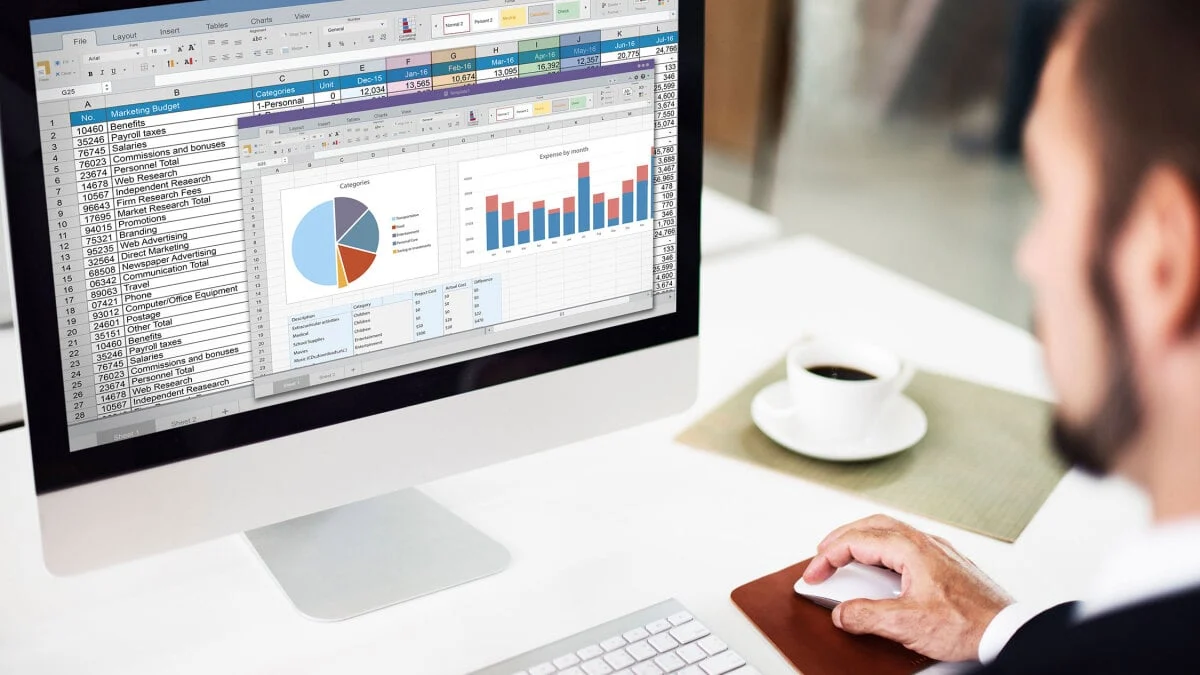
Excel remains the most powerful tool for data analysis, and the 2024 version brings significant upgrades. Users now have access to Dynamic Arrays and advanced functions such as FILTER, SORT, and UNIQUE. These features allow for the creation of spreadsheets that are not only more organized but also inherently responsive—data updates automatically as inputs change, reducing the risk of human error in complex calculations.
PowerPoint: Multimedia Presentations
Modern presentations require more than just bullet points. The 2024 version of PowerPoint includes robust presentation recording tools, allowing users to embed voice-over, webcam video, and closed captions directly into their slide decks. This makes it easier than ever to create professional-grade, asynchronous presentations that can be shared or reviewed remotely.
A Shift in Strategy: The Case Against Subscriptions
The rise of the subscription economy has fundamentally changed how we perceive software. While platforms like Microsoft 365 offer benefits like 1TB of cloud storage and constant feature updates, many users find themselves paying for features they never use.
The Financial Implication
The primary advantage of the Office 2024 Home license is the elimination of "subscription fatigue." When you pay a monthly fee, the software is essentially rented; if you stop paying, your access is revoked. With a perpetual license, the software is yours to keep. Over a three-to-five-year period, a one-time payment of $114.97 represents a substantial cost saving compared to the recurring costs of a premium subscription.
The Offline Advantage
One of the most significant, yet often overlooked, benefits of the desktop-installed Office 2024 suite is its offline capability. Many cloud-based alternatives require a constant, stable internet connection to function correctly. In contrast, Office 2024 allows users to work on documents, edit complex spreadsheets, and design presentations entirely offline. When you reconnect to the internet, your files can be synced to your preferred cloud storage, providing a "best of both worlds" scenario for digital nomads, travelers, or those living in areas with unreliable internet infrastructure.
Implementation and Technical Requirements
Understanding the nuances of the Office 2024 Home license is essential for a seamless installation.
- The Licensing Model: The license is linked to your Microsoft account. This ensures that even if you upgrade your computer, you can easily transfer your software by signing into your account on the new machine. It is important to note that the license covers one device (either Mac or Windows PC) at a time.
- Missing Features: Prospective buyers should be aware that this specific “Home” edition does not include Microsoft Outlook. This edition is tailored for core productivity—writing, calculating, and presenting—rather than enterprise-level communication and scheduling.
- System Compatibility: The suite is optimized for modern operating systems. Whether you are running the latest version of macOS or the most recent build of Windows 11, the software is designed to integrate deeply with the native environment, ensuring high performance and security.
Implications for the Future of Productivity
The release of Office 2024 signals that Microsoft still recognizes the demand for offline, permanent software. While the tech giant is clearly committed to its cloud-first strategy, the existence of a perpetual-license product acknowledges that a significant segment of the market—including privacy-conscious users and those with restricted internet access—requires a different approach.
Security and Longevity
By choosing a standalone version, users also gain a degree of stability in their interface. In subscription models, menus and tools can change overnight due to "over-the-air" updates, which can be frustrating for professional users who rely on muscle memory and established workflows. Office 2024 provides a consistent environment that remains static until the user chooses to upgrade to a future version.
The Environmental Impact of Ownership
There is also an argument to be made for the sustainability of perpetual software. When users keep the same version of software for years, they put less strain on their hardware. Subscription services often demand the latest software updates, which can lead to "planned obsolescence" where older hardware is no longer supported. By using a stable, desktop-based suite, users can extend the lifecycle of their existing computers, reducing electronic waste.
Conclusion: Is It Time to Buy?
For the student managing a heavy essay load, the professional requiring a reliable offline tool for data entry, or the family looking to manage their budget without recurring monthly "leaks," Microsoft Office 2024 Home presents a compelling value proposition.
The current price of $114.97 is a rare entry point into the Microsoft ecosystem. By removing the uncertainty of monthly billing, you are securing a toolset that is synonymous with global productivity. As we move further into the digital age, the ability to own your software rather than rent it is becoming a rare and valuable asset.
This offer is set to expire on October 25. For those who have been waiting to upgrade from an aging version of Office or who are finally ready to break free from the subscription cycle, this is an opportune moment to secure the latest tools from the industry leader in productivity.
Key Takeaways:
- One-Time Purchase: Pay once, own it forever.
- Essential Suite: Includes Word, Excel, PowerPoint, and OneNote.
- Offline Capability: Work anywhere without needing a constant internet connection.
- Limited Time: Discounted pricing ends October 25.
As the industry continues to push toward cloud-based subscription models, Microsoft Office 2024 Home stands as a testament to the enduring power of traditional software ownership. Secure your copy today and take control of your digital toolkit.
Disclaimer: Pricing and availability are subject to change by the vendor, StackSocial. This article is for informational purposes and does not constitute financial advice. Ensure that your system meets the minimum requirements for the 2024 edition of the software before completing your purchase.