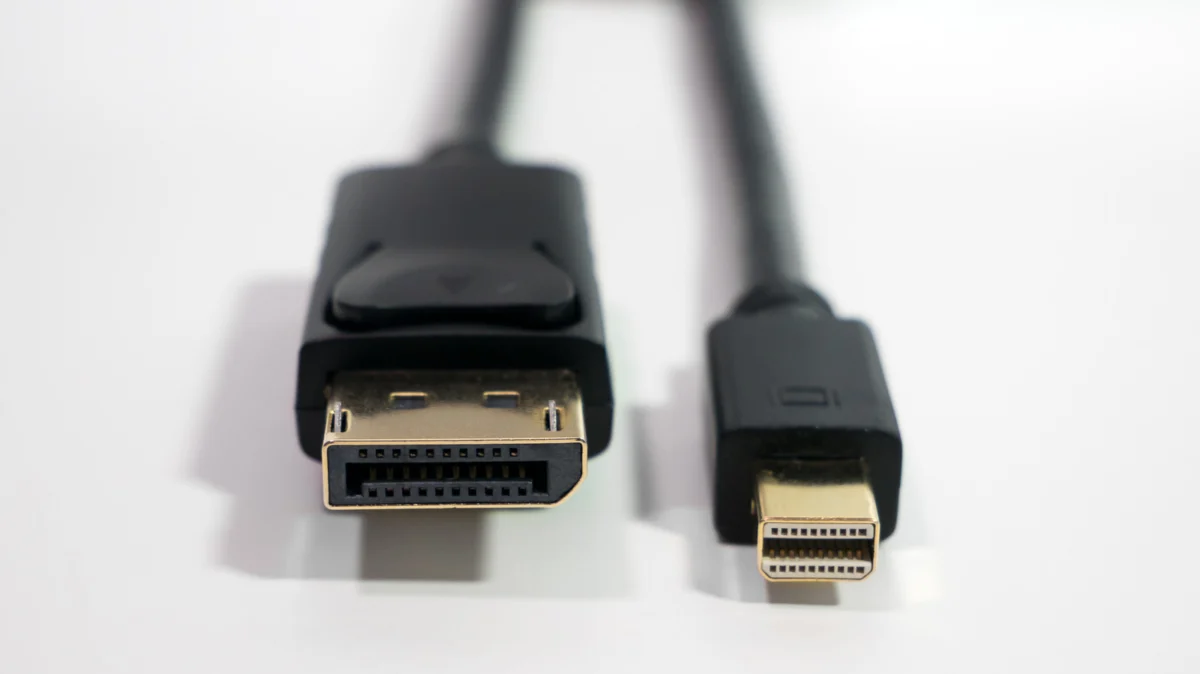
For nearly a decade, the Mini DisplayPort (mDP) stood as the bridge between the clunky, analog past of VGA and the streamlined, digital future of computing. Introduced by Apple in 2008 as a compact alternative to the bulky DVI and standard DisplayPort connectors, the mDP became a staple on laptops, particularly MacBooks, where space was at an absolute premium.
However, in the current landscape of consumer electronics, the Mini DisplayPort has become a relic. To find one today, you would likely need to look at aging enterprise hardware or legacy workstations gathering dust in a server room. Its disappearance from the modern laptop chassis is not a sign of failure, but rather a casualty of a more efficient, versatile evolution: the rise of USB-C and the Thunderbolt standard.
Chronology: The Rise and Fall of the Mini Port
The story of the Mini DisplayPort is inextricably linked to Apple’s design philosophy of the late 2000s.
- 2008: Apple introduces the Mini DisplayPort, aiming to provide a high-performance, smaller-footprint solution to the DisplayPort standard. It quickly gained traction, eventually being licensed to other manufacturers.
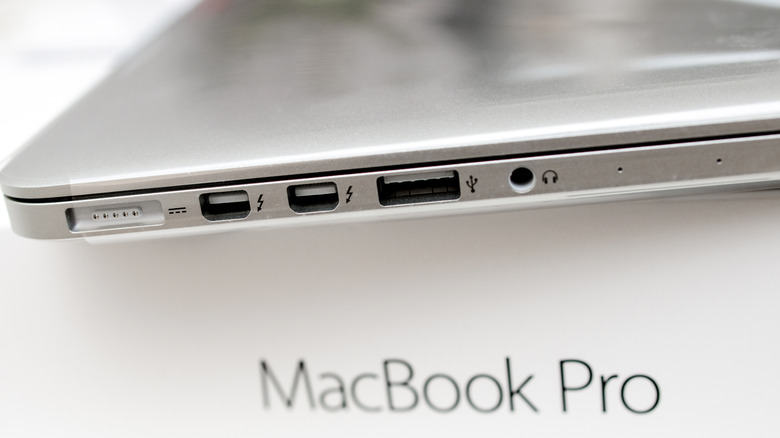
- 2011: Apple and Intel collaborate to integrate the Thunderbolt protocol into the Mini DisplayPort physical connector. This was a watershed moment; suddenly, a single port could handle high-speed data (PCIe) and video output simultaneously.
- 2015-2016: The paradigm shifts. With the release of the late-2015/2016 MacBook Pro lineups, Apple abandons the mDP connector entirely, opting for the USB-C form factor for its Thunderbolt 3 implementation.
- Present Day: USB-C has become the universal standard. While the DisplayPort protocol remains the backbone of high-end graphical display technology, the physical Mini DisplayPort plug has been relegated to niche adapters and legacy hardware.
Supporting Data: Bandwidth and Performance Standards
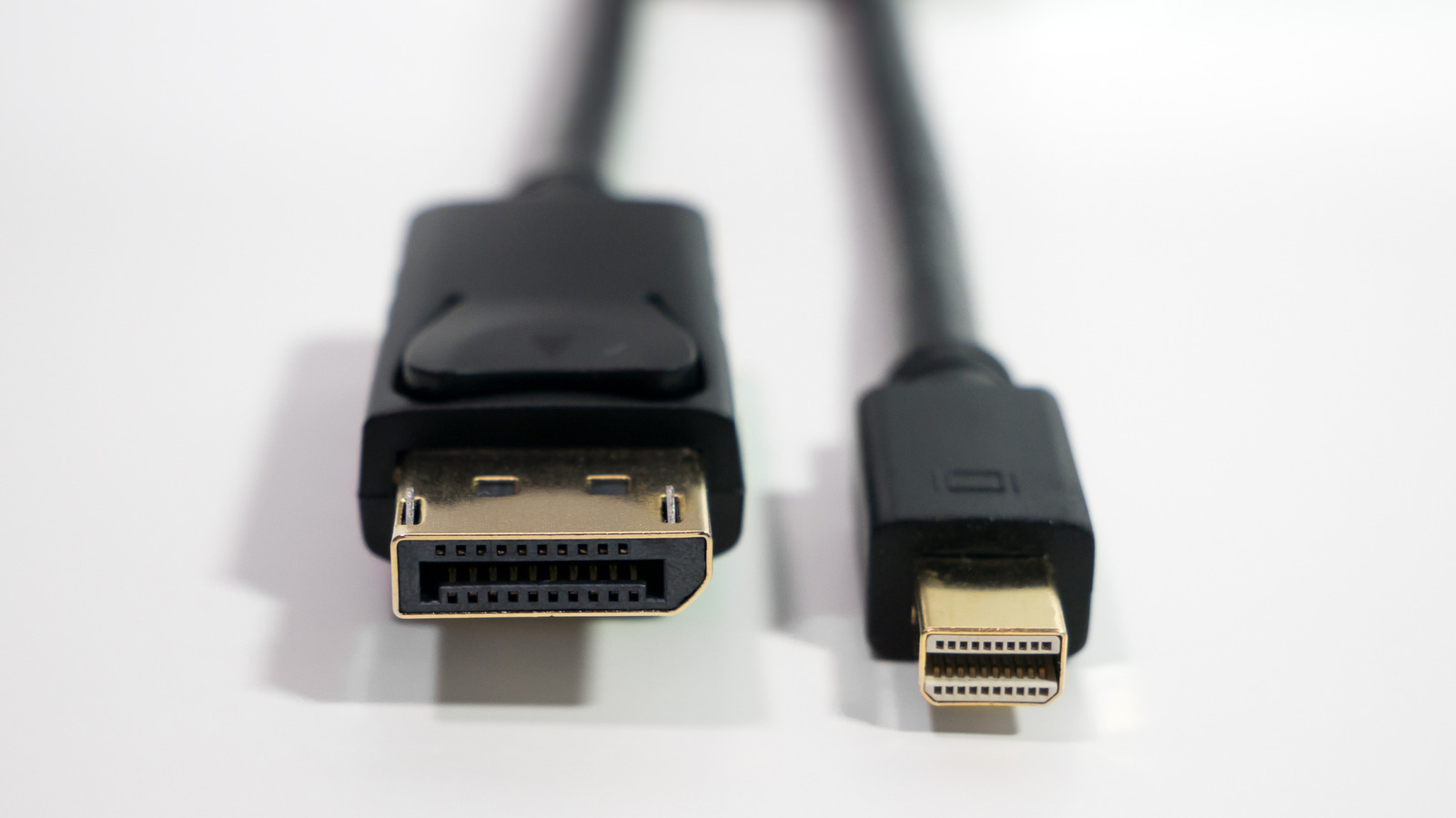
To understand why the industry moved away from mDP, one must look at the underlying mechanics of display technology. Both the standard DisplayPort and the Mini DisplayPort share the same internal protocol—meaning they carry the same data packets, just through different physical pins.
The advantage of DisplayPort has always been its raw throughput. While older VGA connectors struggled to maintain signal integrity above 1080p, the DisplayPort standard was built for scalability. Current iterations, such as DisplayPort 2.1, are capable of staggering bandwidths—up to 80 Gbps. This allows for configurations that were once science fiction, such as 8K resolution at 60Hz or ultra-high refresh rate gaming at 4K/240Hz.
In contrast, HDMI—the other major player—has been playing catch-up. While HDMI 2.1 offers a respectable 48 Gbps, and newer iterations like HDMI 2.2 push that further, the professional and enthusiast communities have long favored DisplayPort for its lack of licensing fees and its superior performance in multi-monitor daisy-chaining configurations via Multi-Stream Transport (MST).
The USB-C Consolidation: Why the Change Was Necessary
The transition to USB-C was driven by a need for "port consolidation." In the era of the Mini DisplayPort, a laptop often required a dedicated HDMI port, a dedicated mDP or Thunderbolt port, and multiple USB-A ports for peripherals. This created a cluttered I/O panel that prevented manufacturers from thinning out their designs.
USB-C changed the game by introducing the concept of "Alternate Modes." A single USB-C port, when supported by the underlying controller, can function as:
- A Power Delivery (PD) port: Charging the device.
- A Data port: Supporting USB 3.x or USB4 speeds.
- A DisplayPort source: Using "DisplayPort Alt Mode," the USB-C port sends raw DisplayPort signals to a monitor.
- A Thunderbolt interface: Carrying PCIe data for external GPUs or high-speed storage arrays.
Because USB-C is reversible and physically smaller than the original DisplayPort, it became the obvious choice for a unified standard. Manufacturers no longer had to choose between offering a video-out port or a data-out port; the USB-C port could be both, simultaneously.
Official Responses and Industry Stance
While there was no single "press release" declaring the death of the Mini DisplayPort, the industry’s shift was signaled by the VESA (Video Electronics Standards Association) and major hardware vendors. VESA continues to develop the DisplayPort standard, but its focus has shifted toward embedding that technology within USB-C cables and connectors.
PC manufacturers have effectively signaled that they view the Mini DisplayPort as redundant. For example, modern gaming laptops from vendors like ASUS, Razer, and Dell have almost universally replaced dedicated mDP ports with a combination of HDMI 2.1 and Thunderbolt-enabled USB-C ports.
When asked about the lack of legacy ports in modern workstations, hardware engineers often point to "chassis real estate." Every millimeter counts in modern laptop design; removing a bulky mDP port allows for larger batteries, better cooling solutions, or simply thinner devices.
Implications for the Modern User
What does this transition mean for the average consumer?
For the Legacy User
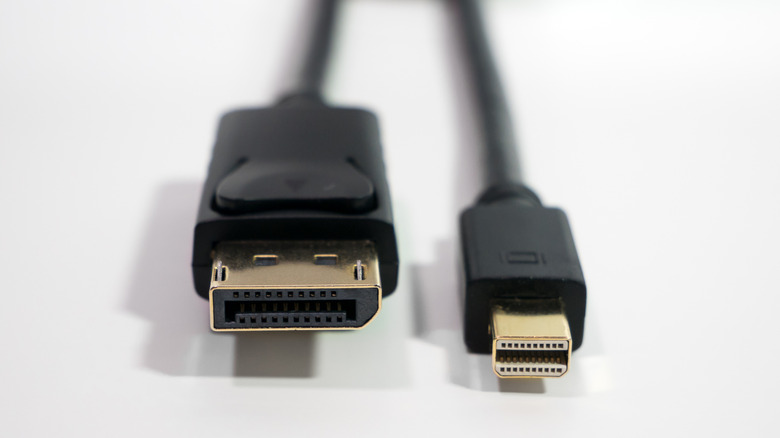
If you own an older Mac or a workstation with a Mini DisplayPort, you are not out of options. Because the protocol is identical to the full-size DisplayPort, a simple, inexpensive adapter cable (Mini DP-to-DP) will allow you to connect your hardware to virtually any modern monitor. These adapters are purely "passive," meaning they don’t require complex chips; they simply map the pins from one physical shape to the other.
For the Enthusiast
For those pushing the limits of graphical performance—such as competitive gamers or 3D designers—DisplayPort remains the king. While HDMI is catching up, DisplayPort 2.1 is still the gold standard for high-bandwidth, low-latency communication. You will simply need to ensure you have a "DisplayPort-to-USB-C" cable or a high-quality docking station that supports the required DisplayPort stream versions.
The Potential Pitfalls
Not all USB-C ports are created equal. This is the biggest hurdle for modern users. A port labeled "USB-C" might only support data transfer and charging, lacking the necessary hardware to output a video signal. Before purchasing a new monitor or cable, users must check their laptop’s specifications to confirm if the USB-C port supports "DisplayPort Alt Mode" or Thunderbolt.
Conclusion: The Persistence of Protocol
Is the Mini DisplayPort obsolete? In terms of its physical form factor, yes. It has been effectively replaced by the more flexible, reversible, and ubiquitous USB-C connector. However, the technology inside that port—the DisplayPort standard—is more vital than ever.
We have entered an era where the shape of the connector no longer dictates the function of the port. By shifting from the specialized Mini DisplayPort to the generalized USB-C interface, the industry has simplified the user experience, allowing for more compact designs without sacrificing the high-bandwidth requirements of modern 4K and 8K displays. The Mini DisplayPort may be fading into the pages of history, but the high-performance DNA it carried lives on in every modern USB-C cable.