
Power outages are, by nature, unpredictable events. When the lights flicker and die, the collective instinct for most households is to scramble for a flashlight or check the local grid’s status on a smartphone. Amidst this flurry of activity, your desktop computer—a complex ecosystem of silicon, circuitry, and stored data—often sits neglected, silently vulnerable to the very grid that just failed.
There is a pervasive, dangerous misconception among PC users: the belief that if a computer is turned off or has lost power due to a grid failure, it is essentially "safe." Nothing could be further from the truth. In reality, the moments surrounding a power outage are the most perilous for your hardware. If your machine remains physically connected to the wall outlet, you are leaving your most expensive components exposed to the volatility of an unstable electrical grid.
The Anatomy of an Electrical Surge
To understand why your PC is at risk, one must first understand how electricity behaves during a disruption. Household circuits in the United States operate at a nominal 120 volts, designed to provide a steady, consistent flow of current. When a power grid experiences a failure—whether caused by a transformer blowing, a tree limb downing a line, or a catastrophic grid overload—the flow of electricity does not simply stop like a water tap being turned off.
Instead, the system often experiences violent fluctuations. As the grid struggles to compensate for the lost load, voltage can spike dramatically. This is known as a "transient voltage surge." These spikes can reach levels well into the thousands of volts in a matter of microseconds.
Even if your PC is powered off, it is still electrically connected to your home’s wiring. That connection provides a direct path for these surges to travel through your power supply unit (PSU) and into the sensitive components of your motherboard, graphics card, RAM, and storage drives. Because modern components are engineered to operate within very tight voltage tolerances, they are remarkably fragile when faced with such massive, sudden influxes of energy.

Chronology of a Power Failure
To appreciate the necessity of unplugging your hardware, consider the typical timeline of a power-related incident:
- The Pre-Outage Instability: Before the final "blackout," the grid may fluctuate. Minor brownouts or flickering lights indicate that the voltage is already unstable. This is the first warning sign that your electronics are being subjected to irregular power levels.
- The Sudden Cutoff: If your PC is running when the outage hits, it faces immediate data integrity risks. Operating systems, particularly Windows or Linux, are constantly writing to the disk. A sudden loss of power during a file write operation can corrupt critical system files, potentially leading to a "no boot" state. Furthermore, mechanical hard drives (HDDs) are particularly susceptible to physical damage if their read/write heads do not have the chance to park correctly.
- The Restoration Surge: This is the most dangerous phase. When utility crews restore power to a grid, they do not flip a switch and achieve instant, perfect 120-volt stability. The process often involves a "re-energization" spike—a massive, rapid rush of current as the grid reconnects. This surge is frequently far more powerful than the fluctuation that caused the outage in the first place, and it is here that most "post-outage" hardware damage occurs.
The Illusion of Safety: Why "Off" Doesn’t Mean "Safe"
A common refrain from users is, "I have a power button; why do I need to unplug it?" The answer lies in the design of modern power supplies. Most modern PCs utilize "Soft-Off" (ACPI S5 state) power configurations. Even when your computer is shut down, the PSU remains in a standby state, drawing a small amount of electricity to keep the motherboard’s wake-on-LAN and power-button monitoring circuitry active.
Because the path between your wall outlet and your motherboard is still "live," a massive voltage surge will find its way into your machine. Even if you turn off the switch on the back of the power supply, many lower-quality PSUs do not provide a physical air-gap disconnection that is sufficient to protect against lightning-induced surges or significant grid spikes. In the event of a lightning strike in your vicinity, the electricity can bridge the gap of an internal switch, effectively jumping from the wall to your components in a fraction of a second.
Protecting Your Investment: Best Practices and Hardware Solutions
If you want to ensure your hardware survives the next storm or grid failure, you must transition from a reactive mindset to a proactive one.
1. The Manual Disconnect
The most effective, cost-free method remains the most simple: pull the plug. If you know a storm is approaching, shut down your system completely and physically remove the power cable from the wall. While you are at it, do the same for your router, modem, and high-end monitors. These devices are often overlooked but are equally susceptible to fried circuitry.

2. Surge Protectors vs. Power Strips
It is vital to distinguish between a simple power strip and a true surge protector. A power strip is merely an extension cord with multiple outlets. A surge protector contains a Metal Oxide Varistor (MOV), which is designed to divert excess voltage to the ground wire before it hits your equipment.
However, be warned: surge protectors have a finite lifespan. Every time a protector absorbs a spike, the MOVs degrade. If you live in an area with frequent power issues, your surge protector may be "spent" and no longer offering any real protection.
3. The Gold Standard: Uninterruptible Power Supply (UPS)
For those who cannot be home to monitor the weather, an Uninterruptible Power Supply is the best investment you can make. A UPS acts as a bridge; it contains a battery that kicks in the moment the power dips, allowing you to save your work and perform a graceful shutdown. More importantly, most modern high-quality UPS units provide "line-interactive" regulation, which actively smooths out voltage fluctuations before they reach your PC, acting as an advanced, active shield.
4. Professional Electrical Mitigation
For long-term peace of mind, consider having a licensed electrician install a "whole-house surge protector" at your main electrical panel. This device acts as a primary gatekeeper, clamping down on major surges before they even enter the branch circuits of your home. While it does not replace the need for point-of-use protection (like a UPS), it provides a critical layer of defense for every appliance in your house, including your HVAC system, refrigerator, and appliances.
Implications for the Future of Computing
As we become increasingly reliant on high-performance computing for remote work, education, and digital infrastructure, the cost of a hardware failure is no longer just the price of a new motherboard. It is the cost of downtime, lost productivity, and the stress of data recovery.
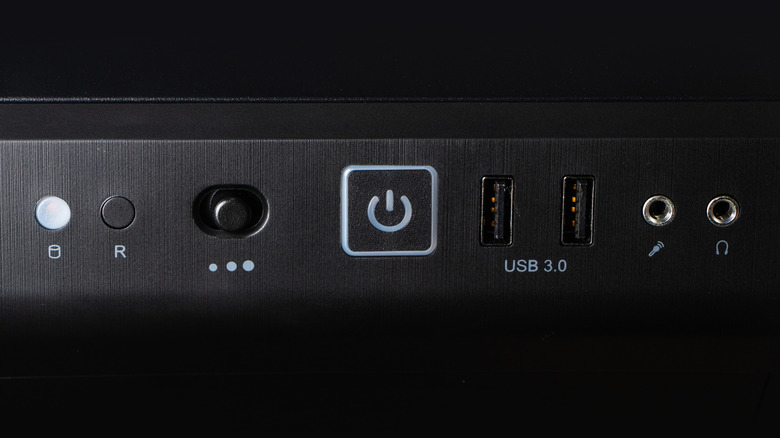
The fragility of modern tech is a byproduct of its speed and efficiency. By shrinking transistors to the nanometer scale, we have made them significantly more sensitive to electrical interference. As grid infrastructure continues to age and extreme weather events become more frequent, the necessity of protecting your electronic assets will only grow.
Conclusion: The Final Verdict
The next time you hear thunder rolling or see the lights dim, do not wait for the power to go out entirely. Take the few seconds required to power down and unplug your PC. It is a minor inconvenience that pays for itself the first time it prevents a $2,000 system from becoming a paperweight.
When the power eventually returns, exercise patience. Wait at least five to ten minutes for the grid to stabilize before reconnecting your devices. By treating your electrical connection with the caution it deserves, you ensure that your digital life remains secure, regardless of what happens on the power lines outside.