In an era where digital discovery is the primary gateway to consumer trust, a Facebook Business Page is no longer an optional luxury—it is a fundamental infrastructure requirement for any brand, organization, or public figure. With over 3.07 billion monthly active users, Facebook remains a colossal engine for brand visibility. As we navigate the digital landscape of 2026, the barrier to entry for establishing a professional online presence remains low, yet the sophistication required to succeed has never been higher.

The Foundation: Understanding the Facebook Business Page
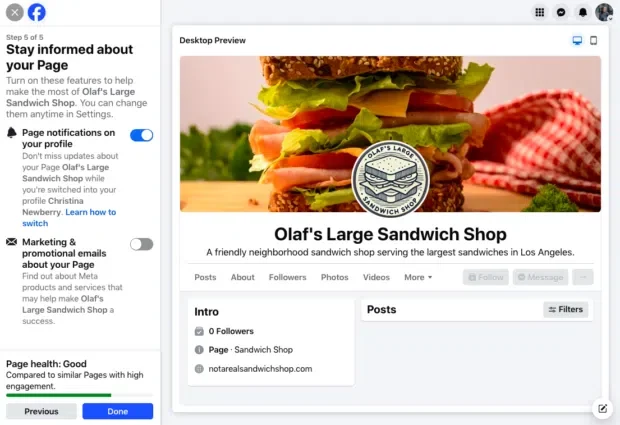
A Facebook Business Page is a free, public-facing digital profile designed specifically for professional use. While it may share a visual aesthetic with a personal profile, the underlying architecture is vastly different. A Business Page serves as a command center for your digital operations, offering robust analytics, integrated advertising tools, multi-user administrative permissions, and direct customer communication channels.

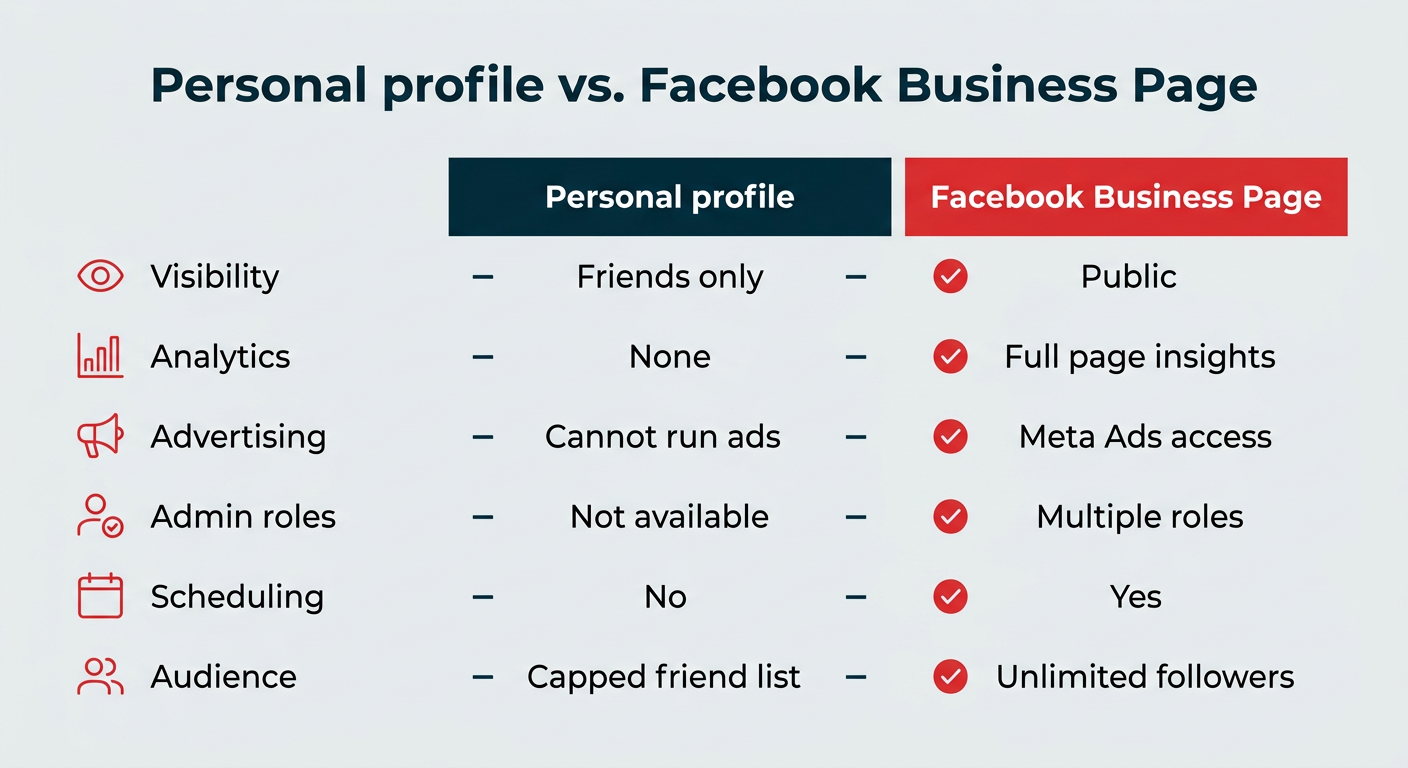
Unlike a personal profile—which is capped by friend limits and built for private networking—a Business Page is a discovery channel. It allows an unlimited number of followers to engage with your content without requiring a mutual friend request. This fundamental shift from "social" to "professional" networking is what allows businesses to convert casual attention into measurable bottom-line results.
The Crucial Distinction: Profile vs. Page
A common point of confusion for new entrepreneurs is the relationship between their personal identity and their business entity. To maintain a Facebook Business Page, you must have an active personal Facebook profile to serve as the administrative "key."
However, it is vital to understand that these two entities remain distinct. Your personal friends, private posts, and biographical data are never displayed on your Business Page. Conversely, creating a "fake" or secondary personal account to manage your business is a violation of Meta’s Terms of Service and can result in the permanent suspension of your assets. The professional approach is to use your authentic personal profile as a gateway to your business dashboard.
Feature Comparison Table
| Feature | Personal Profile | Facebook Business Page |
|---|---|---|
| Visibility | Private/Friends Only | Fully Public |
| Analytics | None | Full Page Insights |
| Advertising | Restricted | Full Access to Meta Ads |
| Team Management | Not Available | Multiple Roles/Permissions |
| Content Scheduling | No | Native & Third-Party Enabled |
| Audience | Capped | Unlimited |
Chronology of Setup: A Step-by-Step Execution
Setting up a professional presence requires precision. Follow these eight steps to ensure your page is optimized for both discovery and engagement.
1. Account Authentication
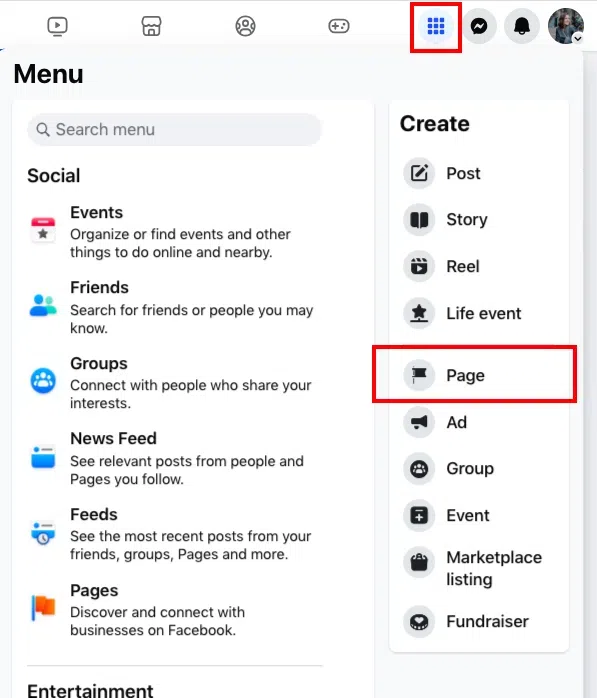
Log into your primary, personal Facebook account. Navigate to the "Pages" section in the menu sidebar. Click "Create New Page." This action links your administrative authority to the business asset without merging your personal data.
2. Strategic Identity Branding
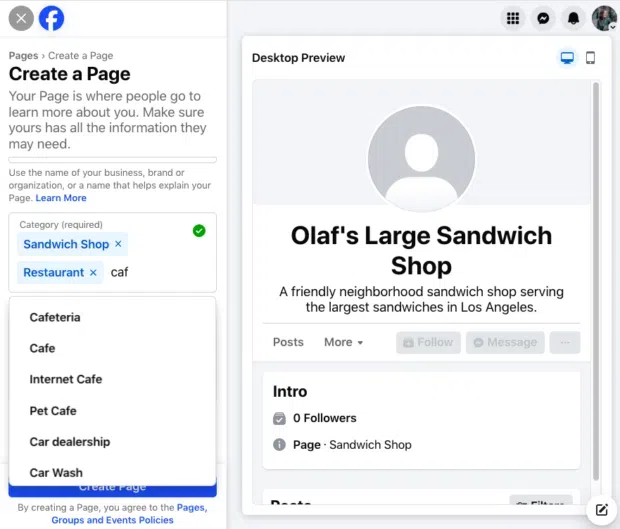
Enter your business name and primary category. The "Category" field is vital for search engine optimization (SEO) within the platform; select up to three that accurately describe your services. Fill in the "Bio" section with a concise, keyword-rich description of your value proposition.
3. Contact Integration
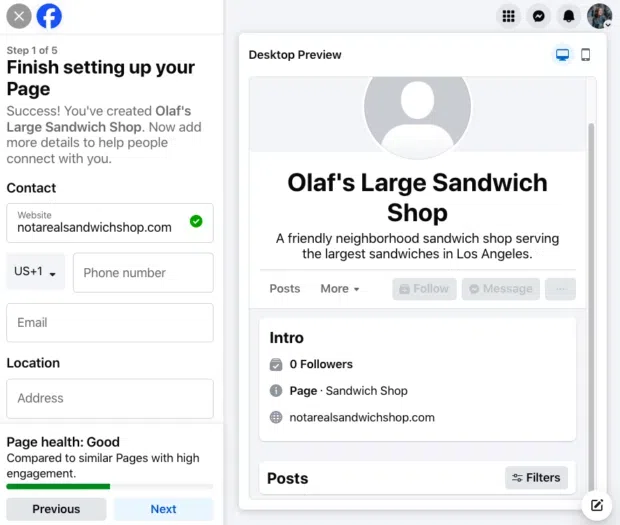
Provide accurate contact details. While this information is public, it acts as a signal of legitimacy to both your customers and the Facebook algorithm. If you operate a physical location, include your address and business hours to facilitate local discovery.
4. Visual Assets and CTA Buttons
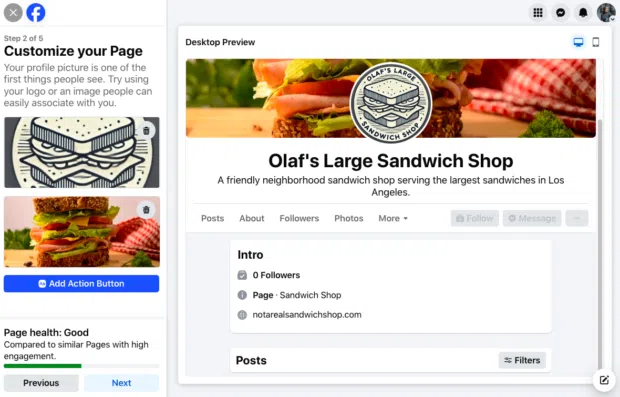
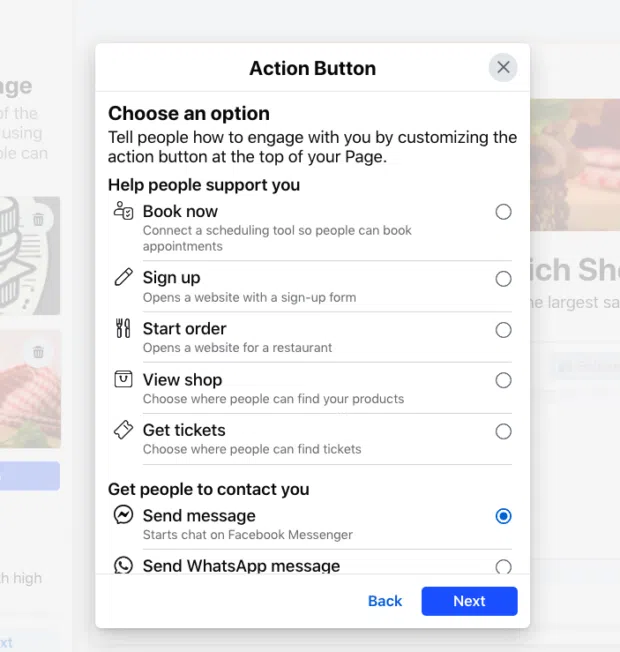
Your visual identity must be cohesive. Your profile picture (ideally a high-quality logo) should be formatted to 320 x 320 pixels. Your cover image (851 x 315 pixels) should act as a billboard for your current brand narrative. Crucially, configure your "Call-to-Action" (CTA) button—whether it is "Book Now," "Shop," or "Contact Us"—to reduce friction in the customer journey.
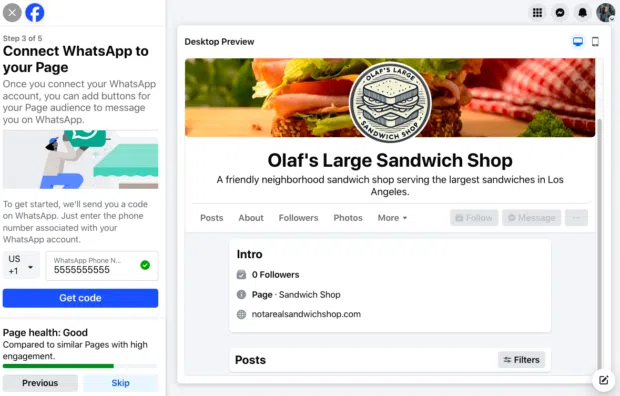
5. WhatsApp Synchronization
For businesses prioritizing real-time customer service, connecting a WhatsApp Business account is a strategic imperative. This enables direct, encrypted messaging that meets customers where they are already communicating.
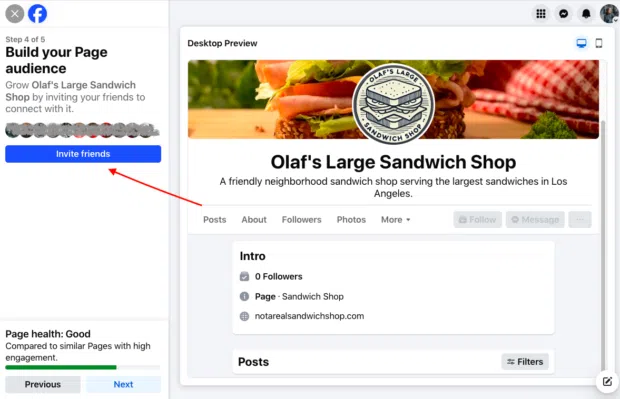
6. Audience Cultivation
Invite your existing network to follow the page. This initial "seeding" of your audience provides the social proof necessary for the algorithm to begin recommending your page to a wider, cold audience.
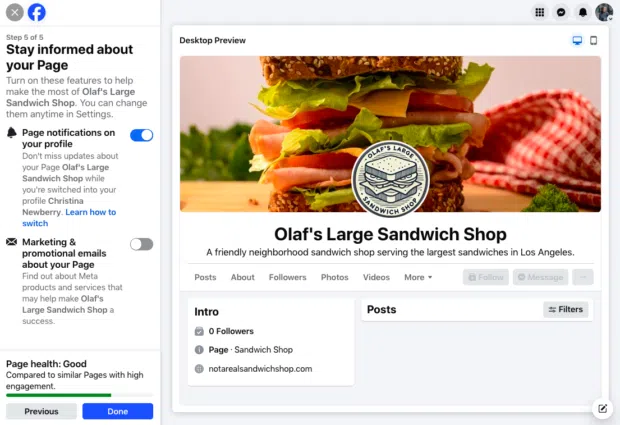
7. Notification Configuration
Navigate to your settings to manage administrative alerts. Ensure you are notified of comments, messages, and mentions so you can maintain a responsive brand presence, even when you aren’t logged into the page specifically.
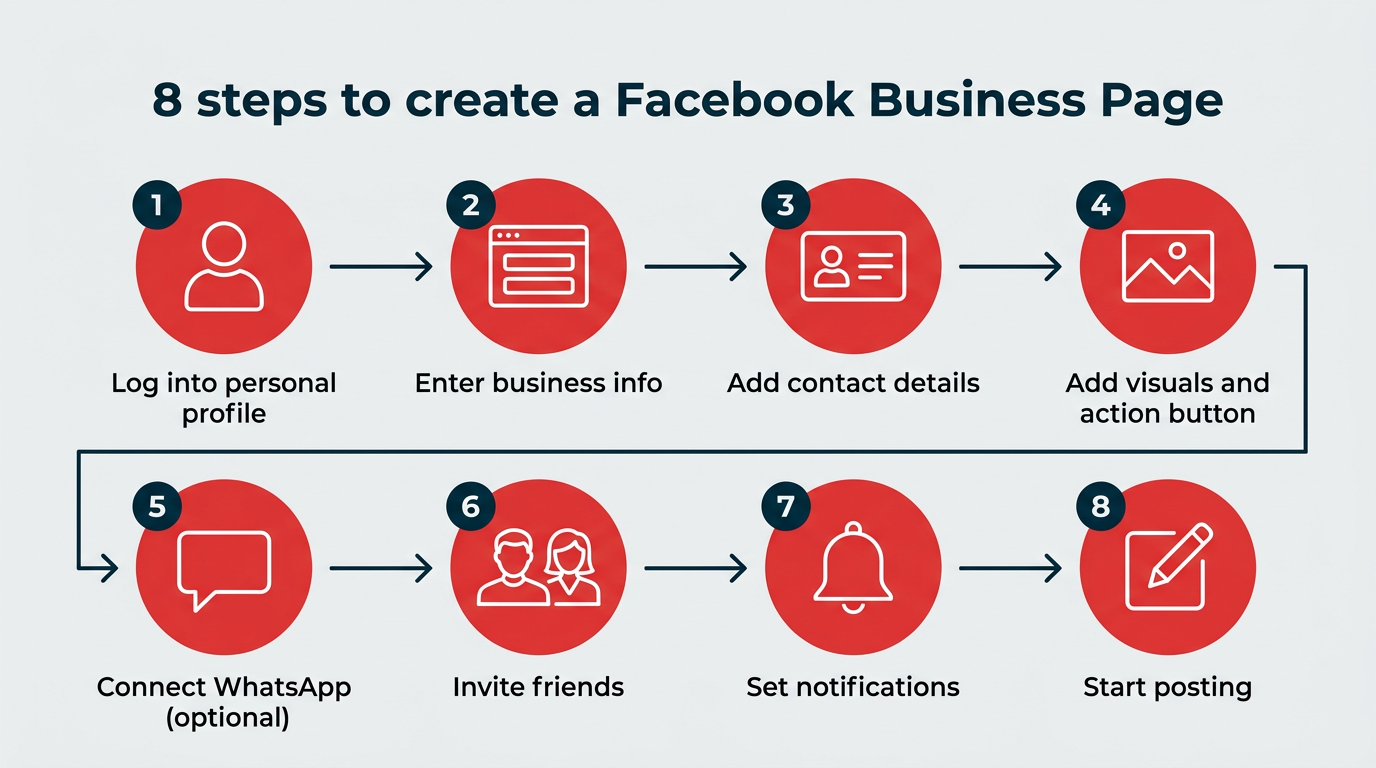
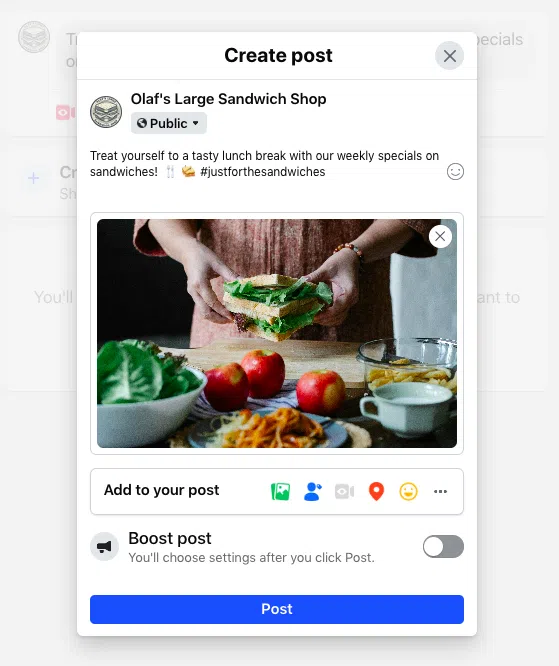
8. Content Activation
The final step is the launch of your content strategy. Focus on a mix of text, high-definition images, and short-form video (Reels). In 2026, video content continues to drive the highest engagement rates on the platform.
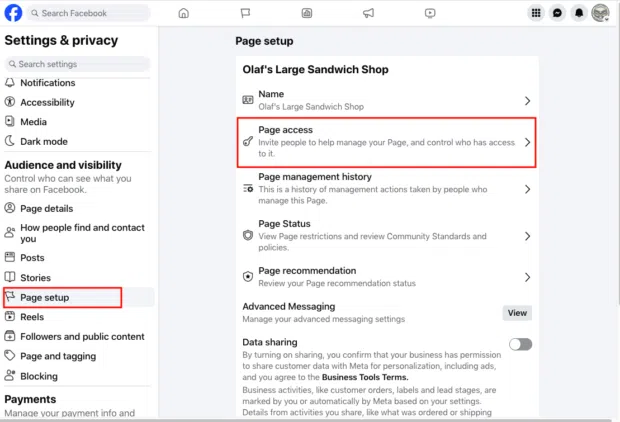
Empowering Your Team: Managing Permissions
As your business grows, you will likely need to delegate tasks. Facebook allows you to grant specific access levels:
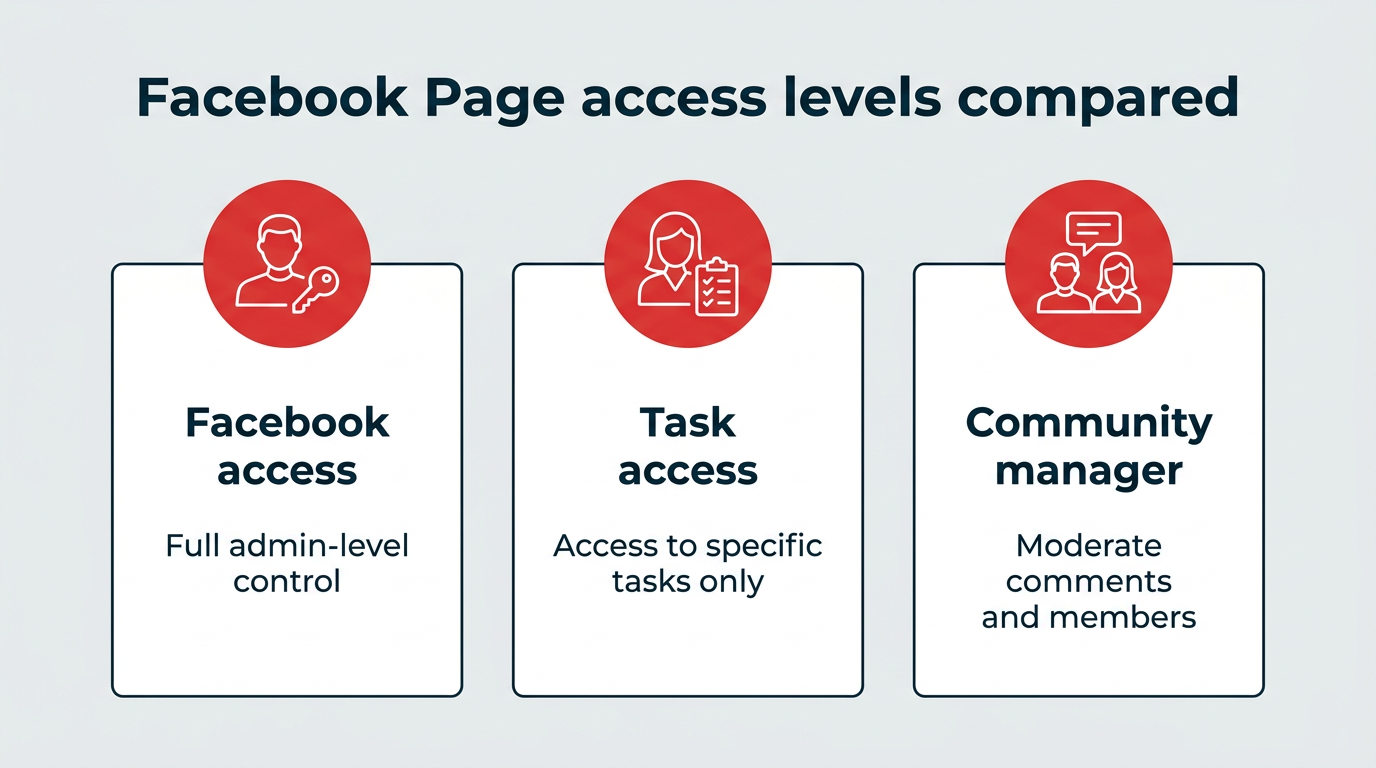
- Full Control: Equivalent to ownership; use this sparingly.
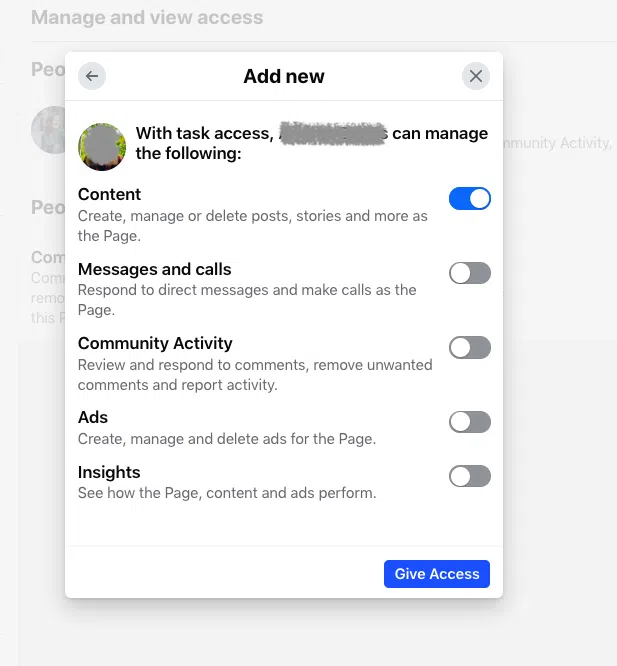
- Partial Access: Allows team members to manage content, messages, or ads without giving them full administrative authority.
This granular control protects your page from security breaches and ensures that team members only have access to the tools they need to perform their specific roles.
Strategic Optimization for 2026
To truly thrive in the current digital ecosystem, you must move beyond static posting. Social marketers are increasingly adopting a "community-first" approach.
The Community Hub Model
Stop using your page as a megaphone for announcements. Instead, treat it as a community hub. Encourage dialogue, share user-generated content, and address customer pain points directly. The future of Facebook success lies in micro-communities—segmenting your audience to provide tailored content that resonates with specific buyer personas.
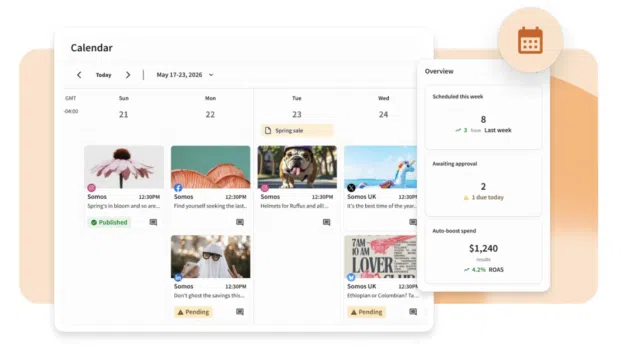
The Power of Facebook Groups
Groups provide a level of intimacy that a standard Page cannot. By creating a Facebook Group linked to your Page, you foster a space for deeper, value-driven conversations. This positions your brand as a leader in your industry rather than a mere vendor.
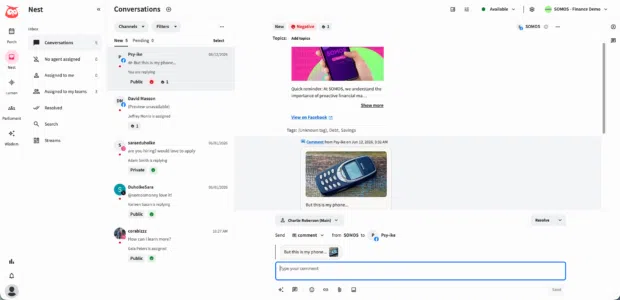
Hyper-Local Targeting
Even global brands are seeing success by leveraging local nuances. By tailoring content to specific geographic regions—sharing local testimonials or participating in community events—you increase the relevance of your posts, which significantly boosts engagement.
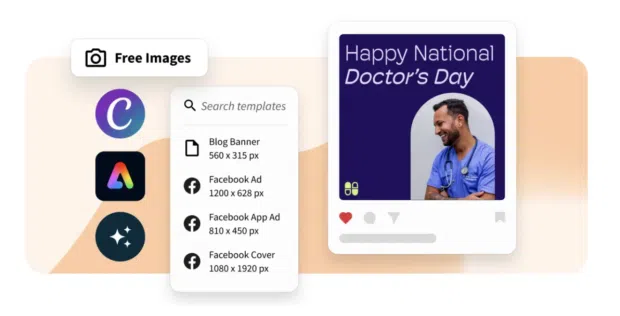
The "Live" Imperative
Facebook Live remains one of the most effective ways to humanize a brand. Whether it is an "Ask Me Anything" session or a product demonstration, the real-time, unedited nature of live video builds authentic connections that static posts cannot replicate.
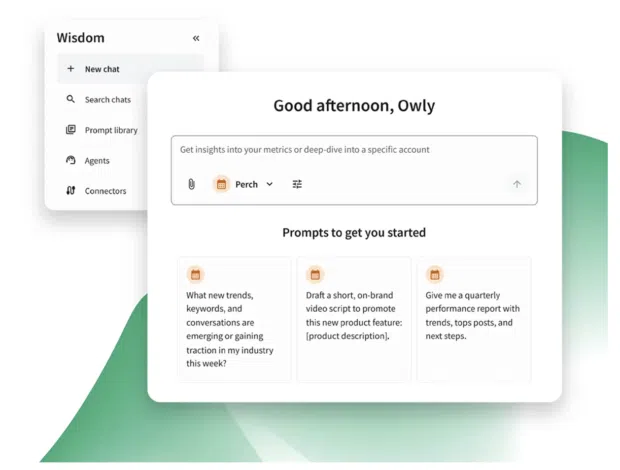
Data-Driven Management: Beyond Native Tools
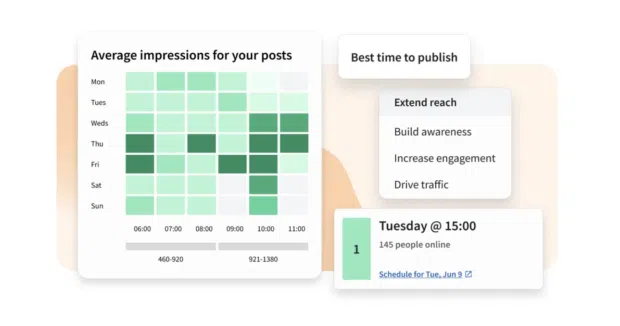
While Meta Business Suite provides the basic necessities, scaling your strategy requires more advanced instrumentation. Tools like Hootsuite provide an integrated environment for planning, scheduling, and measuring performance across multiple social channels.
Advanced Analytics and ROI
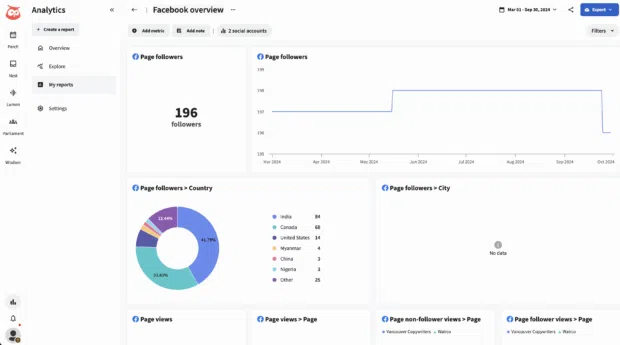
The ability to demonstrate Return on Investment (ROI) to stakeholders is the hallmark of a mature marketing team. By using custom dashboards to track reach, engagement rate, and conversion metrics, you can refine your strategy based on what actually works.
Social Listening: The Intelligence Edge
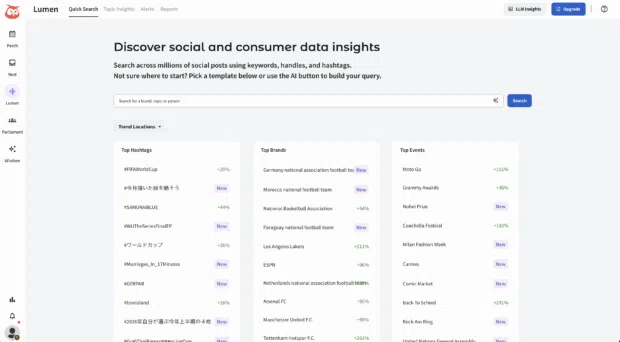
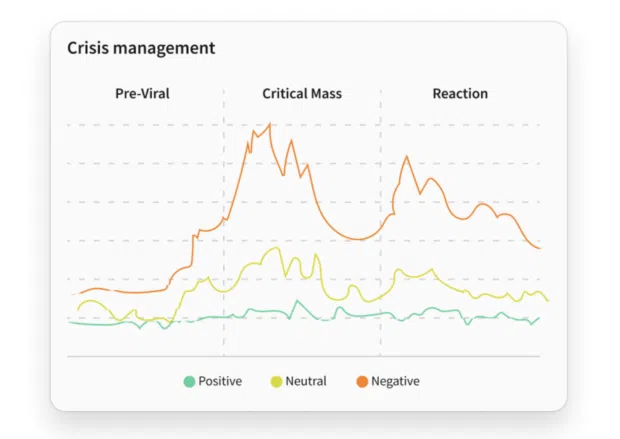
The most successful brands are those that listen. By monitoring mentions, hashtags, and industry-wide conversations, you can identify trends before they peak. Tools like Lumen by Talkwalker allow you to analyze sentiment, track share of voice, and receive "spike alerts" that notify you of potential reputational risks, allowing for proactive crisis management.
Conclusion: The Path Forward
Creating a Facebook Business Page is a simple ten-minute task, but optimizing it is a continuous, iterative process. In 2026, the platform is more than just a place to post; it is a complex ecosystem for community building, lead generation, and brand storytelling. By focusing on authentic interaction, leveraging data-driven insights, and utilizing professional management tools, your business can turn a simple Facebook Page into a powerful, permanent asset for long-term growth.
Remember, the goal is not to gain followers for the sake of a vanity metric, but to build a loyal community that drives your business forward. Start your journey today, listen to your audience, and adapt your strategy to meet the evolving demands of the digital marketplace.