In the fast-paced digital landscape, waiting for a full site crawl to diagnose a single underperforming page is a luxury most SEO professionals cannot afford. When a product page experiences a sudden dip in rankings, a competitor manages to leapfrog your best content, or a client’s conversion rate stalls, you need actionable answers immediately.
The solution does not always require a massive infrastructure overhaul or a deep-dive technical audit. Often, the problems—and the solutions—are hidden in plain sight. By leveraging the SEOquake Chrome extension, you can conduct a comprehensive, professional-grade page audit in under three minutes. This article outlines a systematic, three-minute workflow that takes you from initial triage to precise diagnosis, ensuring you spend less time searching for problems and more time implementing solutions.

Understanding the Tool: What is SEOquake?
SEOquake is a robust, free SEO Chrome extension developed by Semrush. It serves as a real-time diagnostic engine, allowing users to audit any webpage’s technical health, on-page optimization signals, link strategy, and core authority metrics without ever leaving the browser tab.

Upon installation, the extension acts as a persistent layer over your web activity. Whether you are analyzing your own site or conducting a competitive deep-dive, clicking the SEOquake icon provides an instant dashboard. The tool utilizes a color-coded reporting system, which is critical for rapid decision-making:

- Green: Indicates that the element meets SEO best practices.
- Orange: Signals a warning that requires a professional judgment call.
- Red: Highlights critical errors that likely require immediate remediation.
By relying on these color cues, SEO practitioners can quickly filter out "noise" and focus on the technical or content-based issues that are actively suppressing search performance.

Phase 1: Triage (Minute One)
The first 60 seconds of your audit are dedicated to "Triage." The goal here is simple: identify if there is an obvious, catastrophic error affecting the page.

When you open the SEOquake Quick View pop-up, you are presented with five primary tabs. For an efficient triage, focus your attention on three: Page Info, Audit, and Content. Devoting approximately 20 seconds to each provides a high-level health check.

Assessing Core SEO Elements via Page Info
The "Page Info" tab is the foundation of your assessment. Here, you should prioritize five specific elements:

- Title Tag: Is the primary keyword present and is the character count within recommended limits?
- Meta Description: Does it include a clear value proposition and a call to action?
- Canonical Tag: Does it point to the correct URL, or is it misconfigured?
- Meta Robots: Is the page set to "noindex" by mistake?
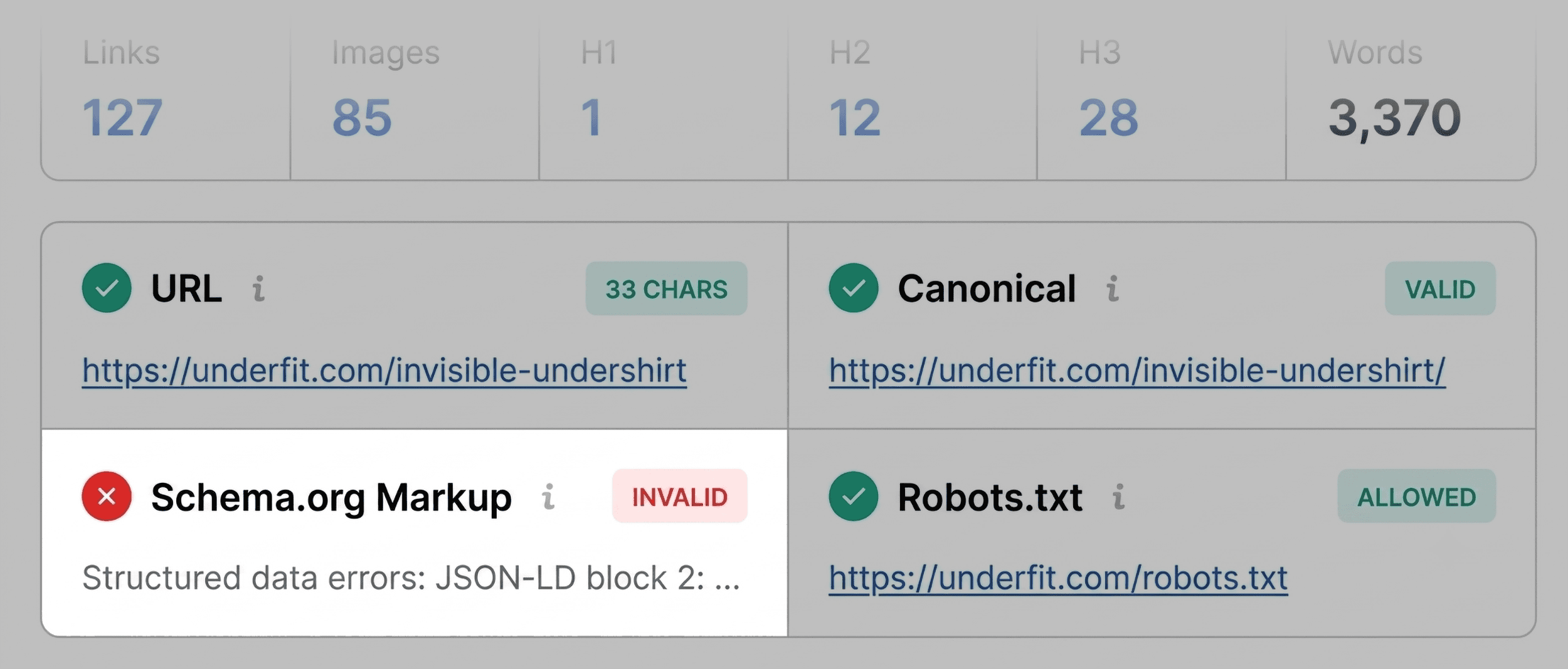
- Schema Markup: Is structured data detected, and more importantly, is it valid?
In our case study—a product page for "UnderFit"—the triage immediately flagged the Schema.org markup in red. The tool identified JSON-LD errors, which effectively disqualified the page from appearing in rich results (such as price, availability, or star ratings). For an e-commerce page, this is a critical conversion-killer that moves to the top of the "to-fix" list.

Scanning for Technical Hurdles
Once the page-level info is reviewed, move to the "Audit" tab. While Page Info looks at meta-data, the Audit tab scans for broader technical essentials:

- Crawlability and Indexation: Are there roadblocks preventing search engines from accessing the content?
- Mobile Compliance: Does the viewport configuration meet modern standards?
- Hreflang Tags: Are they implemented correctly for international reach?
If these areas show "Orange," evaluate them against your knowledge of the site’s architecture. A warning about an missing hreflang tag on a strictly domestic e-commerce site may be a lower priority than a missing sitemap.

Phase 2: Diagnosis (Minutes Two and Three)
With your list of red and orange flags established, the next two minutes are spent in the "Full Report." This is where you pivot from identifying that there is a problem to understanding why it exists.

Clicking "View Full Report" opens a comprehensive panel divided into six sections: Diagnostic, Page Info, Audit, Density, Internal Links, and External Links.

Deep-Diving into Technical Debt
For technical issues like the Schema errors identified in the triage, the Full Audit panel is your most important asset. It provides specific error codes and, often, "Info Tips" that explain the nature of the issue.

When diagnosing the UnderFit page, we used the "Test in Rich Results" button. This tool, which bridges SEOquake and Google Search Console, confirmed three specific invalid items within the JSON-LD script. By identifying the exact lines of code that failed, you can pass a precise bug report to your development team, reducing the time spent on "debugging" the debug.

Evaluating Topic Coverage
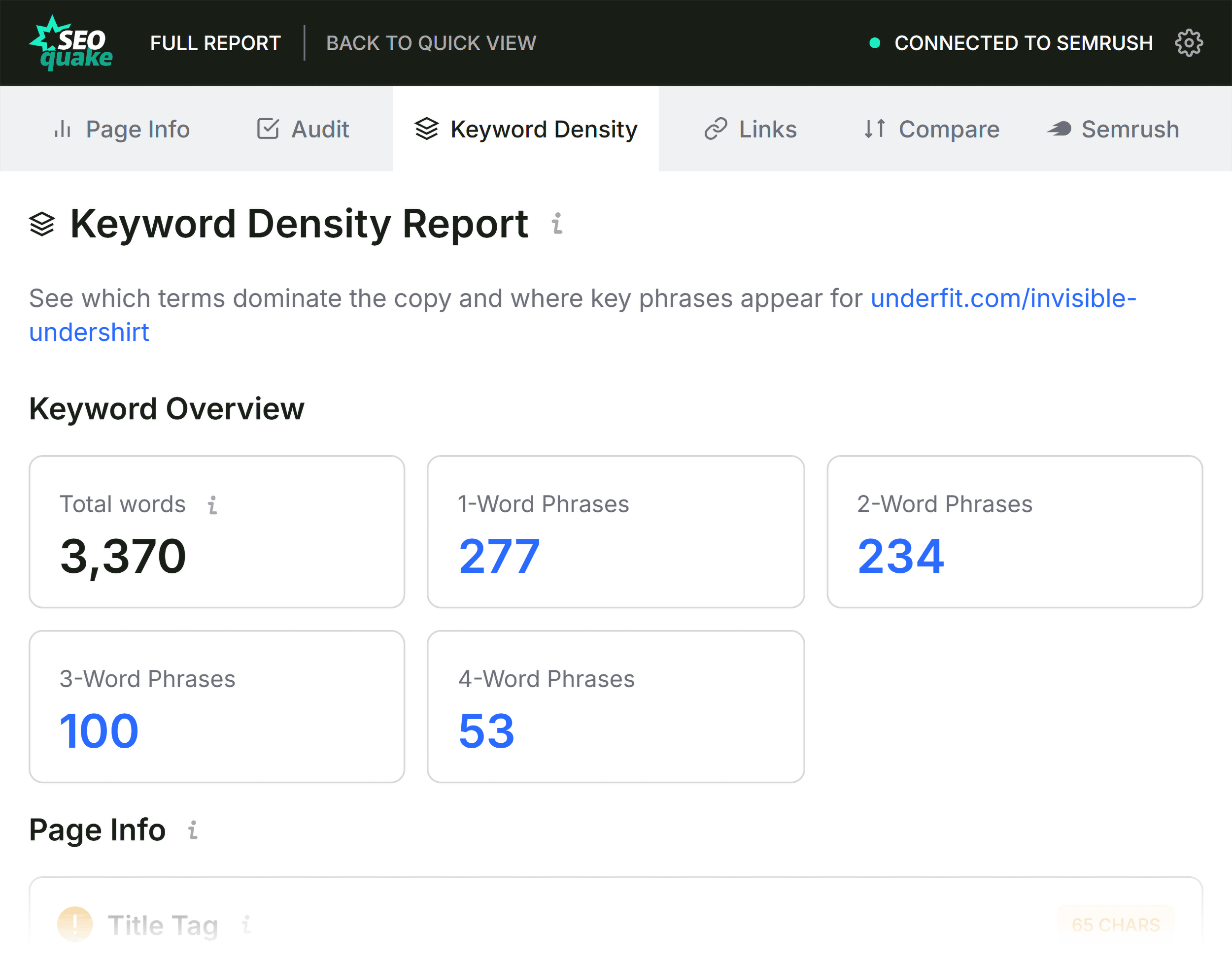
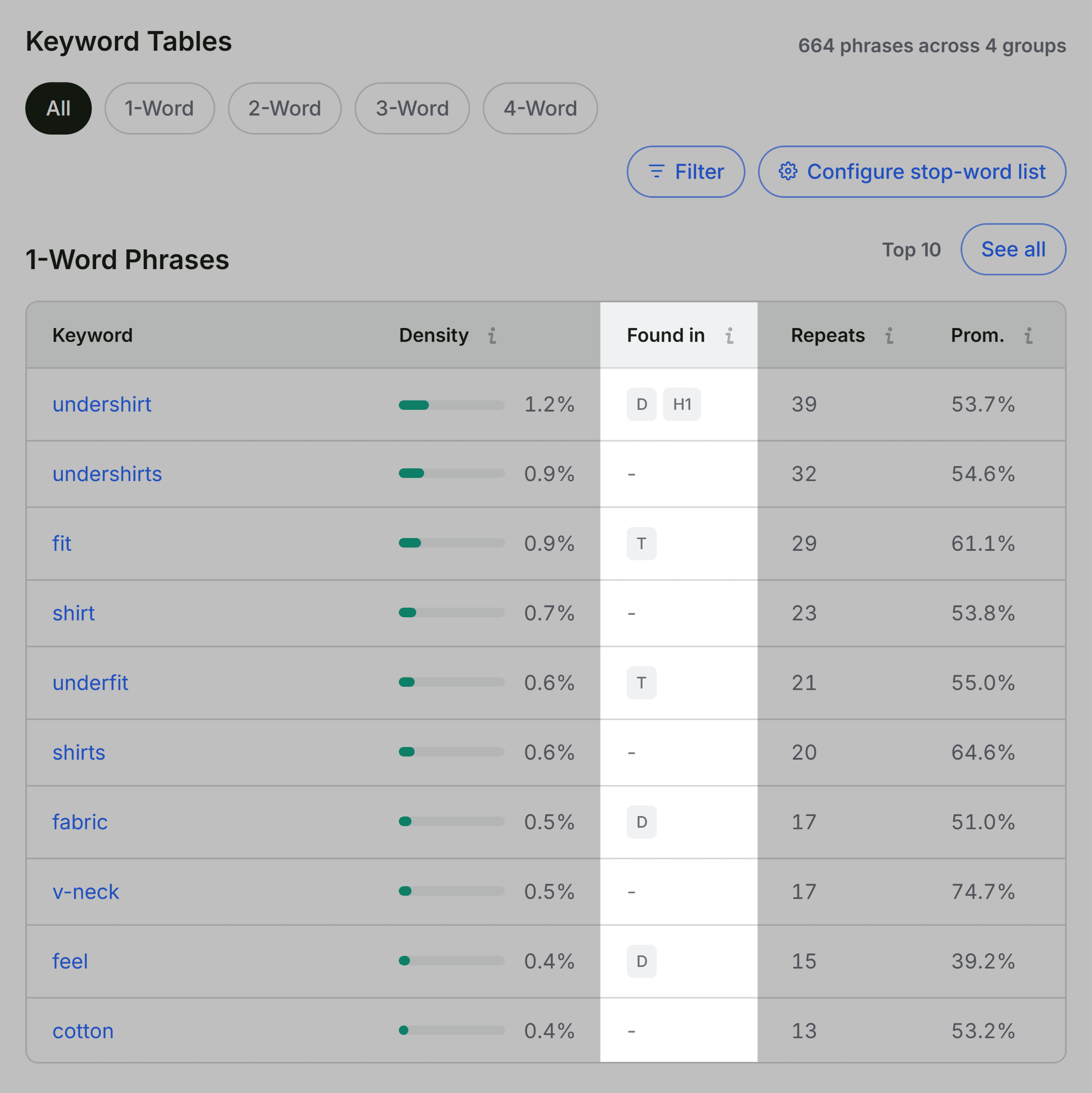
Next, turn to the "Keyword Density" panel. This section is often misunderstood; it is not for "stuffing" keywords, but for ensuring the page is contextually relevant to its target topic.

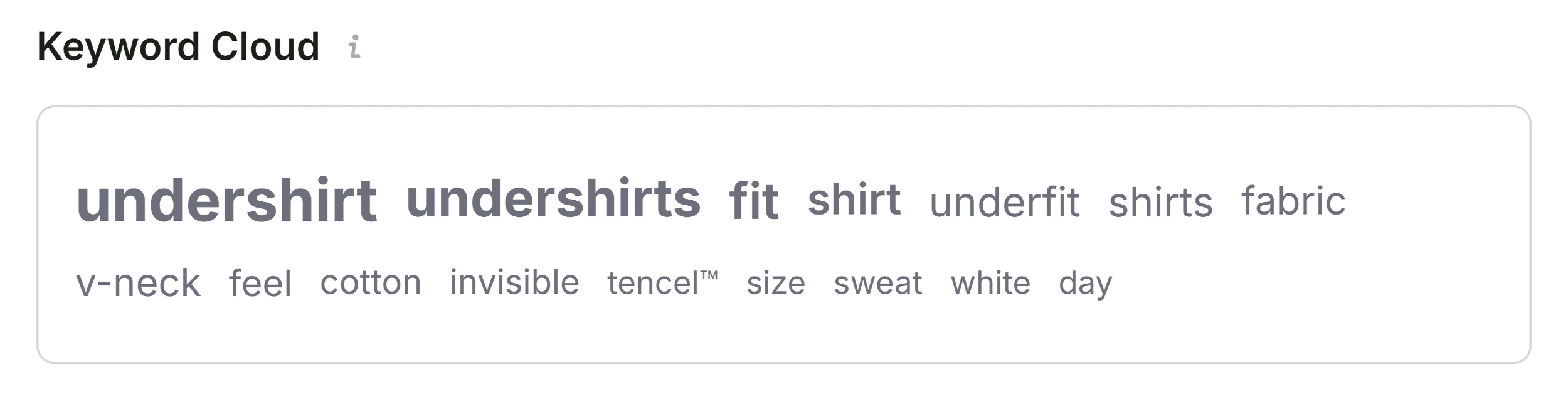
Check the "Keyword Cloud" to verify that the most prominent terms match your intended focus. If you are auditing a V-neck undershirt page, you expect terms like "fabric," "fit," "cotton," and "undershirt" to dominate. If, however, the cloud is dominated by navigation terms like "checkout," "login," or "cart," it indicates that the page content is insufficient or that the site’s boilerplate code is drowning out the primary copy.

Link Health and External Navigation
Finally, navigate to the "Links" panel. Broken links act as a "dead end" for both search engine crawlers and human visitors.

The report allows you to filter by status code. On the UnderFit page, the report highlighted 37 broken external links—a high number that would typically trigger a manual review. By exporting these to a CSV, you can quickly determine if these links are legacy references that should be updated or deleted, or if they are broken JavaScript dependencies.

Implications: When to Fix vs. When to Crawl
The final step in your three-minute audit is the "So What?" phase. You must decide if the issues identified are isolated or systemic.

- Page-Level Fixes: If you find a missing meta description or a single broken link, address it at the page level immediately. These are "quick wins."
- Site-Wide Audits: If your diagnosis shows that the JSON-LD schema is broken across all product templates, or that your XML sitemap is not properly indexed, you have identified a site-wide issue. These cannot be fixed on a per-page basis.
In these instances, your SEOquake analysis serves as the "smoking gun" that justifies a full-scale Site Audit using a more robust tool like the Semrush Site Audit crawler.
Conclusion: The Professional’s Workflow
The ability to audit a page in three minutes is not just about speed; it is about efficiency in an environment where time is a premium resource. By following this triage-to-diagnosis workflow, you ensure that:
- Prioritization is data-driven: You stop guessing and start fixing based on color-coded severity.
- Communication is precise: You provide developers with specific error reports rather than vague complaints.
- Strategy remains focused: You distinguish between minor content tweaks and significant architectural failures.
As search algorithms become more complex, the most effective SEO practitioners are those who can cut through the complexity and focus on the fundamentals. By mastering this three-minute workflow, you can maintain the health of your digital assets with surgical precision.
Disclaimer: Backlinko is owned by Semrush. We are dedicated to providing world-class SEO insights based on hands-on professional experience. This article was prepared by expert content contributors to provide actionable, industry-standard guidance for SEO professionals.