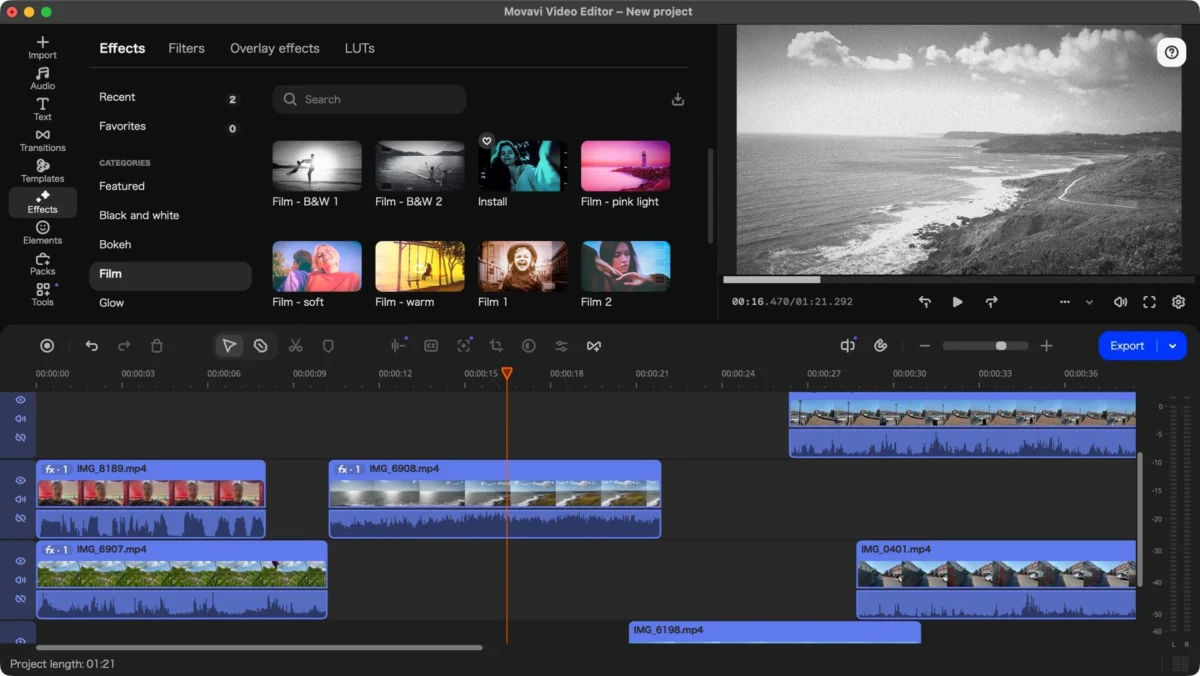
For years, the video editing landscape has been dominated by two extremes: the high-barrier-to-entry professional suites like Adobe Premiere Pro and DaVinci Resolve, and the overly simplistic, feature-starved mobile apps. Movavi has long occupied the "sweet spot" in between, catering to hobbyists, content creators, and small business owners who need professional results without a steep learning curve. With the release of version 27, Movavi is doubling down on this accessibility, introducing a new "Templates" feature designed to slash production times.
We’ve spent extensive time testing the latest iteration to see if it remains a top-tier choice for beginners or if it’s time to look elsewhere.
Main Facts: What’s New in Version 27?
Movavi Video Editor 27 maintains the core architecture that made its predecessors popular: a clean, intuitive drag-and-drop interface, multi-track timeline support, and a robust library of built-in effects. The headline feature this year is undoubtedly the Templates engine.
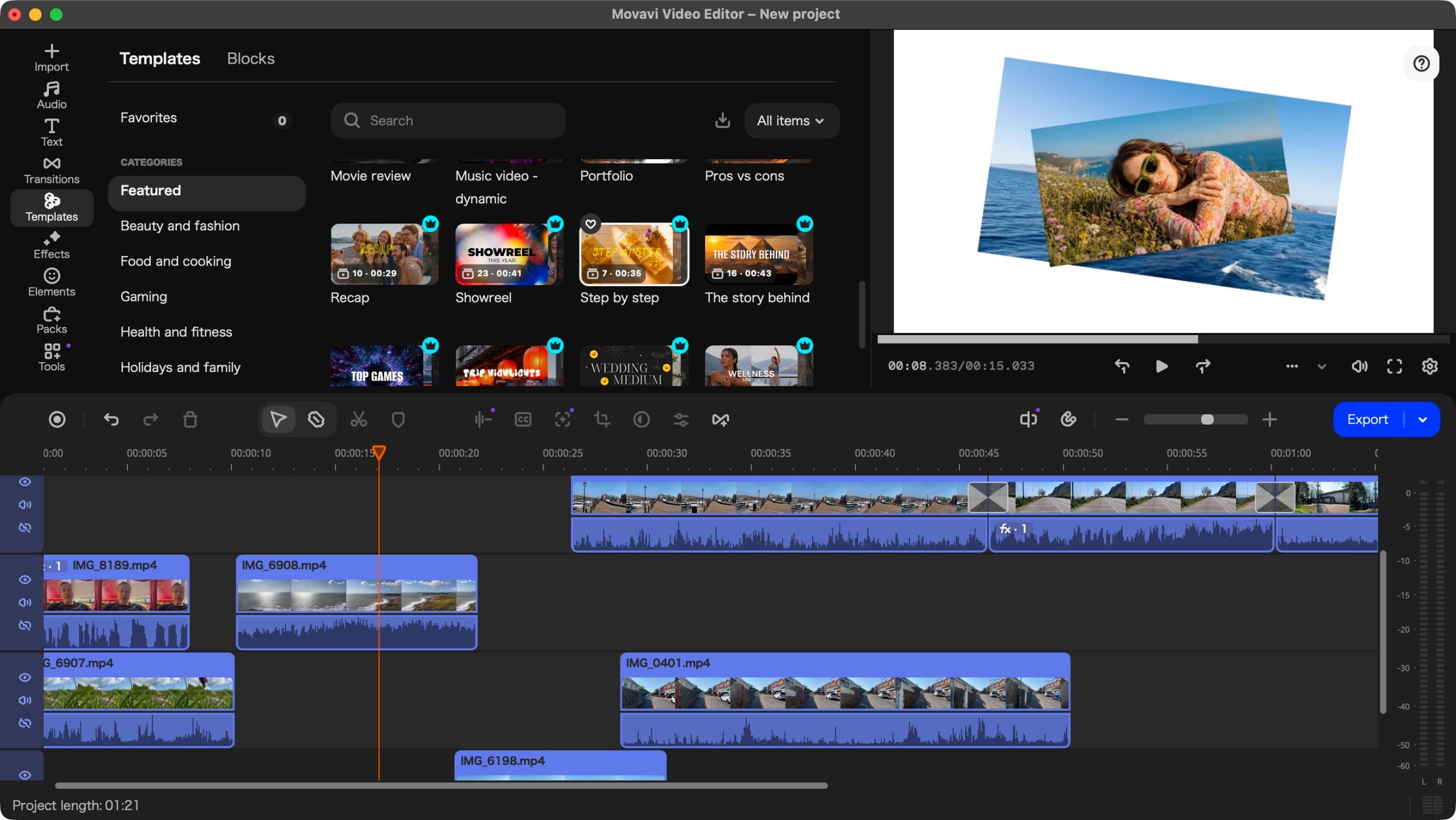
Designed to democratize high-end video production, these templates provide structured, pre-built sequences that allow users to plug in their own footage. Whether you are creating a fast-paced social media reel, a corporate presentation, or a gaming highlight, the templates handle the heavy lifting of pacing and transition design. Alongside this, the software retains its powerful suite of AI-assisted tools, including background removal, image stabilization, and an impressively accurate automated subtitling engine.
Chronology: The Evolution of Movavi
The journey of the Movavi Video Editor series has been one of iterative refinement.
- Version 25: Established the software’s reputation for having a capable, responsive interface that felt familiar to users transitioning from Final Cut Pro. However, it was noted for being hardware-demanding and having a bizarre initial language-setting bug.
- Version 26: Focused on stability and the integration of more advanced AI tools, such as the initial rollout of green-screen capabilities and improved audio filtering.
- Version 27 (Current): Marks a shift toward workflow efficiency. By introducing Templates, Movavi is acknowledging that for many modern creators, "speed to publish" is just as important as the quality of the edit.
Supporting Data: Pricing and Performance
In an era of relentless price hikes across the software industry, Movavi has taken a surprising and welcome approach: they have lowered their prices.
Pricing Tiers
- Monthly Subscription: $20/month.
- Yearly Subscription: $55/year (effectively under $5 a month).
- Perpetual License: Available for $150 (a one-time payment for lifetime ownership).
Compared to the $276 annual cost of Adobe Premiere Pro, Movavi remains a highly competitive value proposition. It is important to note, however, that the software’s "freemium" model can be a point of friction. While the core features are robust, the library is littered with premium assets marked by a small "crown" icon. Attempting to export a project containing these premium assets will trigger a prompt to upgrade your subscription, which can be frustrating if you aren’t filtering for "free" assets from the start.
Hardware Performance
During our tests on the latest Apple Silicon hardware, the software was remarkably responsive. The timeline scrubbing is fluid, and render times for 4K footage are significantly faster than previous versions. The software is cross-platform, though Windows users should ensure they meet the recommended RAM requirements to avoid the stuttering that can occur during complex multi-layer edits.
Official Responses and Known Friction Points
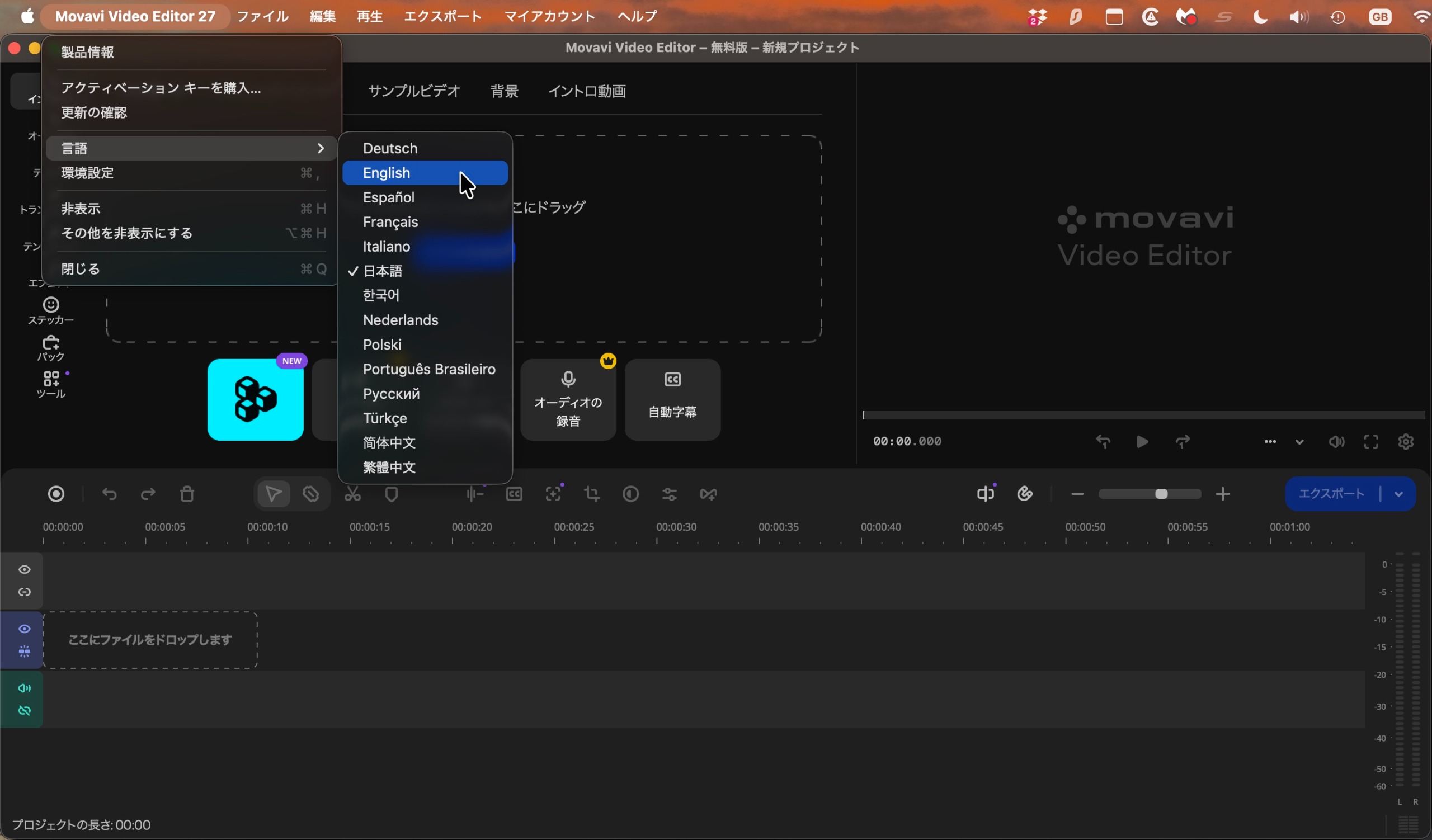
Despite its strengths, Movavi is not without its "quirks." One of the most glaring issues, which persists into version 27, is the initial language configuration. Upon first launch, the software frequently defaults to Japanese—a baffling choice for a global product. While a simple screenshot translation via Google Lens can navigate the user to the language settings, it remains a "feature" that feels more like a bug that the developers have yet to address.
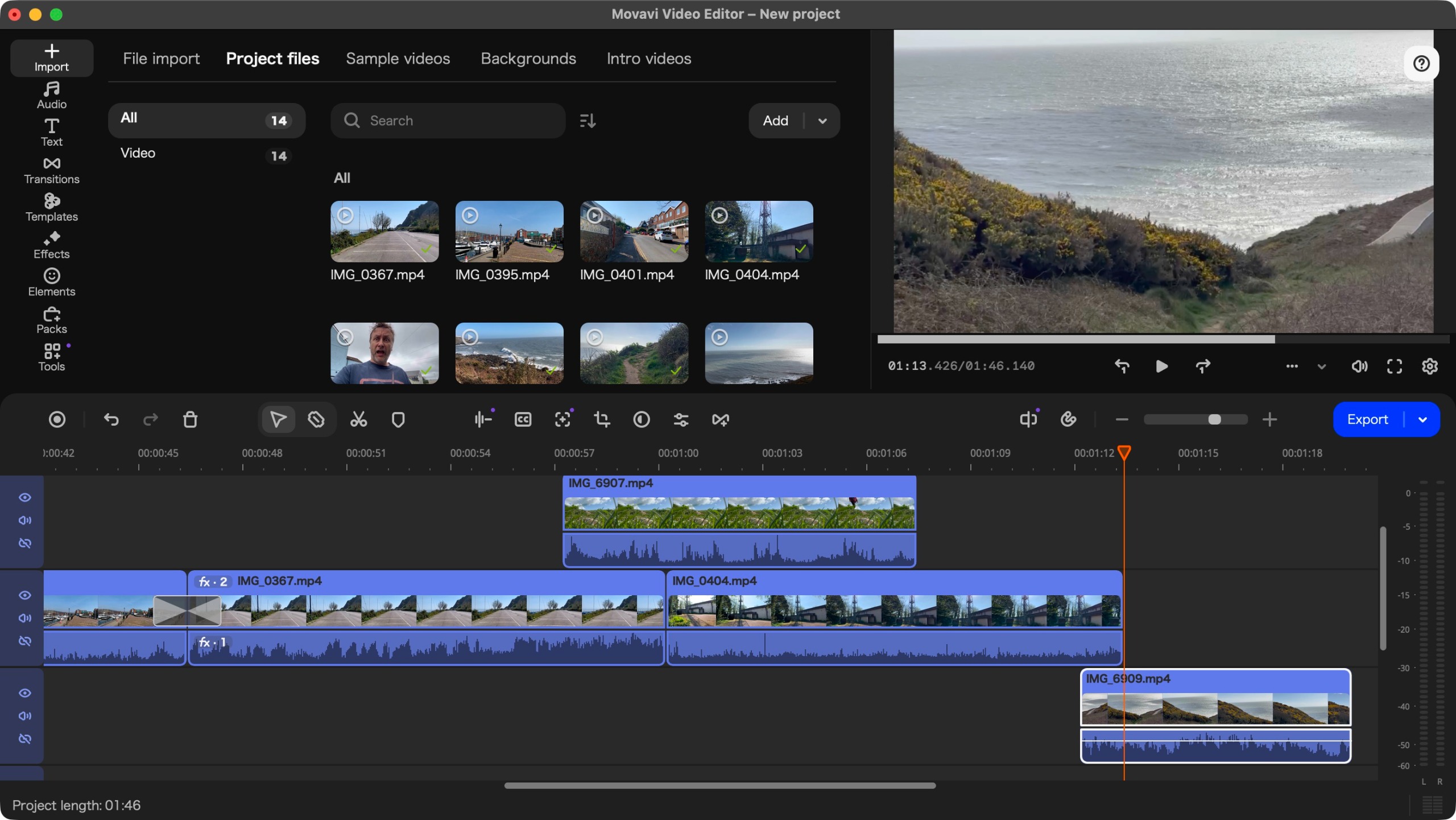
Additionally, the "base layer" limitation remains. Unlike professional NLEs (Non-Linear Editors) that allow for true trackless, free-floating clip arrangement, Movavi enforces a primary base layer. For advanced editors used to complex, multi-layered compositing, this can feel restrictive.
Deep Dive: The Power of Templates
The introduction of Templates is more than just a marketing gimmick. It serves as a pedagogical tool for beginners. By dragging a template into the project, the user is presented with a breakdown of a professional-looking sequence.
The process is simple:
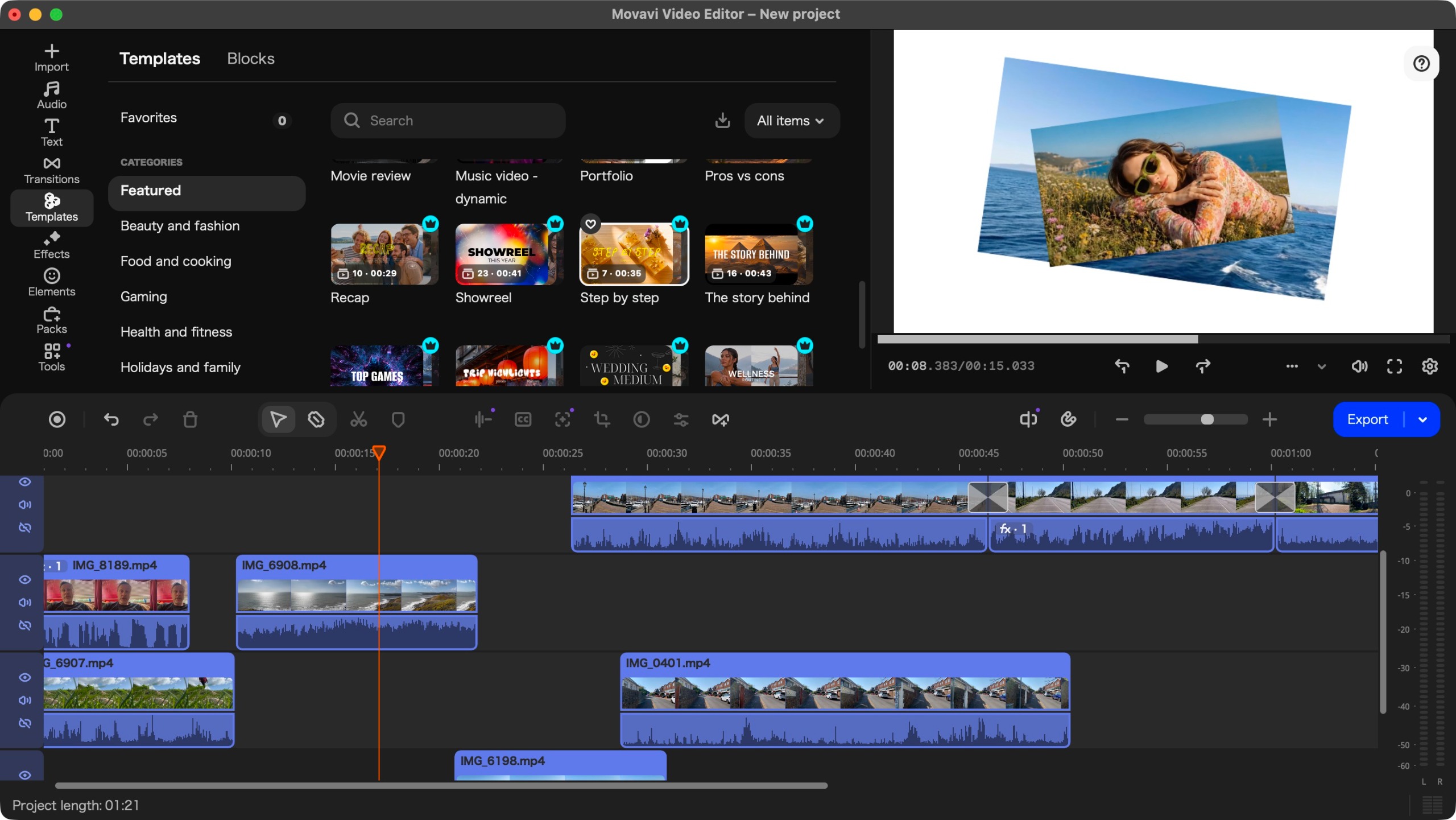
- Selection: Choose from 12 categories, including Marketing, Gaming, and Beauty.
- Replacement: Click on the "clips to replace" placeholders.
- Customization: Use the "Clip Settings" to modify text, duration, or apply specific filters.
Crucially, you are not locked into the template’s original structure. You can delete sections, reorder them, or add your own, making it a "starter kit" rather than a rigid template. This is where Movavi truly shines—it provides a safety net for those who lack a vision, while still allowing for creative deviation.
Implications: Who Should Use This?
The market for video editing software is bifurcated. There are those who need to learn the craft of editing—frame-by-frame color grading, keyframe animation, and advanced audio mixing—and there are those who simply need to get a high-quality video onto the internet as quickly as possible.
Buy it if:
- You are a small business owner: The Marketing templates provide a polished look that would otherwise require hiring an expensive freelancer.
- You are an aspiring social media creator: The efficiency gained from the Templates feature is a game-changer for daily or weekly content cycles.
- You prioritize workflow over technical complexity: If you want a result that looks professional without spending weeks learning interface shortcuts, this is your best option.
Don’t buy it if:
- You are a professional editor: The limitations regarding layer management and the "crown-marked" premium asset ecosystem may feel too restrictive.
- You have zero budget: While the trial is helpful, the watermark and 60-second limit make it purely for testing. If you truly have no funds, DaVinci Resolve’s free version is the industry standard for pro-grade free software.
Final Verdict: Is It Worth the Upgrade?
Movavi Video Editor 27 is a refined, capable, and genuinely fun piece of software. It has successfully balanced the need for advanced AI features with the simplicity required for beginners. The "Templates" feature is a legitimate time-saver that elevates the overall value of the package.
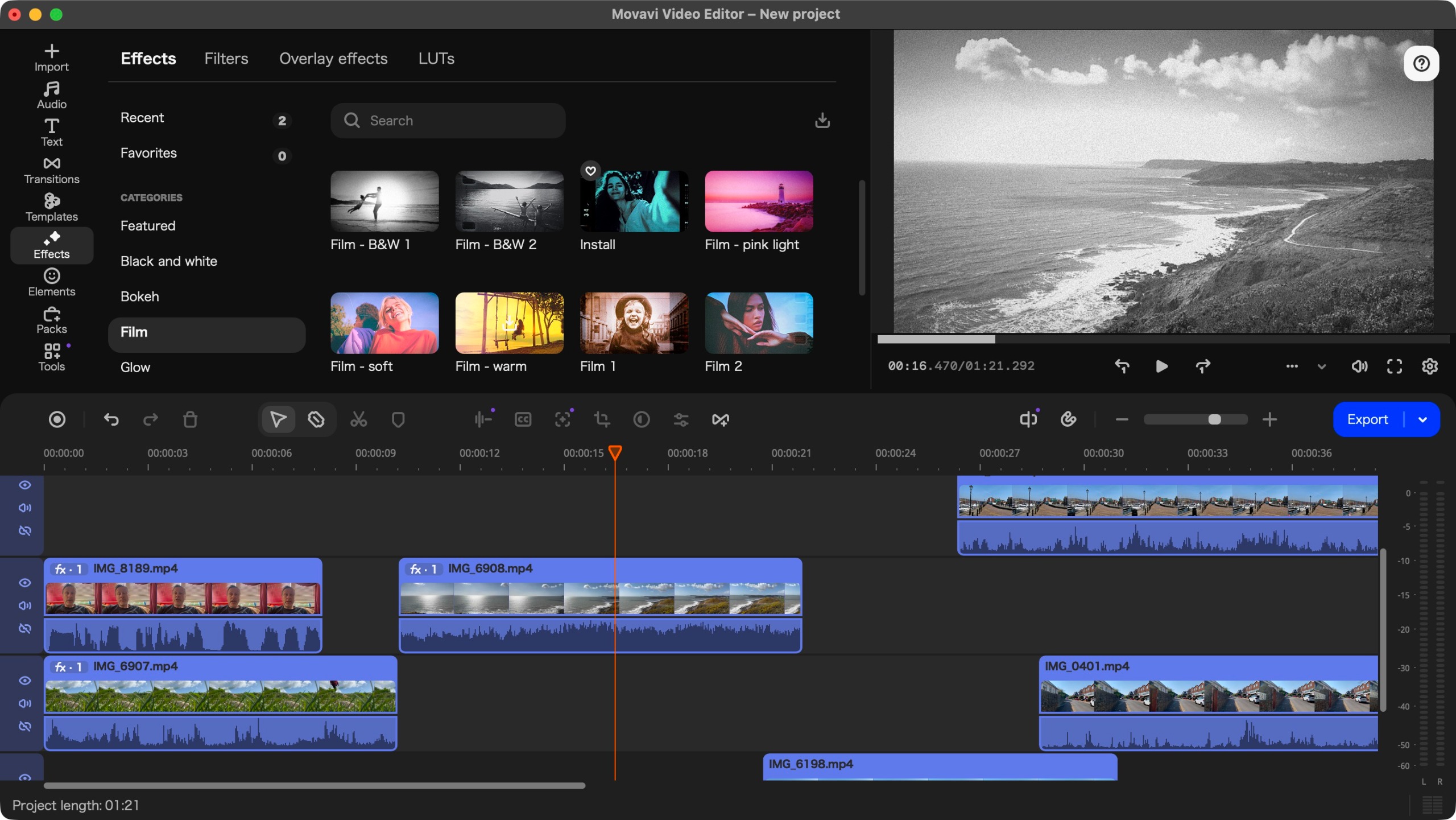
While the persistent language-setting bug and the "freemium" paywalls on some assets remain annoying, the overall user experience is vastly improved over the version 25 era. If you are tired of struggling with complicated interfaces and just want to produce stylish, engaging video content, Movavi 27 is one of the most reliable investments you can make this year. It turns the chore of editing into a streamlined, creative process, proving that software doesn’t need to be complex to be powerful.
Disclaimer: This review is based on hours of hands-on testing. We prioritize transparency in our testing methodology to ensure our readers are getting the most accurate information possible.