In the modern data-driven landscape, JSON (JavaScript Object Notation) has cemented its position as the universal language of data exchange. From web APIs and configuration files to large-scale geospatial datasets, its lightweight, human-readable structure is ubiquitous. However, as the scale of data grows from kilobytes to gigabytes, developers frequently encounter a "memory wall" when using Python’s standard tools.
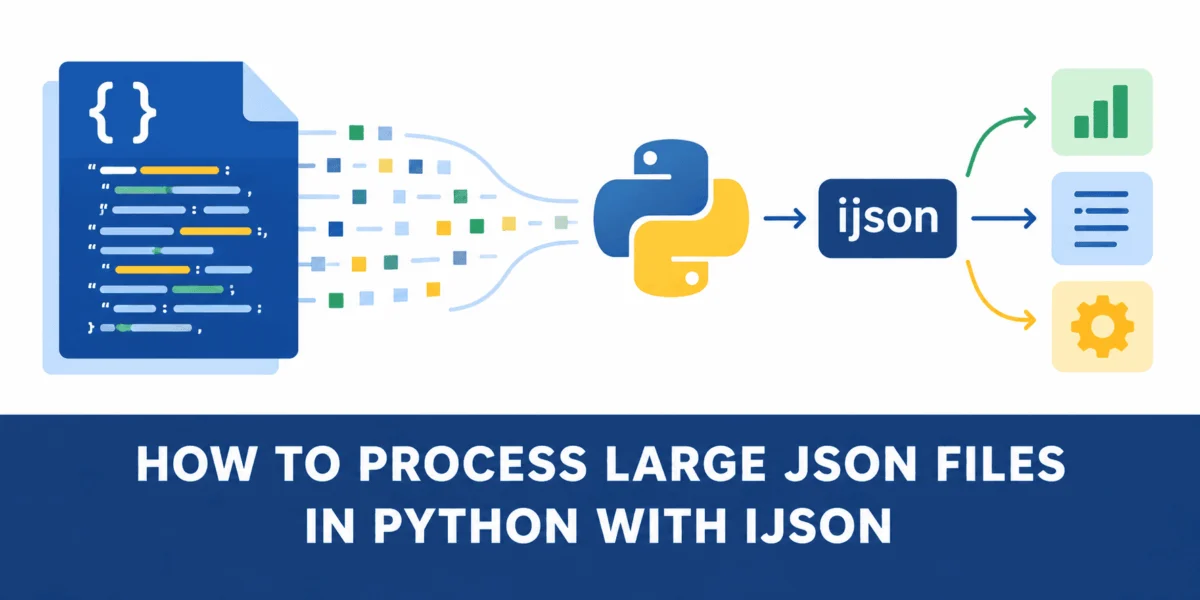
When dealing with massive files, the default json library often becomes a bottleneck. By loading entire datasets into RAM, applications can quickly trigger memory overflow errors, crashing production systems and hindering data science workflows. This article explores the mechanics of this limitation and introduces ijson—a powerful, iterative library that transforms how Python handles massive JSON structures.
The Core Problem: Why Standard Parsers Struggle
The default Python json module is a "DOM-style" parser. When a developer executes json.load(f), the library performs an exhaustive scan of the entire file, deserializing every object, array, and nested value into Python’s native data structures (dictionaries, lists, strings, and integers) before a single line of processing code is run.
While this is perfectly efficient for small files, it creates a massive discrepancy between the file’s on-disk size and its memory footprint. A 500 MB JSON file on disk might balloon to several gigabytes of RAM usage because Python must maintain the overhead of object pointers, dictionary hashing, and internal structure management. For developers working with Big Data, this is an unsustainable model that leads to high infrastructure costs and slow performance.
Chronology of a Data Processing Workflow
To understand the shift from "load-everything" to "streamed-parsing," we must look at how the execution flow changes when we switch from json to ijson.
Phase 1: The Standard "Load-then-Process" Model
In the traditional workflow, the process follows a linear, monolithic path:
- I/O Bound: The program reads the entire file into a buffer.
- Parsing: The
jsonmodule iterates through the entire text, converting the JSON syntax into Python objects. - Allocation: The system allocates memory to store every single element of the file, regardless of whether that element is relevant to the final task.
- Execution: The developer finally iterates through the loaded structure to filter or extract specific data points.
Phase 2: The Iterative "Stream-and-Discard" Model
The iterative approach, provided by ijson, flips the script:
- Pointer Initiation: The program opens the file and sets an iterative pointer to a specific path within the JSON tree.
- Incremental Consumption: The library reads small, discrete chunks of the file.
- Just-in-Time Processing: As soon as an object is parsed, the program processes it and immediately discards it from memory.
- Efficiency: Memory usage remains constant, regardless of the total size of the input file.
Supporting Data: The Case of San Francisco City Lots
To quantify the difference, we can examine the San Francisco City Lots dataset, a standard GeoJSON file containing over 200,000 land parcels. At 181 MB, this file is large enough to demonstrate the limitations of RAM-intensive processing without being prohibitively large for testing.
Memory Comparison Table
| Metric | json.load() |
ijson.items() |
Efficiency Gain |
|---|---|---|---|
| Input File Size | 181 MB | 181 MB | N/A |
| Peak Memory Usage | 808.9 MiB | 46.1 MiB | ~94% Reduction |
| Processing Model | Global Load | Streaming | Significant |
As the data shows, the traditional approach consumes roughly 762 MB more memory than the streaming approach for the exact same task. In a cloud computing environment, this difference often represents the difference between a cheap, lightweight server instance and a high-memory, expensive one.
Implementation: Transitioning to ijson
For developers looking to integrate ijson, the migration path is straightforward. If you are currently using json.load(f), the core change is replacing the loading command with ijson.items(f, 'path.to.item').
Step-by-Step Migration
- Installation: Use
pip install ijsonto add the library to your environment. - Binary Reading: Note that
ijsonexpects binary files, so open your files with"rb"mode. - Define the Path: Specify the path to the items you want to process. For a standard GeoJSON structure, this is usually
features.item.
Example Implementation:
import ijson

with open("citylots.json", "rb") as f:
    # Iterate over features one at a time
    for feature in ijson.items(f, "features.item"):
        # Process individual property
        if feature["properties"].get("STREET") == "MARKET":
            # Logic here
            pass
This code does not store the 200,000+ parcels in memory; it holds only the single parcel currently being processed. Once the loop moves to the next feature, the previous one is garbage-collected.
Implications for Production Systems
The transition to streaming JSON parsers carries profound implications for software architecture, particularly in the following areas:
1. Cloud Cost Optimization
Memory usage is a primary cost driver in modern cloud environments like AWS Lambda, Google Cloud Functions, or Kubernetes pods. By capping memory usage at a constant level (roughly 40-50 MB for most JSON files), developers can deploy to significantly smaller, more cost-effective server instances.
2. Resilience and Uptime
When a process consumes memory proportionally to the input size, it is inherently unstable. If an input file accidentally grows by 20%, the server may run out of RAM and crash. Streaming models are inherently more resilient because they decouple the application’s stability from the fluctuating size of the data being ingested.
3. Real-time Data Pipelines
In real-time data streaming (e.g., processing logs, sensor data, or financial transactions), you cannot wait for the entire file to arrive before you start processing. ijson allows for "lazy" processing, where you can begin acting on the first few records while the rest of the file is still being downloaded or written.
Expert Perspective: When Should You Switch?
While ijson is the clear winner for large-scale data, it is not always necessary for every scenario.
- When to use
json.load(): If the file size is reliably small (e.g., under 50 MB), the built-in library is often faster due to its highly optimized C implementation. It is also more convenient for complex JSON structures where you need random access to different parts of the tree simultaneously. - When to use
ijson: When the file size exceeds your available RAM, or when you are building a scalable service that must handle unpredictable input sizes.
Final Thoughts: The Philosophy of Efficient Engineering
The shift toward iterative parsing is part of a larger philosophy in software engineering: don’t hold onto what you don’t need.
In the case of the San Francisco City Lots dataset, the task required only two specific attributes (STREET and BLKLOT) out of an entire geo-spatial record containing thousands of coordinate points. The standard json.load() approach was essentially "hoarding" the geometry data—taking up memory for information that was never intended to be used.
By utilizing ijson, we move from a wasteful model of loading everything to a streamlined, purposeful model of reading, extracting, and discarding. This shift is not just about writing better code; it is about respecting the constraints of our systems and building software that scales gracefully alongside the growing complexity of our data.
As we continue to handle larger datasets, the choice of library becomes a critical architectural decision. For those working with massive JSON files, ijson is not just a tool; it is a fundamental requirement for building robust, efficient, and cost-effective data pipelines in Python.
About the Author: Kanwal Mehreen is a machine learning engineer and technical writer with a passion for data science and the intersection of AI with medicine. As a Google Generation Scholar and advocate for women in STEM, she bridges the gap between complex engineering concepts and accessible, actionable knowledge. Her work focuses on optimizing productivity and scalability in technical workflows.