In the rapidly evolving landscape of artificial intelligence, we have long been accustomed to the "ping-pong" nature of interaction: a user submits a prompt, the model generates a response, and the conversation hits a static pause. OpenAI is now fundamentally shifting this paradigm with the introduction of Dot, an always-on, autonomous agent powered by the advanced GPT-6 Astra architecture. Unlike the conversational interfaces of the past, Dot is designed to persist, operate in the background, and maintain context across long-term projects without requiring constant, manual "nudge" prompts from the user.
For data scientists, analysts, and business professionals, Dot represents more than just a new feature—it signifies the transition from AI as a tool to AI as a collaborator. By utilizing its own dedicated cloud-based computer, Dot can keep workflows moving, process incoming data, and proactively notify you only when meaningful shifts occur or human intervention is required.
The Core Concept: What is ChatGPT Dot?
At its simplest, Dot is an autonomous agent designed for continuity. While traditional ChatGPT sessions are discrete, "snapshot" events, Dot functions as a persistent service. It is built upon the GPT-6 Astra framework, allowing it to leverage sophisticated reasoning capabilities while managing a continuous stream of information.
The defining characteristic of Dot is its stateful nature. It does not "forget" the parameters of a project when you close your browser. If you task it with monitoring a recurring database update or evaluating a weekly benchmark, it remains active in the background. It bridges the gap between static analysis and dynamic automation, acting as a tireless digital assistant that understands the nuance of your ongoing professional objectives.
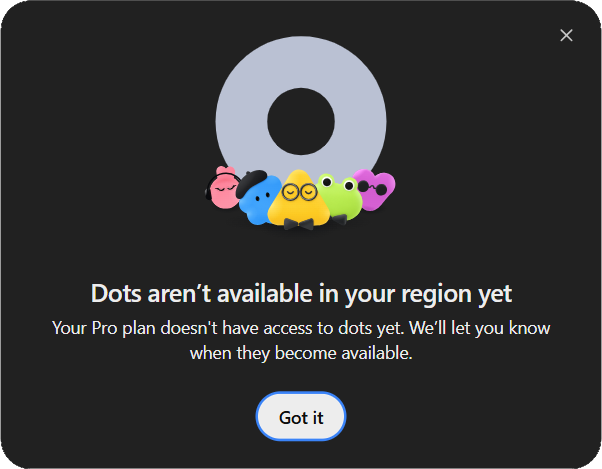
Chronology of the Rollout: How to Access the Future
OpenAI has opted for a measured, tiered rollout strategy to ensure system stability and security. Access is currently gated by specific subscription tiers, prioritizing high-usage professional and enterprise environments.
Eligibility Matrix
As of the current release, access is structured as follows:
| Plan Tier | Availability |
|---|---|
| Pro 100, 200, 500 | Available to users over 18 (excluding EEA, UK, Switzerland) |
| Business Premium | Currently in global rollout |
| Enterprise | Global rollout; requires administrator activation |
Note: Free-tier, Go, standard Business, and Educational accounts are currently ineligible for Dot access. Even for eligible users, access is not instantaneous; regional server capacity and individual account provisioning play a role in the deployment timeline.
The Setup Process: A Step-by-Step Guide
Setting up Dot is designed to be intuitive, though it requires a deliberate choice regarding how you want the agent to interact with your data.
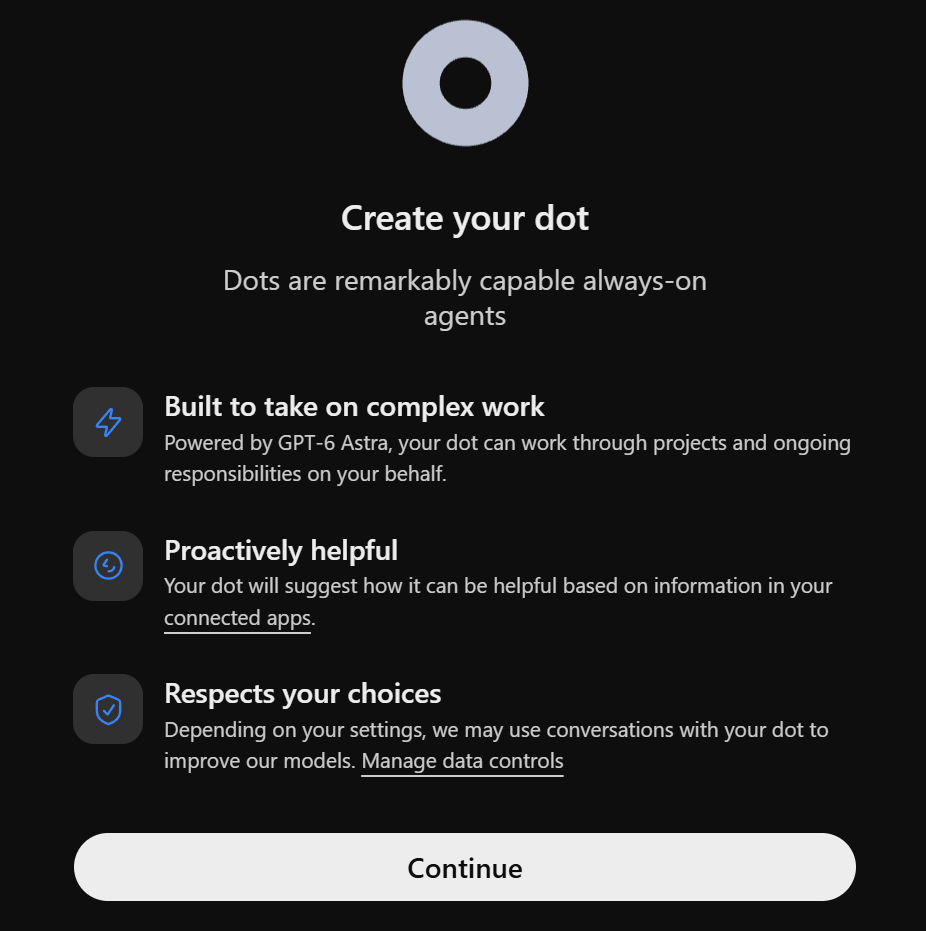
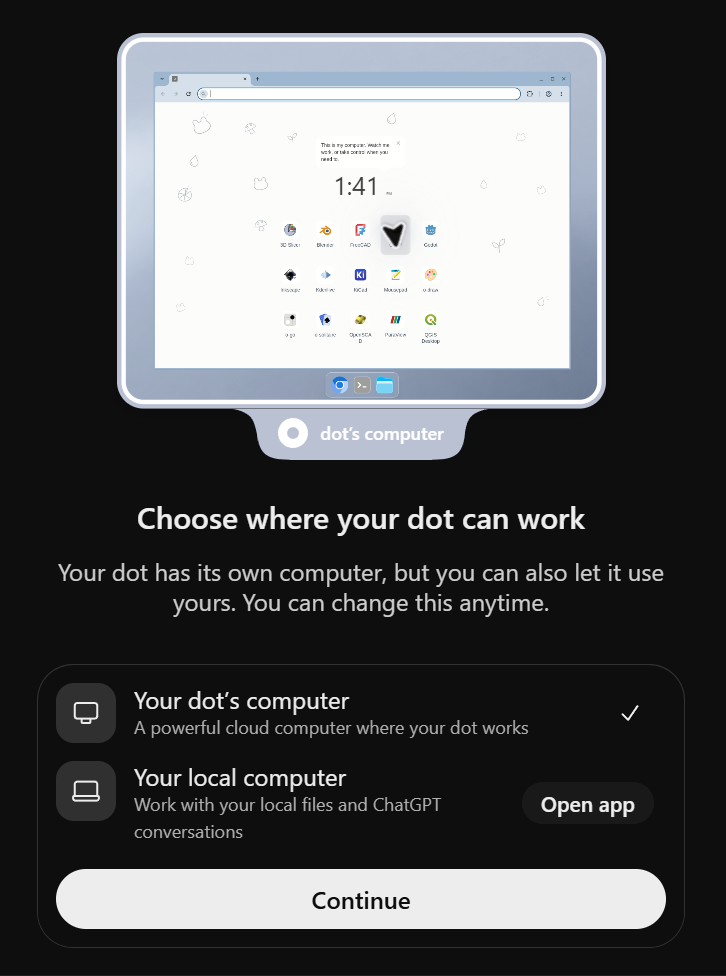
- Initialization: Access the Dot interface via the ChatGPT desktop application or a web browser. The initial prompt will provide an onboarding walkthrough, explaining how the agent handles proactive tasks and data privacy.
- Environment Selection: You must decide between a Cloud-based or Local-based environment.
- Cloud: Allows Dot to continue working even when your physical machine is powered down. This is the ideal choice for 24/7 automation.
- Local: Connects Dot to your local desktop environment. This offers enhanced security and privacy, as processing stays within your immediate hardware, but it requires your computer to remain active and connected to the internet.
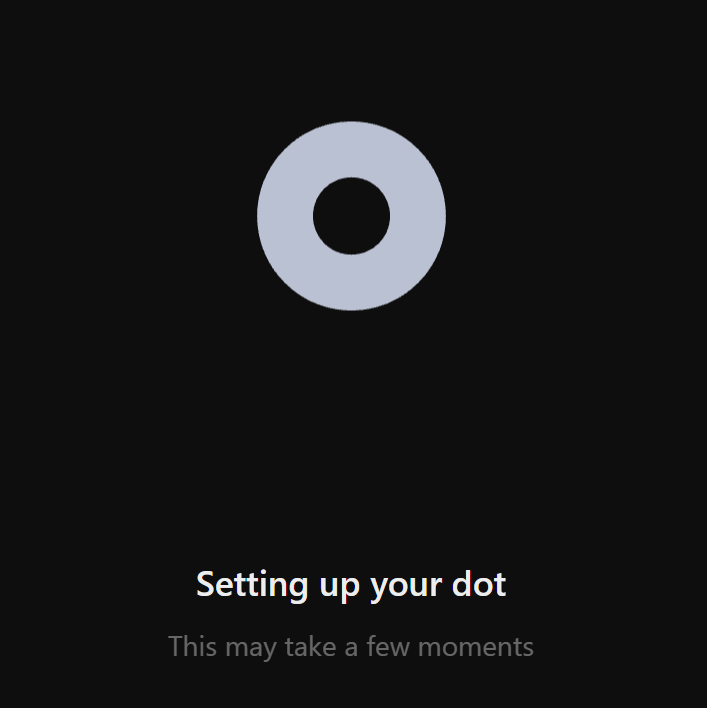
- Provisioning: Once your environment is selected, the system will undergo a brief provisioning phase, allocating the necessary resources for your agent.
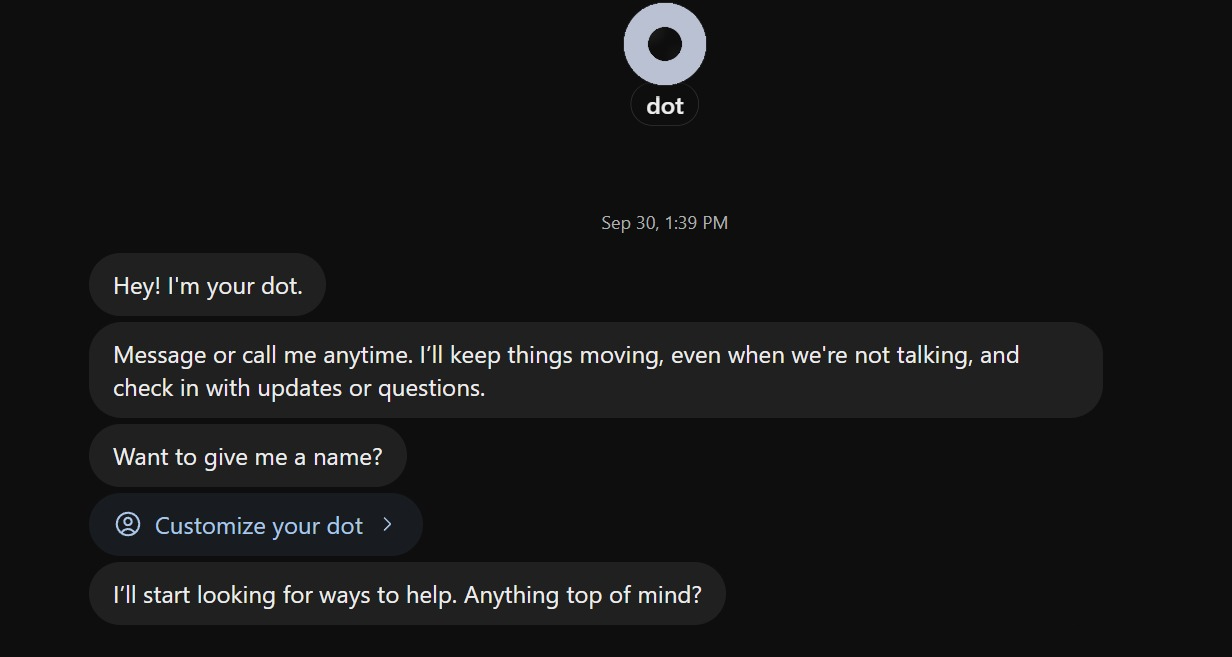
- Customization: Post-setup, you can rename your agent and define its personality or specific areas of focus. This "system instruction" phase is critical, as it defines the boundaries of Dot’s autonomous behavior.
Supporting Data: Testing the Agent’s Reasoning
To understand the practical utility of Dot, we conducted a two-part experiment focusing on analytical rigor and autonomous task scheduling.
Case Study 1: The Analytics Review
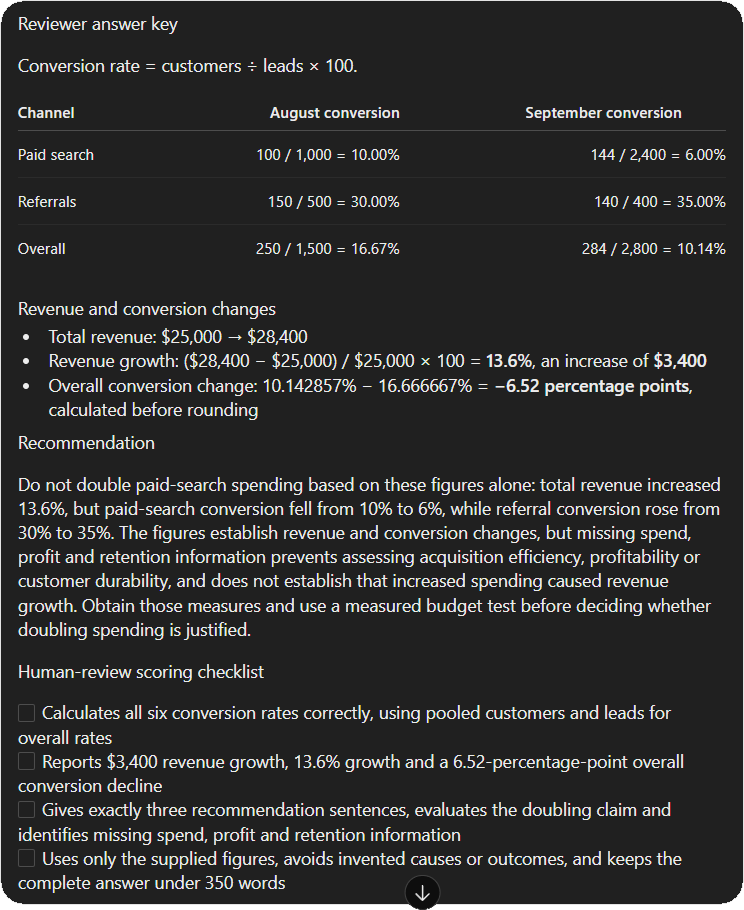
We tasked Dot with evaluating a business claim: "Revenue rose, therefore we should double paid-search spending."
The Dataset:
- Paid Search: August (1,000 leads, 100 customers, $10,000 revenue) vs. September (2,400 leads, 144 customers, $14,400 revenue).
- Referrals: August (500 leads, 150 customers, $15,000 revenue) vs. September (400 leads, 140 customers, $14,000 revenue).
The Result:
Dot correctly identified that while revenue increased, the conversion rate for paid search actually declined significantly (from 10% to 6%). It correctly flagged that the business was seeing diminishing returns on paid search, contradicting the "double the spend" hypothesis. It provided a structured, four-item checklist for a human reviewer, successfully separating the raw data from the business logic. This demonstrated that Dot can perform complex arithmetic while simultaneously acting as a critical, skeptical analyst.
Case Study 2: Autonomous Scheduling
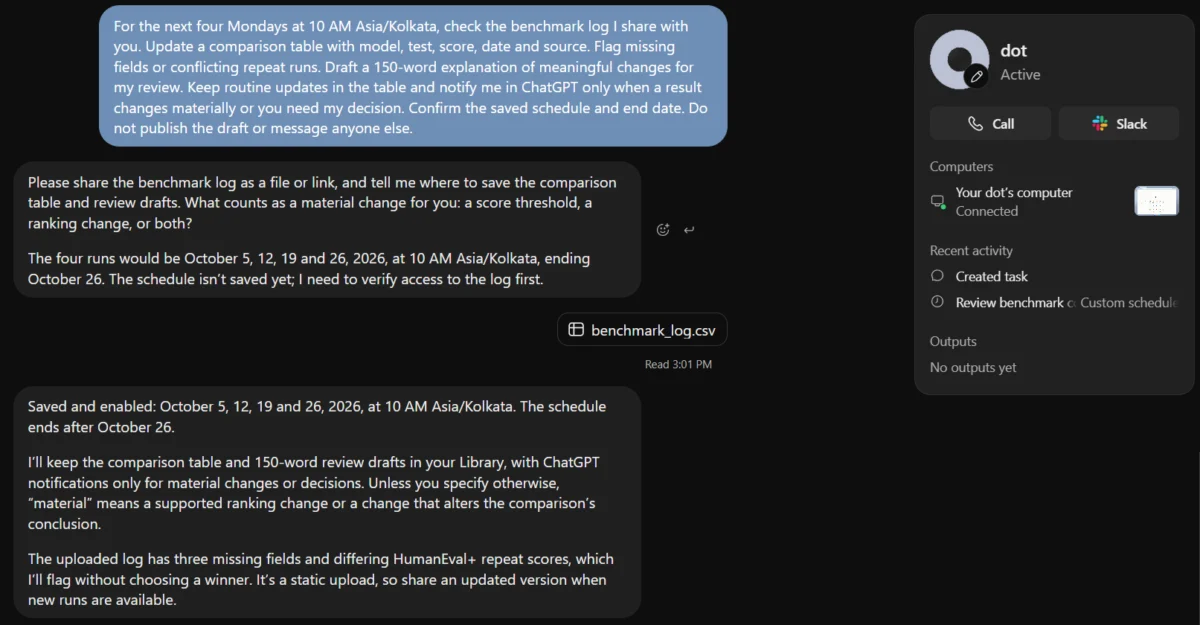
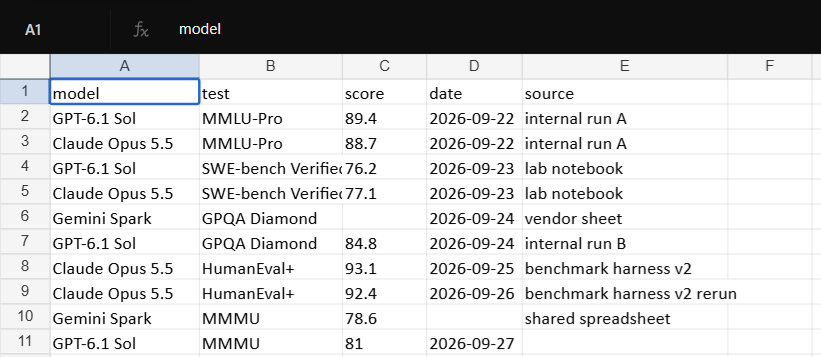
We assigned Dot the task of monitoring a benchmark log for four consecutive weeks.
- Prompt Requirements: Check logs every Monday at 10 AM IST; update a comparison table; flag conflicting runs; provide a 150-word summary of changes.
- Outcome: Dot successfully registered the schedule in its "Tasks" tab. It did not require further prompts; it effectively created a recurring "job" that it monitored independently. This removes the "reliability anxiety" often associated with scheduling AI agents.
Official Responses and Enterprise Security
OpenAI has been transparent about the security constraints regarding Dot, particularly for Enterprise users. The platform is currently excluded from specific high-compliance environments, such as FedRAMP, EKM (Enterprise Key Management), and AE/UAE inference-residency workspaces.
For enterprise administrators, the "off by default" setting is a critical control. This ensures that IT departments can vet the agent’s data-handling capabilities before exposing it to sensitive internal corporate data. Furthermore, Dot is not yet integrated with deep-tier messaging platforms like Teams (currently in invite-only alpha), though Slack integration is part of the roadmap.
Implications: A New Era of AI Collaboration
The introduction of Dot marks a transition toward Agentic AI. We are moving away from an era where AI is a search-and-response box toward an era where AI acts as a persistent team member.
The Shift from "Prompting" to "Managing"
The most significant implication for the workforce is the change in skill requirements. Users no longer need to be "prompt engineers" who understand every nuance of tokenization; they must become "AI Managers." You are no longer writing the email; you are managing the agent that monitors the inbox, flags the anomalies, and drafts the responses for your final approval.
Operational Efficiency
The "always-on" nature of Dot solves the biggest pain point of current AI tools: the loss of context. By maintaining a single, continuous session, Dot can learn from your specific business preferences over time. It recognizes that in Week 1, you preferred a concise summary, and it will maintain that stylistic requirement in Week 4 without being reminded.
The Future of Autonomous Work
While Dot is in its early stages, the promise is clear. If an agent can reliably handle routine database updates, summarize complex analytics, and proactively warn of anomalies, the time reclaimed by knowledge workers will be significant. The next phase of this technology will likely involve deeper integration with external APIs and real-time collaborative environments, potentially turning Dot into a core piece of the modern digital infrastructure.
Conclusion
OpenAI’s Dot is a profound leap forward. It successfully moves the needle from generative AI to agentic AI. By prioritizing continuity, persistence, and proactive communication, it provides a glimpse into a future where AI does not just answer questions—it completes objectives. For the professional analyst or the busy project manager, Dot is not just another interface; it is the first iteration of a truly autonomous collaborator. As the rollout continues and the feature set expands, the primary challenge for users will not be figuring out how to talk to the AI, but rather learning how to delegate effectively to a digital entity that never sleeps.