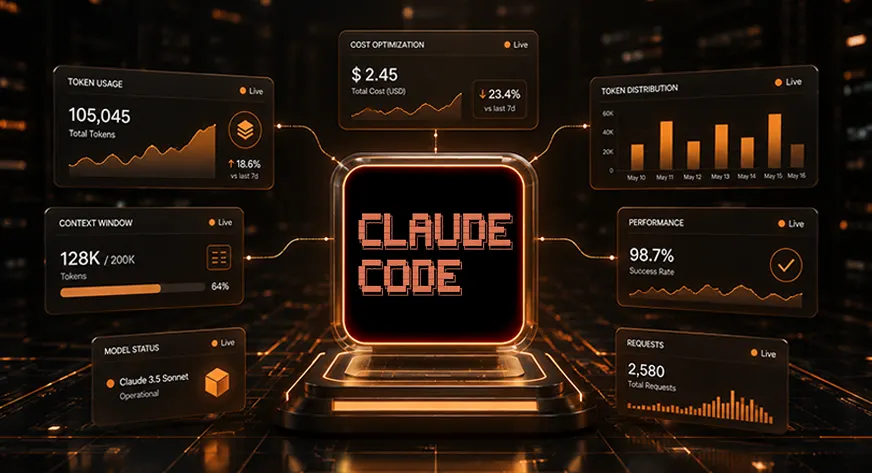
As AI-assisted software development transitions from an experimental novelty to a cornerstone of modern engineering, the financial implications of "Context Engineering" have moved to the forefront of technical management. A landmark 2025 Stanford University study recently highlighted a sobering reality for development teams: unchecked AI interaction, specifically within environments like Claude Code, can result in thousands of wasted tokens daily. This "context bloat" not only drains project budgets but can also lead to model degradation, where excessive, irrelevant data dilutes the AI’s reasoning capabilities.
For organizations scaling their use of Anthropic’s powerful coding agents, the imperative is clear: you must treat token consumption as a first-class metric in your CI/CD pipeline. This article explores the mechanics of Claude Code cost optimization, moving beyond basic settings to advanced architectural strategies that ensure high-velocity development without the fiscal surprise of a runaway API bill.
The Core Concept: Why Context is Currency
In the architecture of Large Language Models (LLMs), the "context window" is the finite space in which an AI can operate at any given time. This window is not merely the source code you are working on; it is a cumulative record of file reads, command-line outputs, previous debugging attempts, system instructions, and historical chat logs.
According to technical documentation from Anthropic, token costs correlate directly with the size of this context. Every time you send a message, the entire active context is re-processed. If your session is littered with redundant logs from three days ago or sprawling, irrelevant file reads, you are paying a premium to re-process noise. To maintain cost efficiency, developers must move toward a "lean context" philosophy—periodically purging the workspace and providing the model with only the data strictly necessary for the immediate task at hand.

Chronology of Cost: Managing the Lifecycle of a Session
Understanding the lifecycle of a Claude Code session is essential for identifying where expenses accrue.
1. The Initialization Phase
When you first boot Claude Code in a repository, it reads its instructions (e.g., CLAUDE.md) and establishes the base state. If your instructions file is bloated with legacy rules or non-essential boilerplate, you are inflating your "baseline cost" before a single line of code is written.

2. The Execution Phase
This is where the majority of token consumption occurs. As the agent performs tasks—running tests, reading files, or executing bash commands—the context grows. If a test suite fails and returns 50,000 lines of output, and the model attempts to ingest that entire block, the cost is immediate and significant.
3. The Cleanup Phase
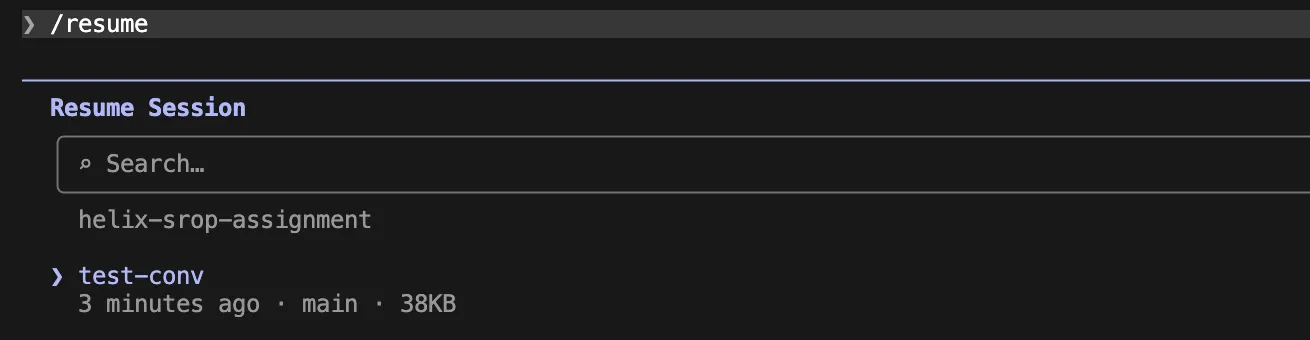
Most developers neglect the "cleanup" phase, which is arguably the most critical for long-term savings. Failing to clear a chat session or failing to use the /compact command allows the context to hit the model’s maximum capacity, triggering inefficient re-processing cycles.
Supporting Data: Strategies for High-Impact Management
Tactical Context Control
To combat the natural expansion of the context window, developers should implement a rigorous set of commands and environment variables.
- The
/clearProtocol: Treat each distinct task as a fresh start. By using/clear, you remove the "memory" of previous errors that are no longer relevant. If you need to pick up where you left off, utilize/renameto archive the current thread before clearing. - The Power of
/compact: For long-running tasks that cannot be cleared, the/compactcommand is your best defense. It distills the conversation history into a concise summary. By defining custom compacting instructions in yourCLAUDE.md, you can force the model to prioritize current goals, file changes, and failing tests, while dropping irrelevant discussion threads. - Auto-Compact Thresholds: By default, Claude Code may wait until the context window is 95% full to trigger compaction. This is far too late for budget-conscious teams. By exporting
CLAUDE_AUTOCOMPACT_PCT_OVERRIDE=70, you force a more frequent, manageable consolidation of your chat history.
Monitoring and Visibility
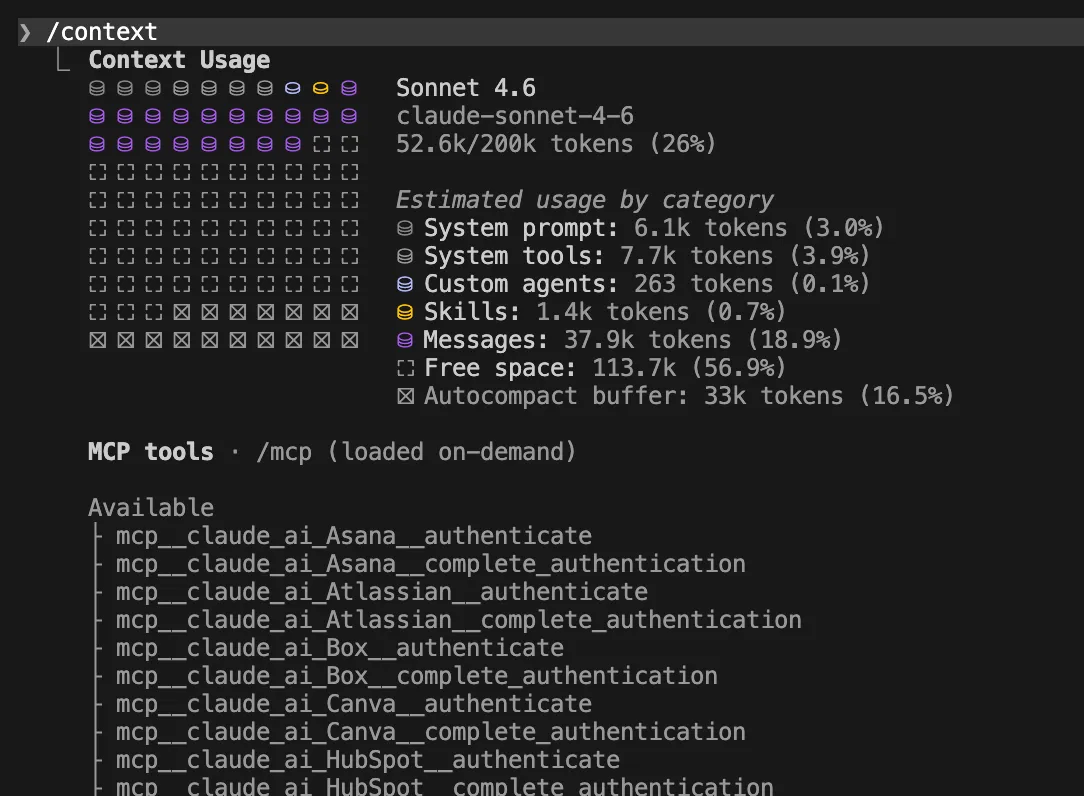
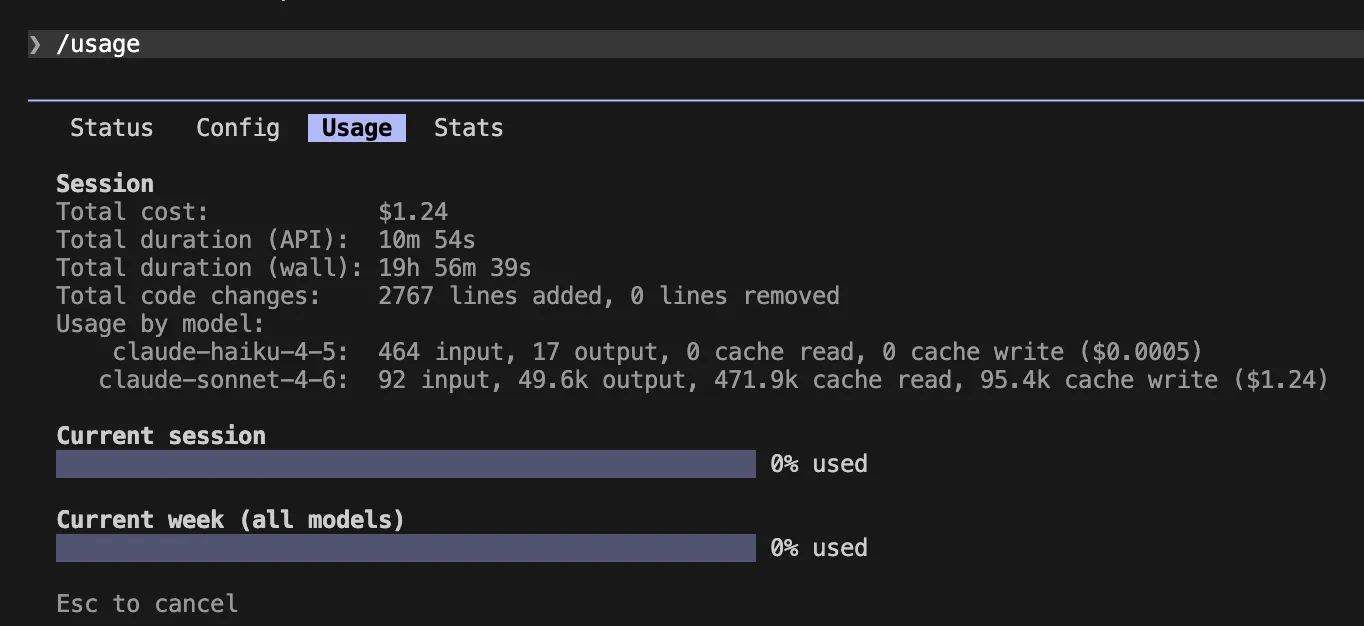
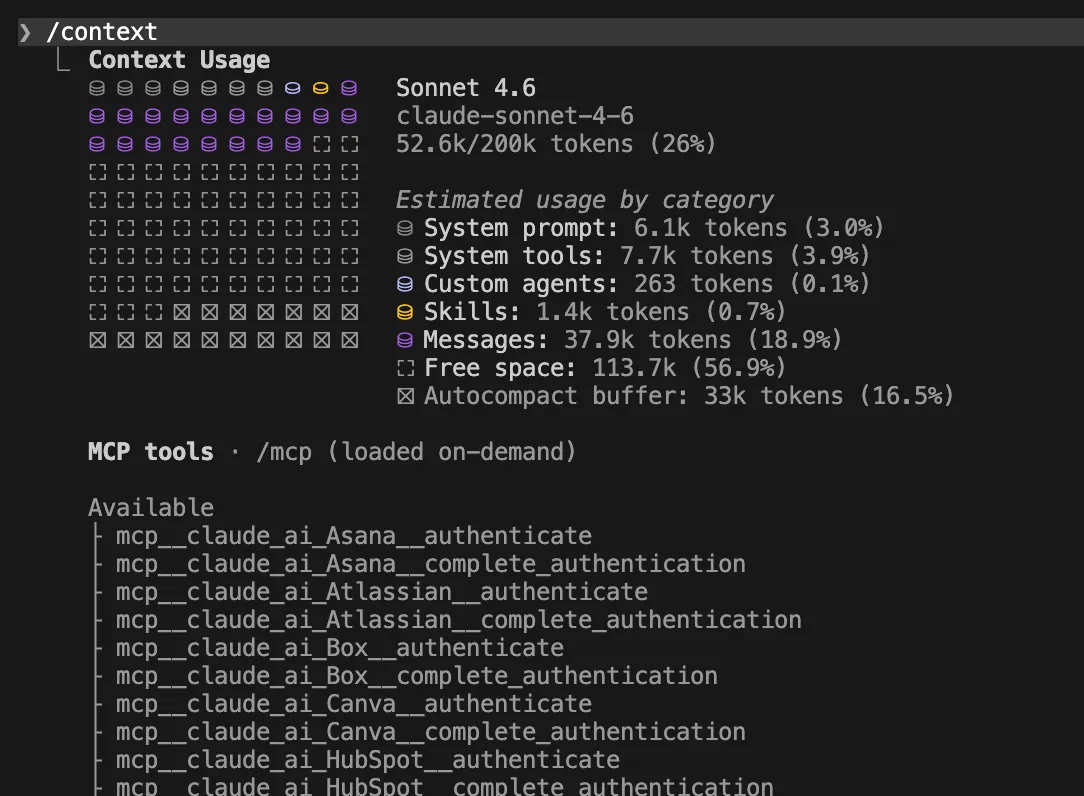
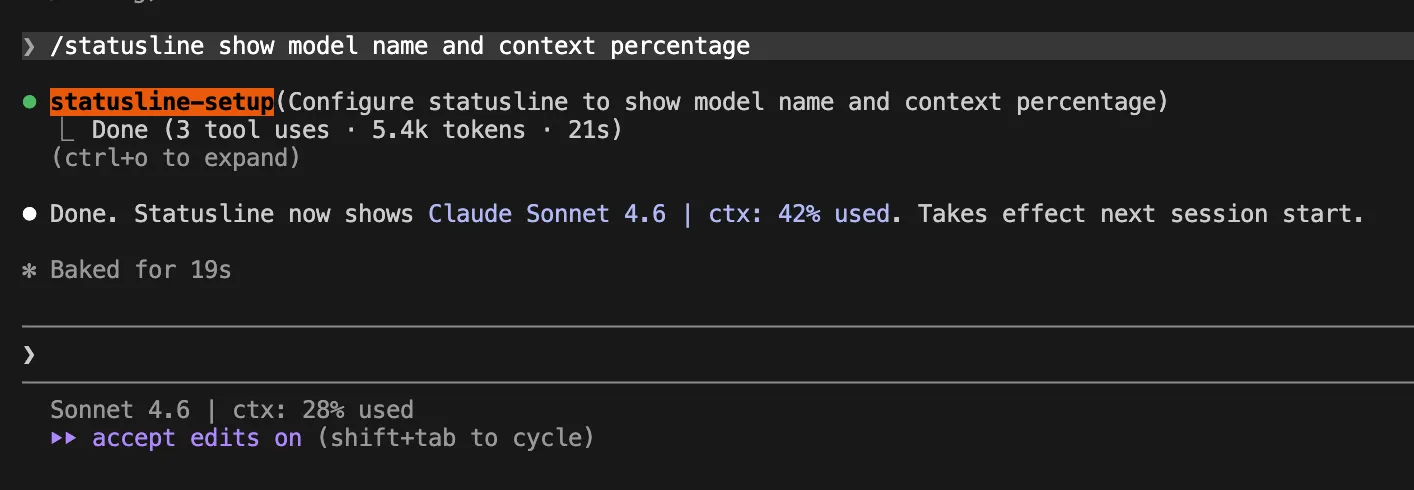
You cannot manage what you cannot measure. The /context and /usage commands should be utilized as standard diagnostic tools. Furthermore, implementing a "Live Status Line" provides real-time feedback on your current context usage percentage. Adding the following to your ~/.claude/settings.json is a proactive measure:

  "statusLine":
    "type": "command",
    "command": "jq -r '"[\(.model.display_name)] \(.context_window.used_percentage // 0)% context"'"
Official Recommendations and Architectural Best Practices
Anthropic and industry experts suggest a modular approach to file access and instruction sets.
Global vs. Path-Scoped Rules
A common mistake is overloading the global CLAUDE.md. Instead, utilize path-scoped rules. By placing specific configuration files within .claude/rules/, you ensure that the AI only loads relevant instructions when it enters a specific directory (e.g., src/api/). This reduces the "per-request" token overhead significantly.
Specialized Workflows with Subagents
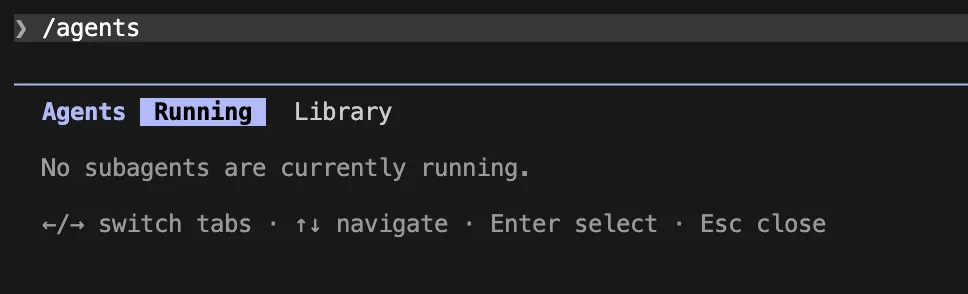
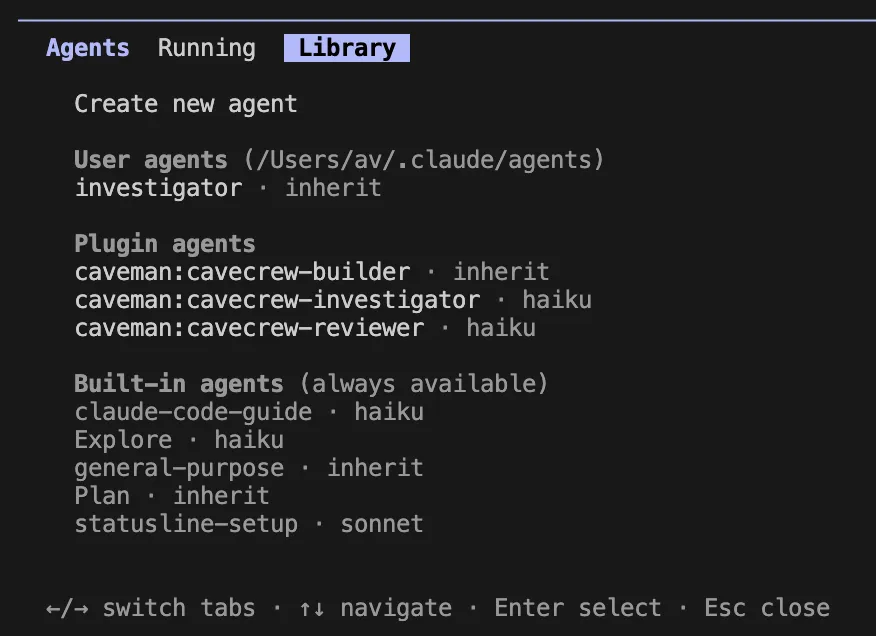
For complex research or multi-step debugging, offload the work to subagents. Subagents operate in an isolated sandbox, meaning they do not clutter the main chat’s context window. By defining an agent (e.g., an "Investigator" agent) that is restricted to specific tools and tasks, you contain the scope of the operation and keep your main session clean.
Limiting Output Noise
Terminal output is the silent budget-killer. Large test logs or build artifacts should never be dumped into the chat. Use pipes to filter your outputs:
pnpm test 2>&1 | grep -A 5 -E "FAIL|ERROR" | head -120 | claude
This ensures the model receives only the most critical information, preventing a deluge of useless data from exhausting your context budget.
Implications: The Shift Toward FinOps for AI
The transition to AI-native development has introduced a new sub-discipline: AI FinOps. As companies shift from manual coding to agentic workflows, the cost of development is no longer just "compute time" for local builds, but "token spend" for reasoning and context management.
Impact on Engineering Culture
Teams that successfully implement these optimizations often see a cultural shift. Developers become more "prompt-conscious," treating tokens as a shared resource. This leads to better, more modular codebases, as developers naturally break down problems into smaller, more manageable units that are easier for AI to digest.
The Trade-off: Precision vs. Speed
There is a nuanced trade-off between "Effort Level" and cost. While setting /effort low saves tokens, it may require more manual intervention from the developer if the model doesn’t "think" as deeply. The optimal strategy is to use lower effort for simple refactoring and reserve high-effort/high-token settings (like extended thinking) for complex architectural decisions.
Conclusion: Securing the Budget
Optimizing Claude Code is not about restricting the utility of your AI assistant; it is about refining its focus. By setting strict boundaries through configuration, utilizing path-scoped rules, and maintaining a disciplined approach to session management, development teams can reduce their API costs by significant margins.
As the 2025 Stanford study concludes, the teams that win in the era of AI-augmented development will be those that treat their LLM context with the same rigor as they treat their cloud infrastructure costs. Start by auditing your current CLAUDE.md files, setting your auto-compact thresholds, and educating your team on the importance of task-based session clearing. These small, incremental changes will compound into massive efficiency gains, ensuring your AI coding strategy remains sustainable as your project scales.
Frequently Asked Questions (FAQ)
Q1. How do I start a fresh conversation context?
Simply type the /clear command in your terminal. This effectively drops all previous session context, ensuring the model starts with a blank slate. Remember to use /rename if you need to archive the previous session’s findings.
Q2. Why does Claude read too many files?
Often, this is a result of vague, broad-scope prompts. If you ask the model to "fix the login issue," it may feel compelled to scan the entire repository. Provide specific file paths to restrict the search scope, such as: "The login redirect fails. Start by inspecting src/auth/session.ts."
Q3. How do I stop massive test logs from draining my budget?
Configure your environment to limit output. Setting BASH_MAX_OUTPUT_LENGTH to a reasonable limit (like 20,000) prevents the model from attempting to process massive, irrelevant logs. Always use grep or head to filter output to the most essential error lines before feeding it into a chat.
Q4. Does disabling extended thinking really save money?
Yes. Extended thinking involves additional computational steps that are billed as output tokens. For routine tasks, such as minor refactors or variable renaming, disabling thinking is a highly effective way to reduce the cost per interaction.