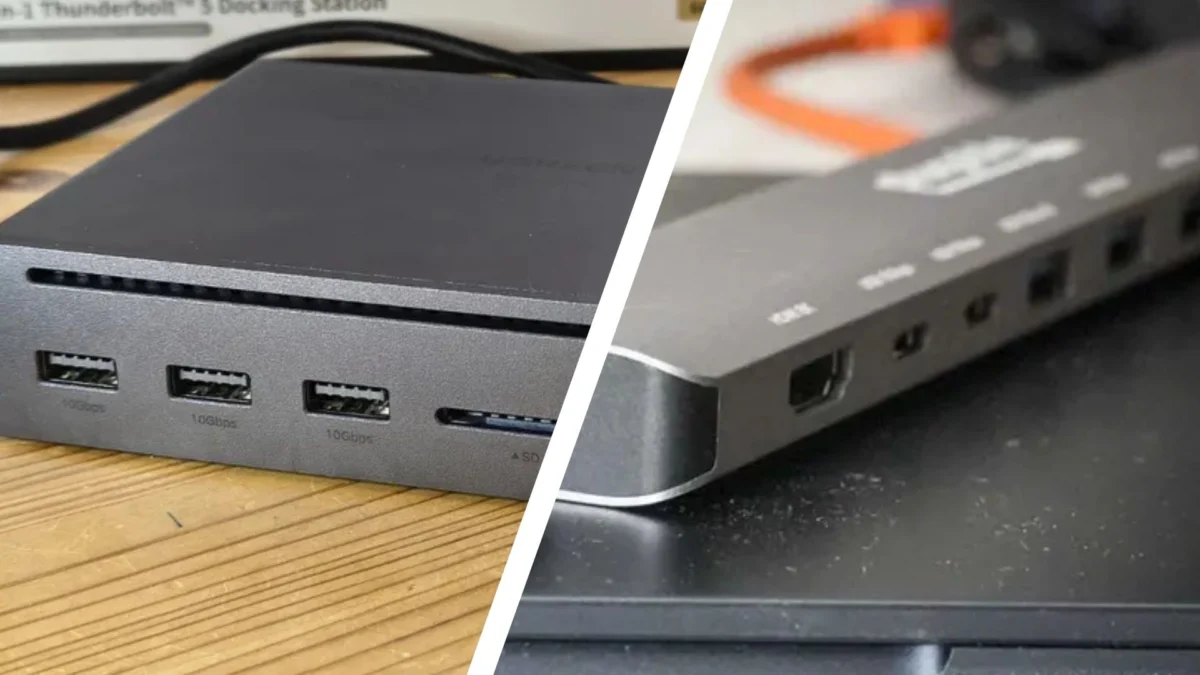
In the modern digital landscape, where the minimalist design of contemporary laptops often sacrifices physical connectivity for sleek aesthetics, the need for peripheral expansion has never been greater. Whether you are a creative professional editing 8K video, a financial analyst managing multi-monitor spreadsheets, or a remote worker looking to declutter your desk, you have likely encountered the dilemma of choosing between a USB hub and a docking station.
While both devices serve the primary purpose of expanding your computer’s connectivity, they are fundamentally different in their architecture, capabilities, and intended use cases. Selecting the wrong one can lead to either unnecessary expense or frustrating technical limitations. This guide breaks down the core distinctions to help you navigate the connectivity landscape.
Main Facts: Defining the Peripheral Ecosystem
At their most basic level, both USB hubs and docking stations function as gateways for your peripherals. However, they occupy different tiers of the hardware hierarchy.
USB Hubs act as simple port multipliers. Think of them as an electrical power strip for your data. They take a single USB input from your computer and split it into multiple ports, allowing you to connect mice, keyboards, flash drives, and printers. They are typically compact, lightweight, and bus-powered—meaning they draw their operating energy directly from your host computer.
Docking Stations, by contrast, are comprehensive hardware interfaces. They are designed to transform a portable laptop into a stationary, full-featured desktop workstation. Beyond mere USB port expansion, they offer a diverse array of inputs, including HDMI, DisplayPort, Ethernet (RJ45), audio jacks, and often dedicated power delivery (PD) to charge your laptop simultaneously. They are usually heavier, require an external power supply, and house sophisticated internal controllers to manage high-bandwidth data traffic.
The Evolution of Connectivity: A Brief Chronology
The need for these devices has evolved alongside the shift toward mobile computing.
- The Early Era (2000s): Computing was dominated by bulky desktops with ample I/O ports. Connectivity was rarely an issue, and "docks" were proprietary plastic trays that physically snapped onto the bottom of a laptop, providing a "port replicator" function.
- The Ultrabook Shift (2010s): As manufacturers like Apple and Dell pushed for thinner profiles, ports began to disappear. The industry moved toward USB 3.0 and eventually USB-C. This era saw the rise of the "dongle life," where users were forced to carry multiple small adapters.
- The Universal Standard (2015–Present): The introduction of Thunderbolt 3 and 4, and the universal adoption of USB-C, changed everything. These standards allow for high-speed data, video signals, and power to travel through a single cable. This paved the way for modern, high-performance docking stations that can support multiple 4K monitors and high-speed external drives with a single plug-in.
Supporting Data: Performance Metrics at a Glance
When choosing between these two, the decision often comes down to technical specifications. The following table illustrates the performance gap between a standard USB hub and a professional-grade docking station.
| Feature | USB Hub | Docking Station |
|---|---|---|
| Primary Power | Bus-powered (via PC) | Dedicated AC Power Supply |
| Data Speeds | 5 Gbps (Average) | 10–40 Gbps |
| Monitor Support | Up to 2 monitors | Up to 3+ monitors |
| Resolution Support | Up to 4K | Up to 8K |
| Port Variety | Primarily USB-A/C | HDMI, DP, Ethernet, Audio, SD |
| Portability | High (Travel-friendly) | Low (Desk-bound) |
Data Transfer and Bandwidth
Docking stations utilize advanced controllers (often involving Thunderbolt technology) to achieve speeds of up to 40 Gbps. This is critical for users moving large video files or running high-performance external storage arrays. USB hubs, while sufficient for low-bandwidth tasks like keyboards and mice, often struggle with bottlenecks when multiple high-speed drives are connected simultaneously, causing transfer speeds to drop significantly across all connected ports.
Power Delivery (PD)
A critical distinction lies in charging capabilities. A bus-powered USB hub uses your laptop’s internal battery to power connected peripherals, which can drain your laptop faster. High-end docking stations, however, act as a power hub. They draw from a wall outlet and "back-feed" power to your laptop through the same cable that handles your data, effectively charging your machine while you work.
Official Perspectives: Industry Standards and Business Integration
Industry leaders in hardware manufacturing, such as Dell, Lenovo, and HP, have shifted their focus toward "universal docking" solutions. In corporate environments, the official stance is clear: standardization is key.
IT departments prefer docking stations because they provide a "single-cable experience." An employee arriving at their desk only needs to connect one cable to gain access to a wired network, two 4K displays, a wired keyboard/mouse, and an audio system. This reduces the wear and tear on the laptop’s internal ports and streamlines the setup for hot-desking environments.
Conversely, for the mobile consultant or student, the official recommendation remains the high-quality USB-C hub. The portability factor is the primary driver here; a device that fits in a shirt pocket is far more practical for someone moving between coffee shops and lecture halls than a brick-sized docking station that requires a separate power cable.
Implications: Which One Is Right for You?
The Case for the USB Hub
You should opt for a USB hub if:
- Mobility is your priority: You frequently travel or work from different locations.
- Budget is a constraint: You need basic connectivity for under $60.
- Your workload is light: You are primarily using peripherals like a mouse, keyboard, and an occasional thumb drive.
- Device compatibility: You have a secondary device (like a tablet or phone) that just needs a couple of extra ports for light data syncing.
The Case for the Docking Station
You should invest in a docking station if:
- You operate a permanent workstation: You spend the majority of your time at a desk.
- You require multi-monitor support: You need to drive more than two external displays at high resolutions (4K/8K).
- Network stability is vital: You require a dedicated wired Ethernet connection for low-latency video conferencing or large file transfers.
- Professional workflow: You are a content creator, programmer, or data analyst who demands high-speed, reliable data throughput and consistent power delivery.
Final Verdict: The Future of Your Desk
The distinction between a USB hub and a docking station is ultimately a trade-off between convenience and capability. The USB hub is a tactical tool—it solves a specific, immediate problem of port scarcity with minimal friction. It is the Swiss Army knife of the digital traveler.
The docking station, however, is a strategic asset. It is an investment in your productivity, designed to eliminate the physical friction of a complex setup and transform your mobile device into a desktop powerhouse.
Before making your purchase, assess your daily routine. If you find yourself constantly unplugging and re-plugging monitors, Ethernet cables, and power bricks, it is time to move to a docking station. If you simply need to connect an extra mouse and a memory stick during a meeting, a compact USB hub remains your best companion. By understanding these technical and functional gaps, you can ensure that your hardware works as hard as you do, rather than becoming just another point of failure in your daily workflow.