In the modern digital enterprise, the difference between a high-performing IT department and one constantly fighting "fire drills" rarely comes down to talent. It comes down to process. IT processes are the structural backbone of technical operations—the recurring, repeatable workflows that prevent server failures, mitigate security risks, and ensure that technical work is driven by design rather than guesswork.
When IT operations are left to individual interpretation, the result is "institutional drift," where critical tasks like backups, access control, and incident responses are performed inconsistently. By formalizing these workflows within a structured environment like Process Street, teams can transform their operational maturity, making work easier to assign, automate, review, and audit. As Casper van der Kolk famously noted, "Without IT process management, there is no way to assure cost-effective IT services."
The Core Philosophy of Standardized IT Operations
At its heart, IT process management is about reducing the cognitive load on staff while increasing the reliability of the infrastructure. Whether it is managing hardware inventory, executing server security patches, or handling helpdesk escalations, the goal remains the same: consistency.
Every skipped step in an IT workflow is a potential vulnerability. An unverified backup, a missed security update, or an improperly offboarded user account can lead to data loss, compliance violations, or severe security breaches. By digitizing these checklists, organizations move from reactive troubleshooting to proactive management. This transition is not merely an efficiency gain; it is a fundamental requirement for maintaining client trust and business continuity.
A Strategic Toolkit: 12 Essential IT Templates
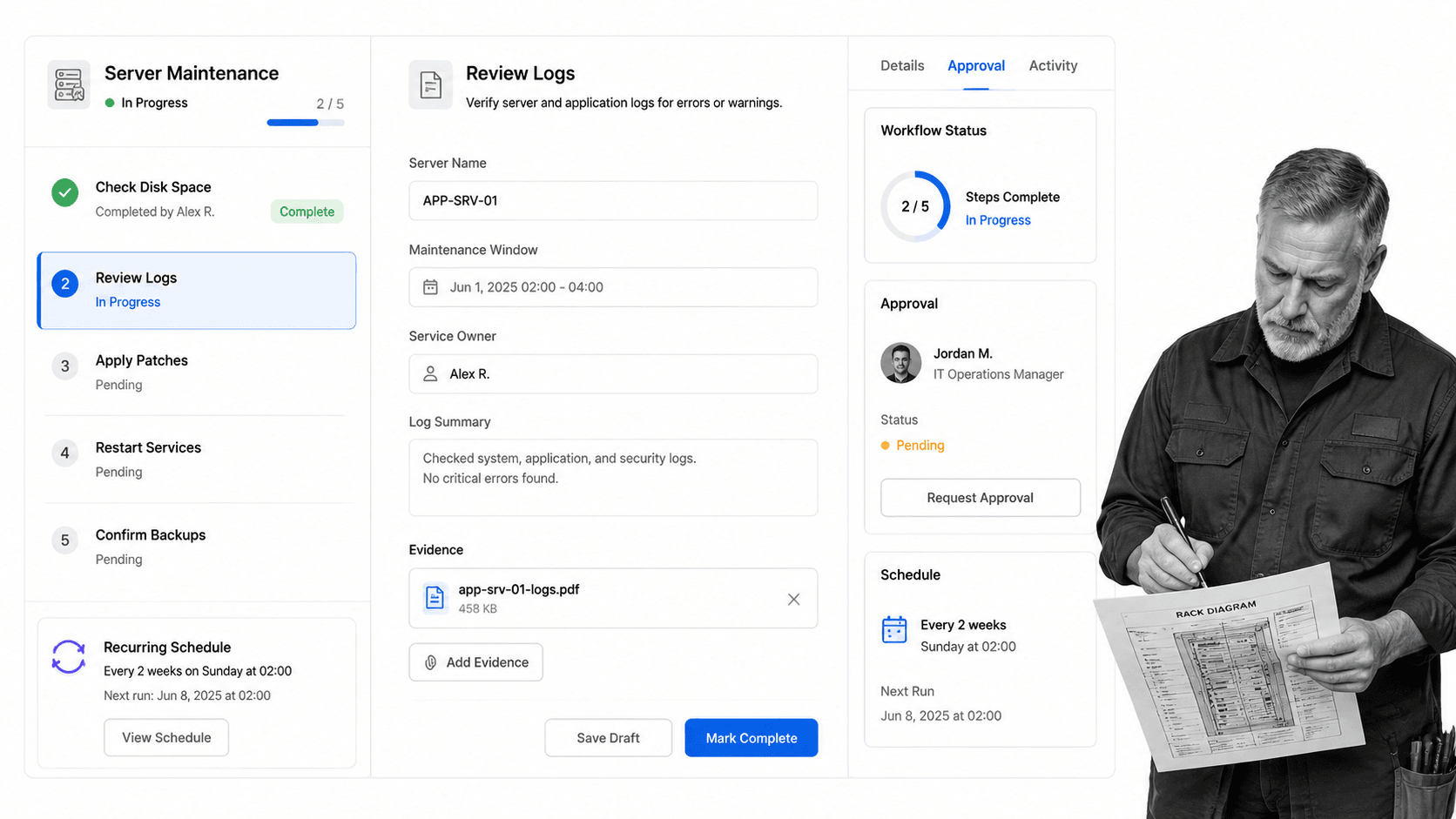
To help IT departments establish this foundation, we have curated a pack of 12 practical templates designed to be adapted for day-to-day operations. These templates serve as the "source of truth" for recurring work, allowing teams to connect SOPs in documentation platforms directly to actionable tasks in Process Street.
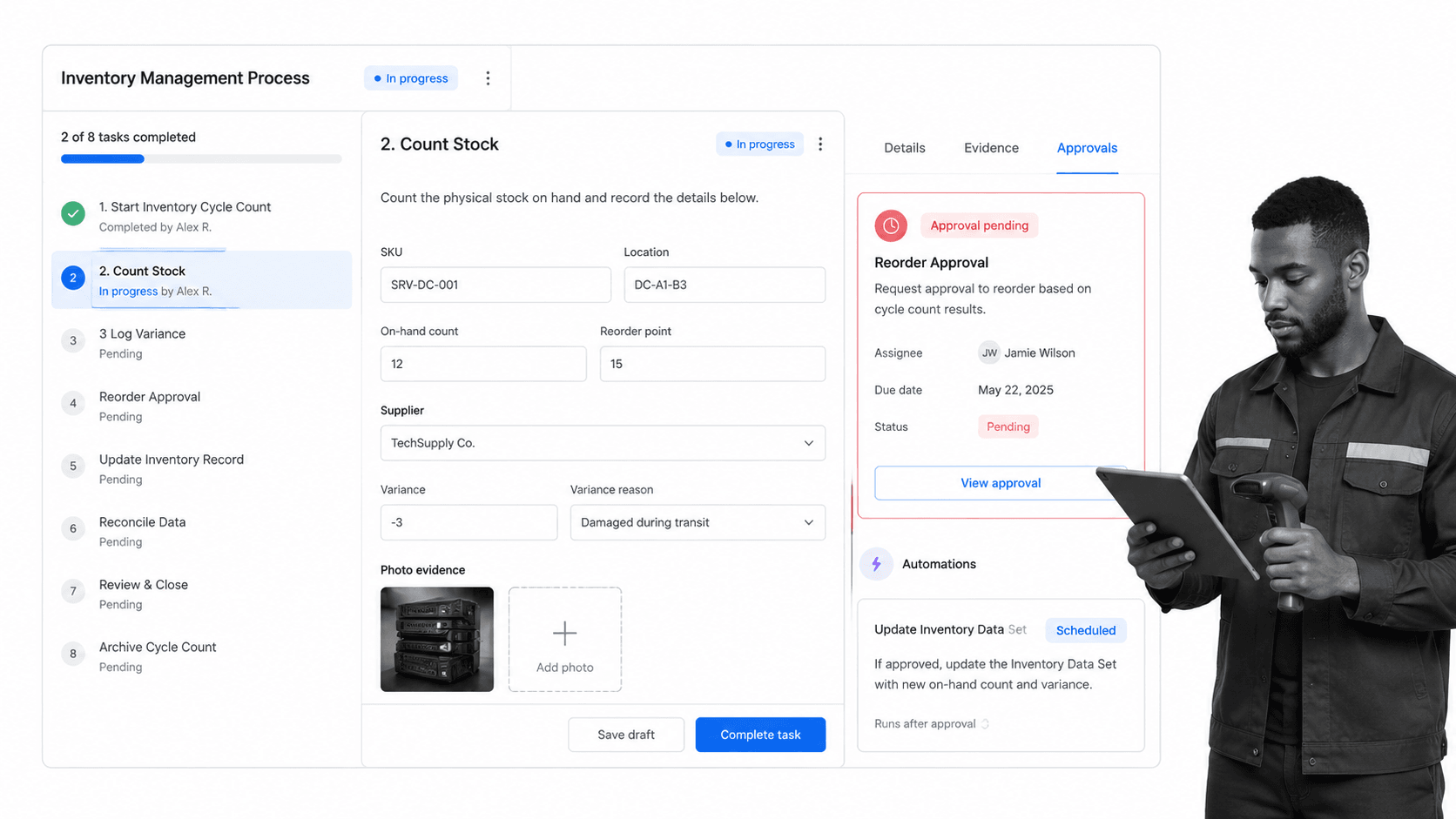
1. Inventory Management: Protecting High-Value Assets
Inventory distortion is a silent killer of IT budgets. While IT teams may not be managing retail shelves, they are responsible for high-value assets—replacement parts, loaner laptops, and sensitive customer equipment. Research suggests that the global impact of inventory mismanagement reaches into the trillion-dollar range. Our Inventory Management template guides teams through the end-to-end lifecycle of an asset, from procurement and receipt to tracking and eventual retirement.
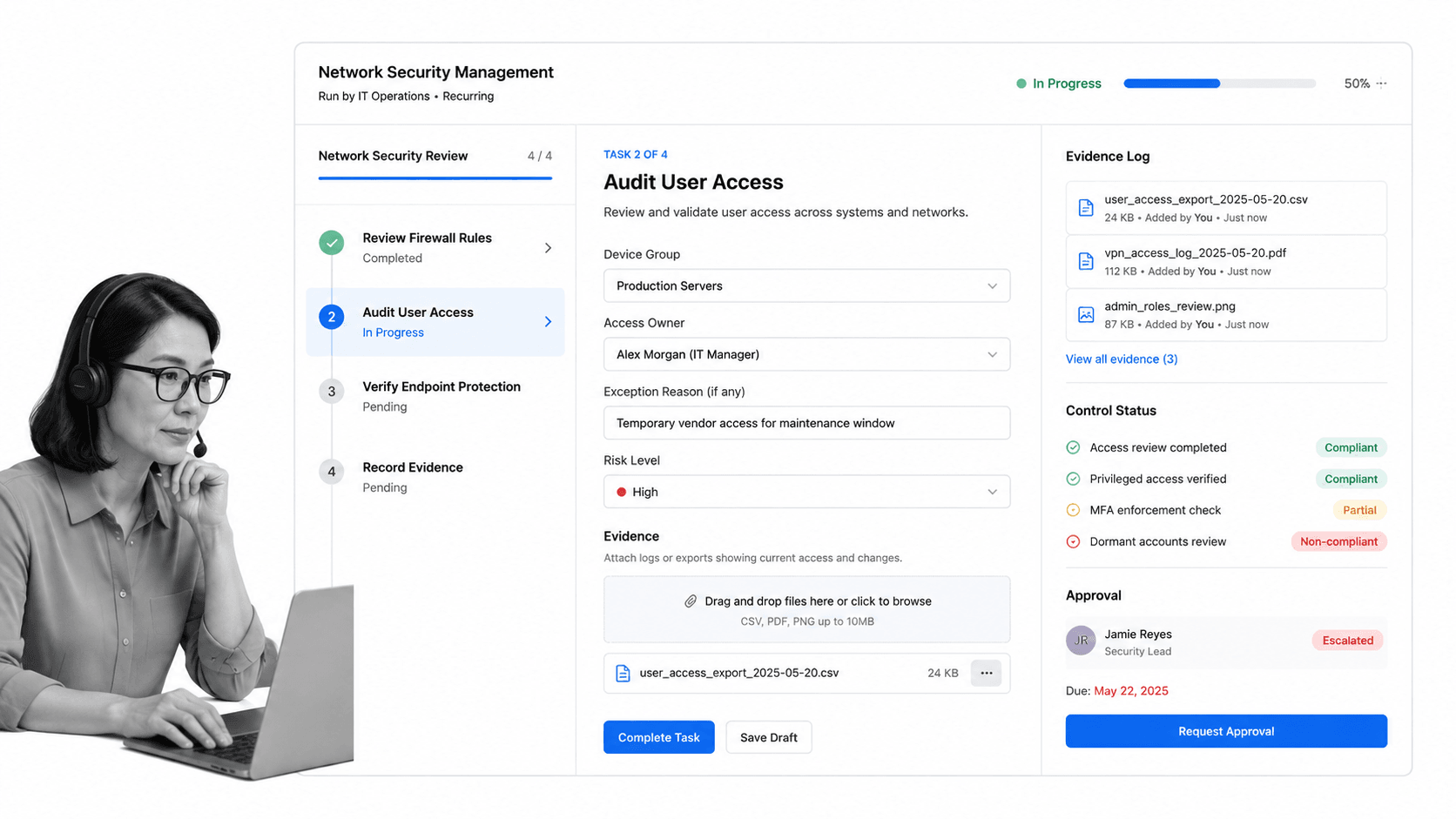
2. Network Security: Defending Against the "Jerrys"
Security breaches often happen because of human error rather than sophisticated code exploits. Whether it is an accidental USB leak or a misconfigured firewall, the "Jerry in the office" is a constant threat. The Network Security Management checklist forces a rhythmic, weekly audit of network health. By standardizing the verification of workstation and server security, teams ensure that the "layers" of security actually remain intact.
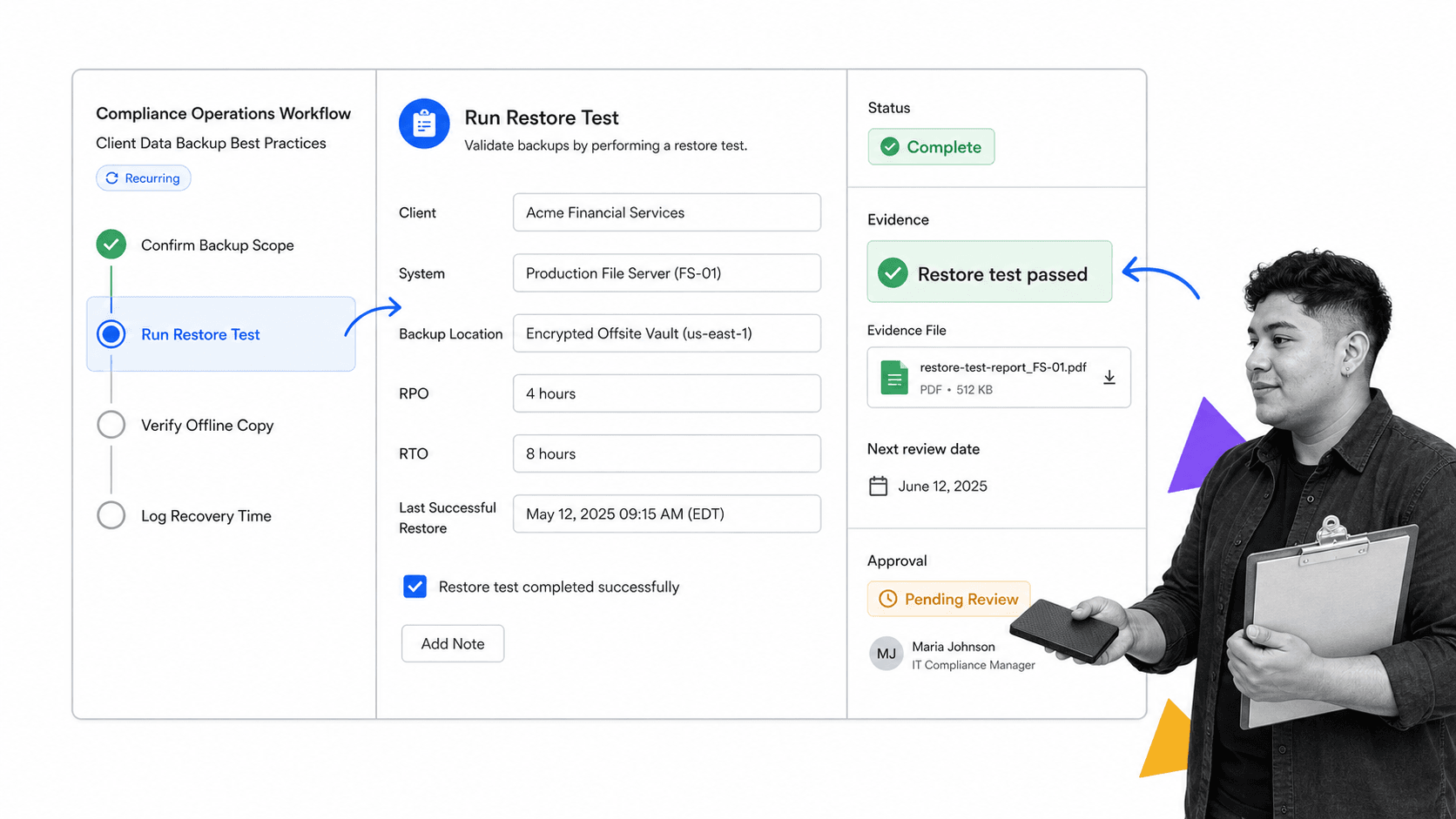
3. Data Backup: Beyond the Cloud
While cloud-based backups are convenient, they are not a panacea. Robust backup strategies must include air-gapped, offline, and tape-based solutions to guard against ransomware and platform-wide outages. The Client Data Backup Best Practices checklist focuses on the "how" and "why" of backups: ownership, storage, and—most importantly—evidence of successful recovery testing.
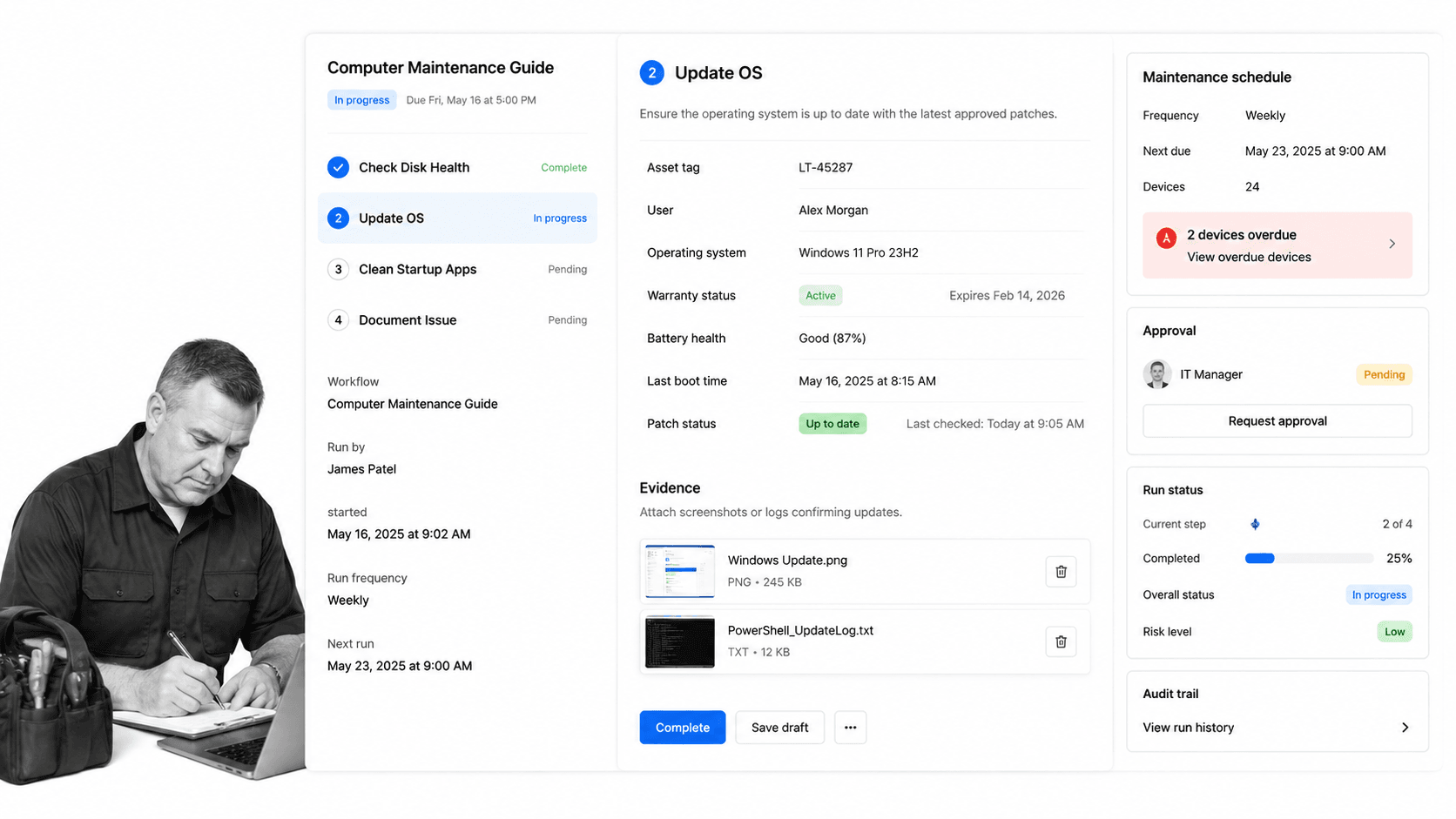
4. Computer Maintenance: Extending Lifecycle Value
A high-end business machine represents a significant capital expenditure. Without regular maintenance, hardware suffers from "bit rot" and performance degradation. Our Computer Maintenance Guide provides a systematic approach to system health, ensuring that hardware lasts for its full intended lifespan, thereby lowering the total cost of ownership.
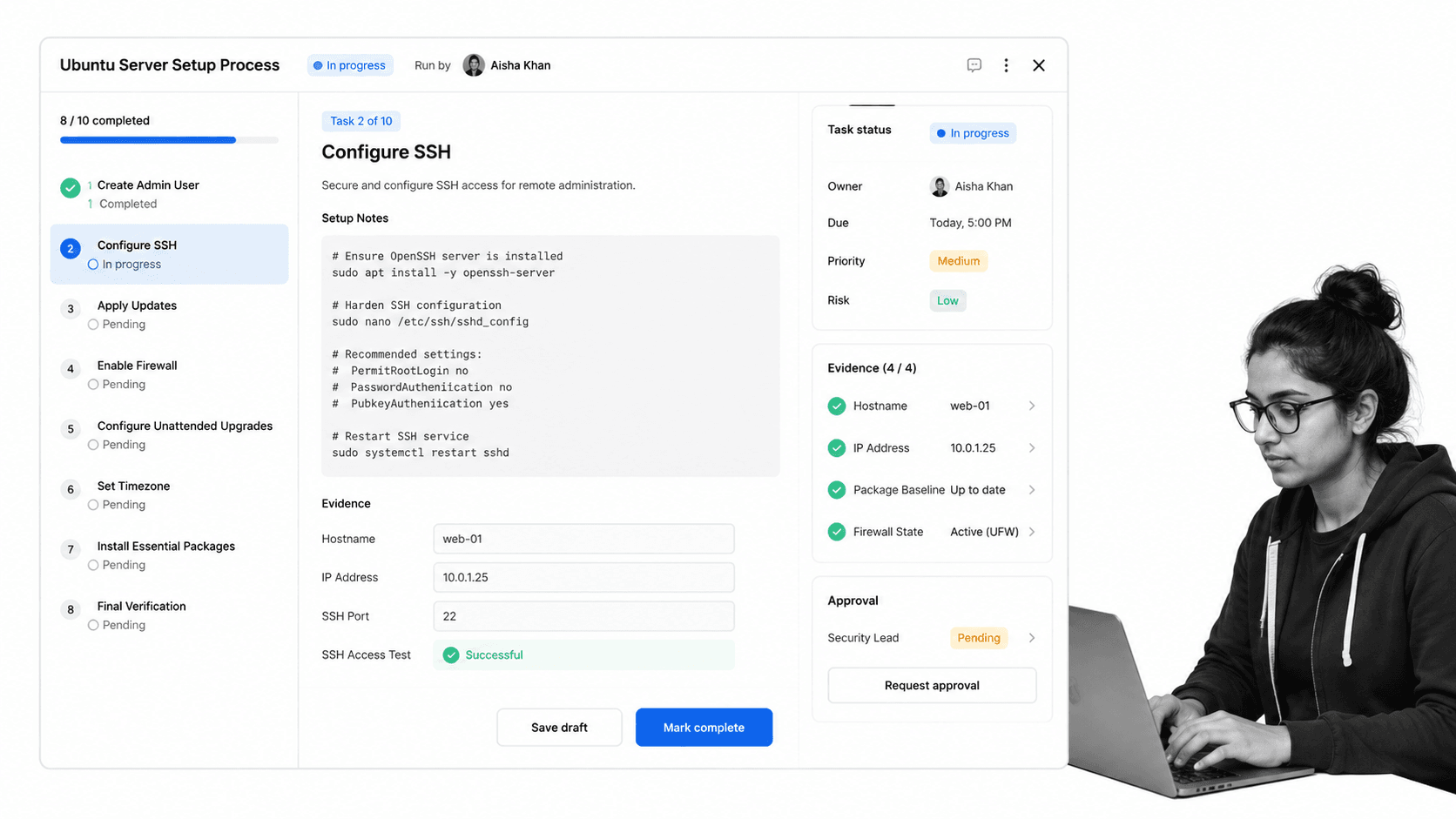
5. Server Setup: Ubuntu and Beyond
Linux servers offer unparalleled performance, yet they possess a steeper learning curve than Windows environments. The Ubuntu Server Setup Process demystifies the installation, ensuring that even junior technicians can deploy a production-ready server that adheres to strict security standards.
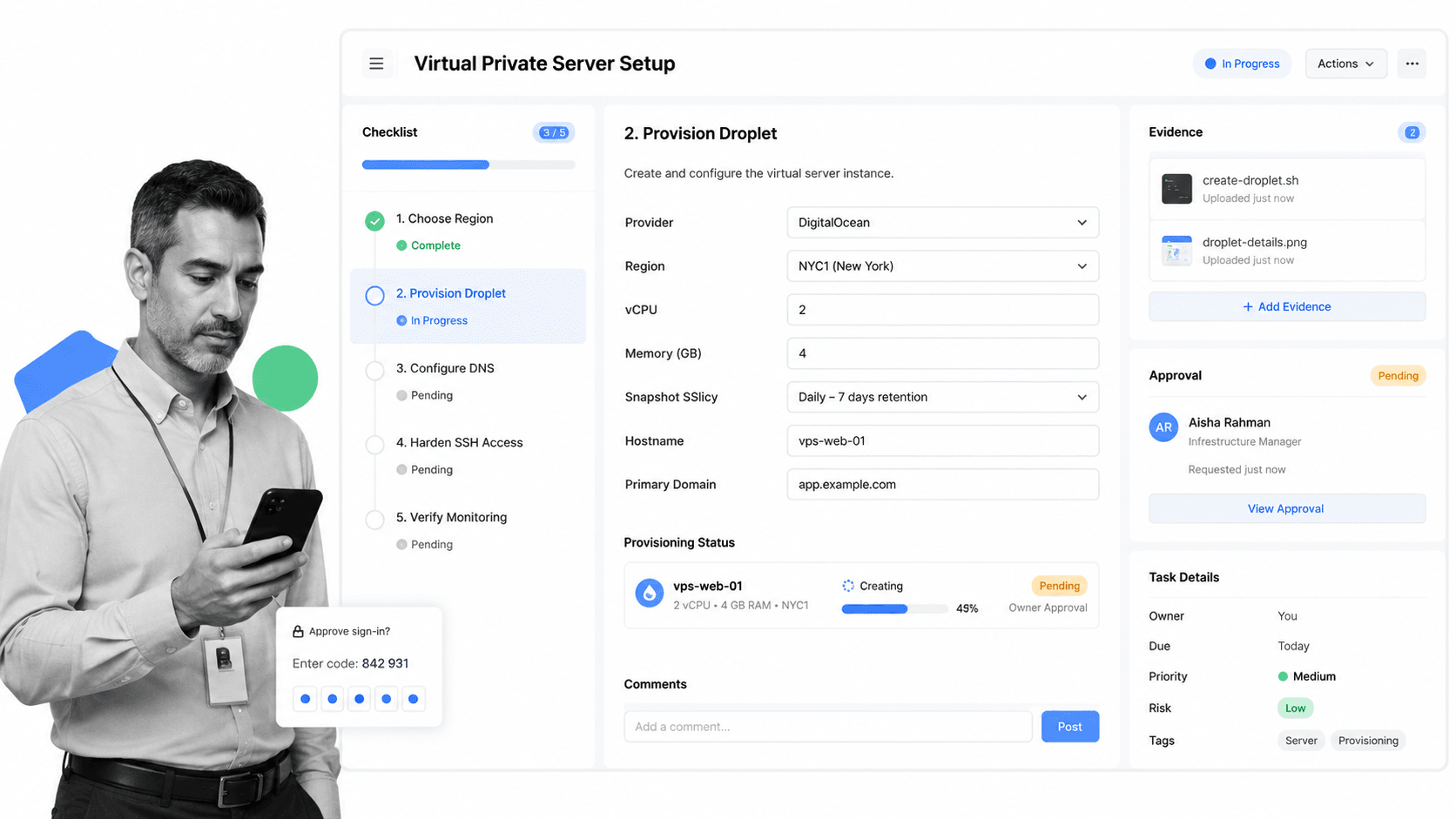
6. Virtual Private Server (VPS) Management
VPS hosting is a versatile tool for cloud storage and web hosting. However, the sheer number of hosting providers and configuration options can be overwhelming. The VPS Setup template simplifies the selection and configuration process, ensuring consistent performance and cost-effectiveness.
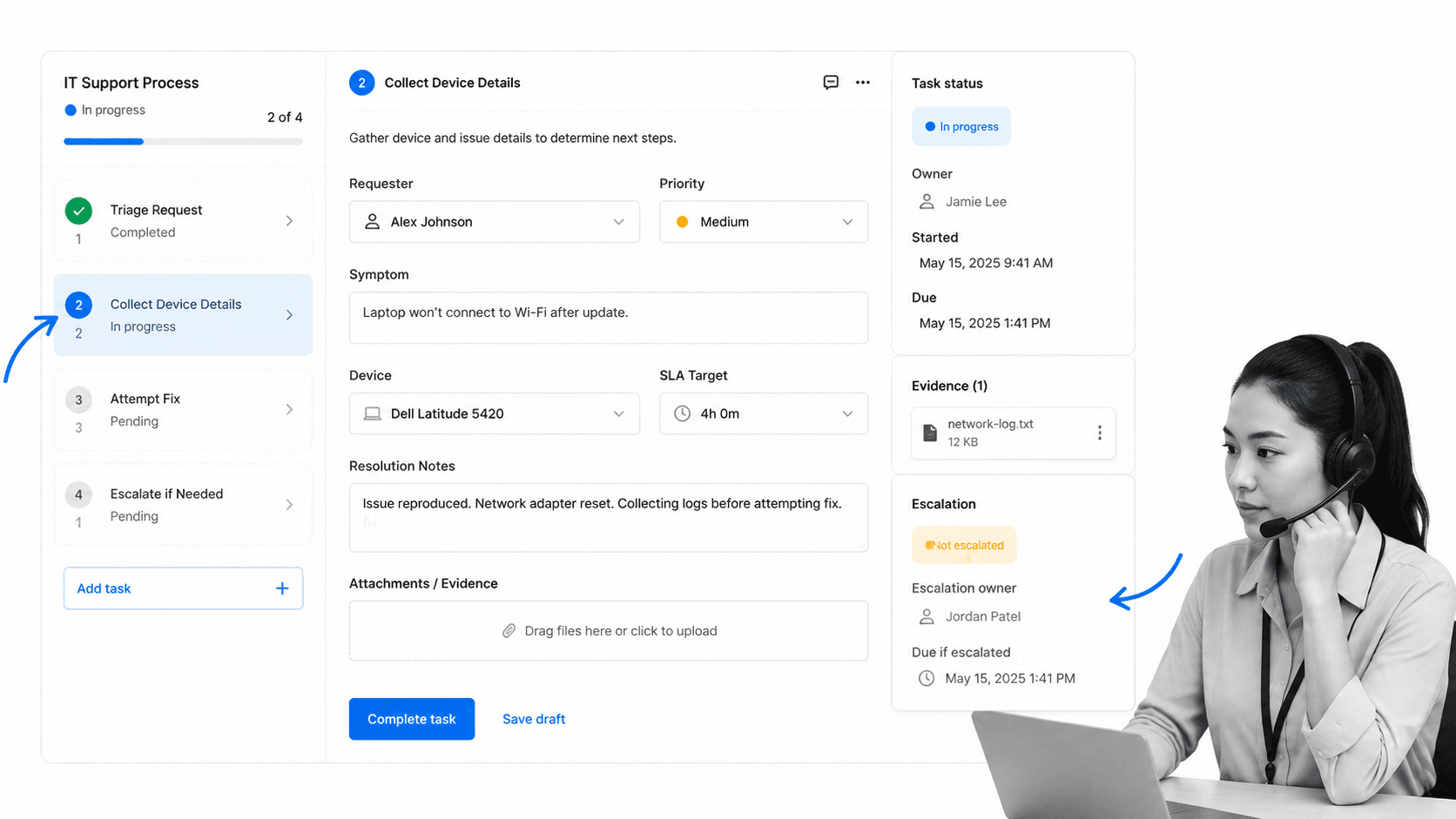
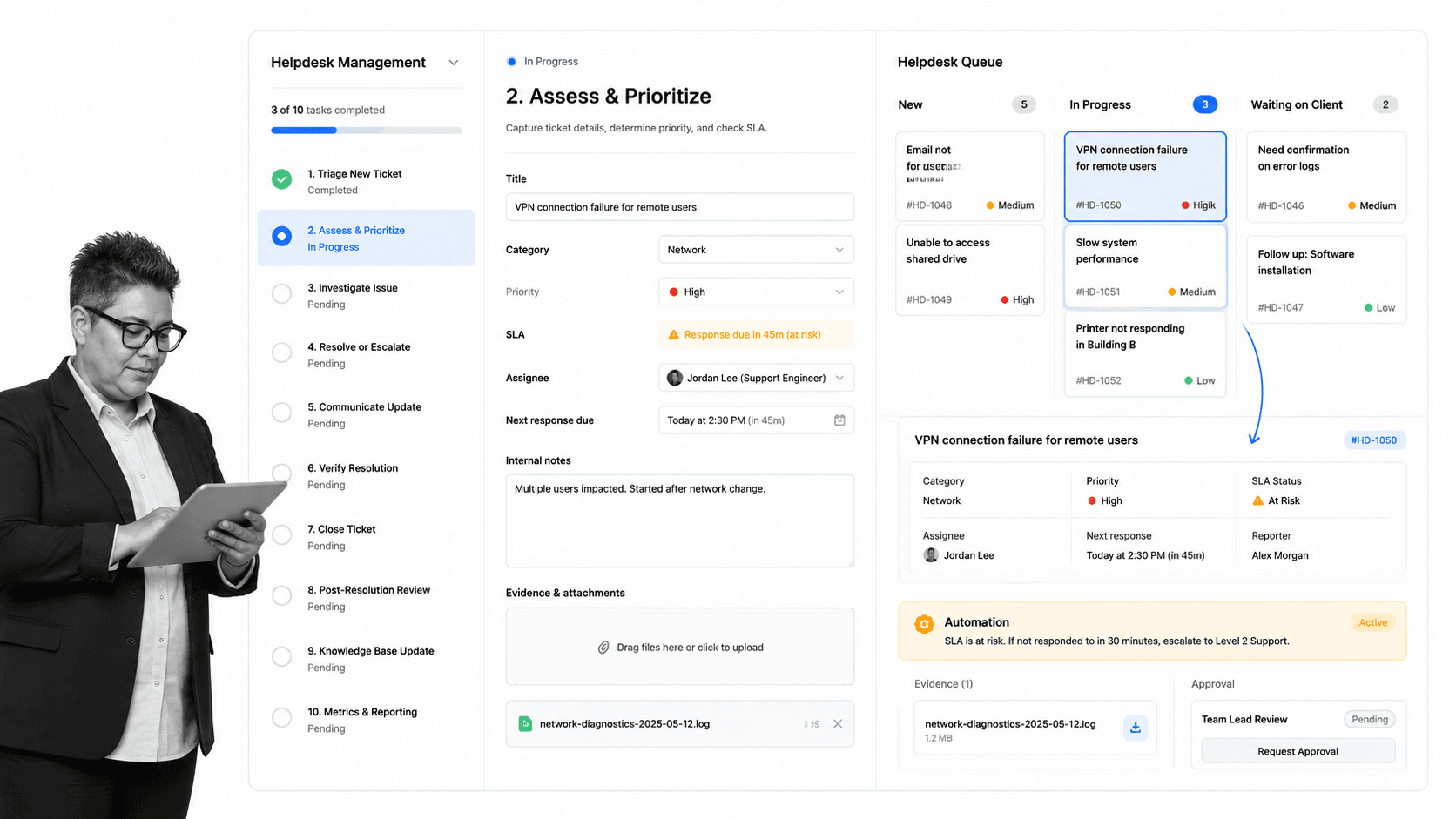
7. IT Support and Helpdesk Optimization
Tech support is often a proving ground for new employees, leading to inconsistent resolutions. By moving away from "memorized solutions" to a standardized IT Support Process and Helpdesk Management checklist, managers can ensure that support staff provide precise, high-quality instructions to users, regardless of their tenure or experience level.
8. Server Maintenance and Security
A server that is not maintained is a server waiting to fail. The Server Maintenance checklist and Server Security checklist work in tandem to ensure that physical and logical access points are locked down, vulnerability assessments are conducted, and performance is optimized.
9. Incident Response: The "Break-Glass" Protocol
When a breach occurs, time is the most valuable currency. The Information Security Incident Response template provides a pre-planned, step-by-step reaction strategy. From containment to communication, this template ensures that your team acts decisively to minimize data loss and limit the blast radius of an attack.
10. SQL Server Auditing: The Data Nerd’s Essential
For teams managing SQL databases, visibility is paramount. The SQL Server Audit Checklist provides a deep dive into user privileges, password strength, and performance metrics, ensuring that nothing "shady" occurs within the data layer.
The Implications of Process-Driven IT
The implementation of these workflows has profound implications for organizational culture and technical resilience. When processes are documented, the "blame culture" often associated with IT failures evaporates. Instead, the team looks to the process: Where did the workflow break down? How can we update the checklist to ensure this never happens again?
This shift fosters a culture of continuous improvement. Using tools like Cora (an AI-driven monitoring layer), teams can identify process gaps and surface inefficiencies in real-time. This is no longer just "IT work"; it is business intelligence applied to infrastructure.
Frequently Asked Questions
What constitutes an "IT process"?
IT processes are formalized, repeatable sequences of actions designed to manage technology. They move tasks from the realm of "tacit knowledge" (held only in a technician’s head) to "explicit knowledge" (accessible to the entire team).
Where should a team start with documentation?
Begin with high-risk areas. If an error in a specific task leads to a client complaint, a security risk, or a total system outage, that task is your priority. Focus on Incident Response, Backup Verification, and Access Control first.
How often should these workflows be reviewed?
In an era of rapid technological change, an IT process that hasn’t been updated in six months is likely obsolete. Quarterly reviews are the gold standard. Whenever a new tool, a new vendor, or a new security vulnerability appears, the relevant checklist must be updated immediately.
Conclusion: The Path Forward
Optimizing your IT operations is not a one-time project; it is a journey. By adopting a structured approach to your recurring tasks, you empower your team to stop improvising and start engineering. Whether you are managing a small office network or a complex server farm, these templates provide the framework to ensure your operations are secure, scalable, and—most importantly—reliable.
It is time to move beyond the chaos of the "tech support struggle" and into a future of operational excellence. Start by auditing your most critical tasks today, and let these templates provide the foundation for a more resilient, efficient, and secure tomorrow.