
In the modern digital workspace, the dream of a unified desktop experience is often shattered by the reality of fragmented hardware. Whether you are a professional balancing a high-performance Windows workstation with a sleek MacBook, or a developer toggling between a Linux build server and a primary laptop, the struggle to maintain a fluid workflow across multiple machines is a common pain point.
While software-based solutions—such as Microsoft’s PowerToys "Mouse without Borders" or third-party applications like Synergy—are excellent for those with reliable, low-latency network environments, they are not universal panaceas. Public office Wi-Fi, strict corporate security firewalls, and network congestion can turn a seamless experience into a stuttering, unresponsive mess. For those who need absolute reliability and zero-latency performance, hardware-based switching remains the gold standard.
The Evolution of Input Switching: From Simple KVMs to Intelligent Bridges
The history of controlling multiple PCs with a single set of input devices dates back to the early days of server rooms. Traditionally, the Keyboard, Video, and Mouse (KVM) switch was a clunky, boxy peripheral that required dedicated cables for every display and input device. While effective, they were often expensive and occupied significant desk real estate.
As personal computing evolved, so did the need for more elegant solutions. The chronology of this evolution moved from manual push-button switches to "intelligent" software-assisted hardware. Today, we stand at the intersection of traditional hardware switches and "Wormhole" technology, which allows for a near-seamless transition of the cursor across physical display boundaries—much like a multi-monitor setup on a single computer.
Understanding Your Hardware Options
When moving away from network-dependent software, users are generally presented with three tiers of hardware solutions:
1. The Traditional Keyboard-Mouse Switch
At the entry level, simple USB-based switches allow you to toggle control of your peripherals between two or more PCs with the tap of a button. These devices act as a physical "gatekeeper" for your USB signals. While they are highly reliable and require no software installation, they lack "seamlessness." You must manually trigger the switch to move your mouse from PC A to PC B. This is ideal for users who do not need to move files between machines or share a clipboard, but rather need a dedicated control interface for separate systems.

2. Specialized "Wormhole" Cables
Bridging the gap between software and hardware are products like those in the J5Create "Wormhole" lineup. These cables connect two PCs directly via USB, often utilizing embedded software to facilitate the transfer of data, clipboard content, and cursor movement. The benefit here is the integration of file-sharing capabilities without relying on your local network’s stability.
3. Intelligent Hardware Bridges
The most advanced tier includes devices like the LoopMotion, which operate with minimal or no software footprint while providing "location-aware" switching. These devices track the edge of your screen, allowing the mouse to "cross over" to the next machine automatically. This provides the convenience of software-based solutions with the stability and security of a direct, wired connection.
Supporting Data: Comparing the Methodologies
| Feature | Network Software (Synergy/PowerToys) | Standard KVM/USB Switch | Intelligent Hardware (LoopMotion/J5) |
|---|---|---|---|
| Latency | Network-dependent | Zero | Near-Zero |
| Setup Ease | High (Software install) | Medium (Cabling) | High (Plug-and-play) |
| Security | Firewall-dependent | Air-gapped | Low risk |
| File Transfer | Yes (via network) | No | Yes (via cable) |
| Cross-Platform | High | High | Varies |
The J5Create Ecosystem: A Deep Dive into "Wormhole" Functionality
Perhaps no company has done more to formalize this category than J5Create. By trademarking the "Wormhole" function, they have branded a specific workflow: the ability to treat two disparate computers as a singular logical workspace.
The J5Create lineup ranges from the entry-level JUC100—designed for basic, direct Windows-to-Windows connectivity—to the robust JUC700. The latter is a powerhouse, offering not just cursor control but the ability to utilize a secondary PC as a functional second display, mimicking the behavior of Apple’s "Sidecar" or Windows’ native "Project to this PC" features, but without the inherent latency of a wireless connection.
It is worth noting the nuances in compatibility. Users must be cautious when shopping: some of these cables are strictly Windows-to-Windows, while mid-tier offerings extend support to MacOS. Crucially, the software is often embedded within the cable itself, ensuring that even if you are on a locked-down work machine, you can likely trigger the installation without needing external internet access or administrative permission to browse a website.
The Aero Drop and the Mobile Frontier
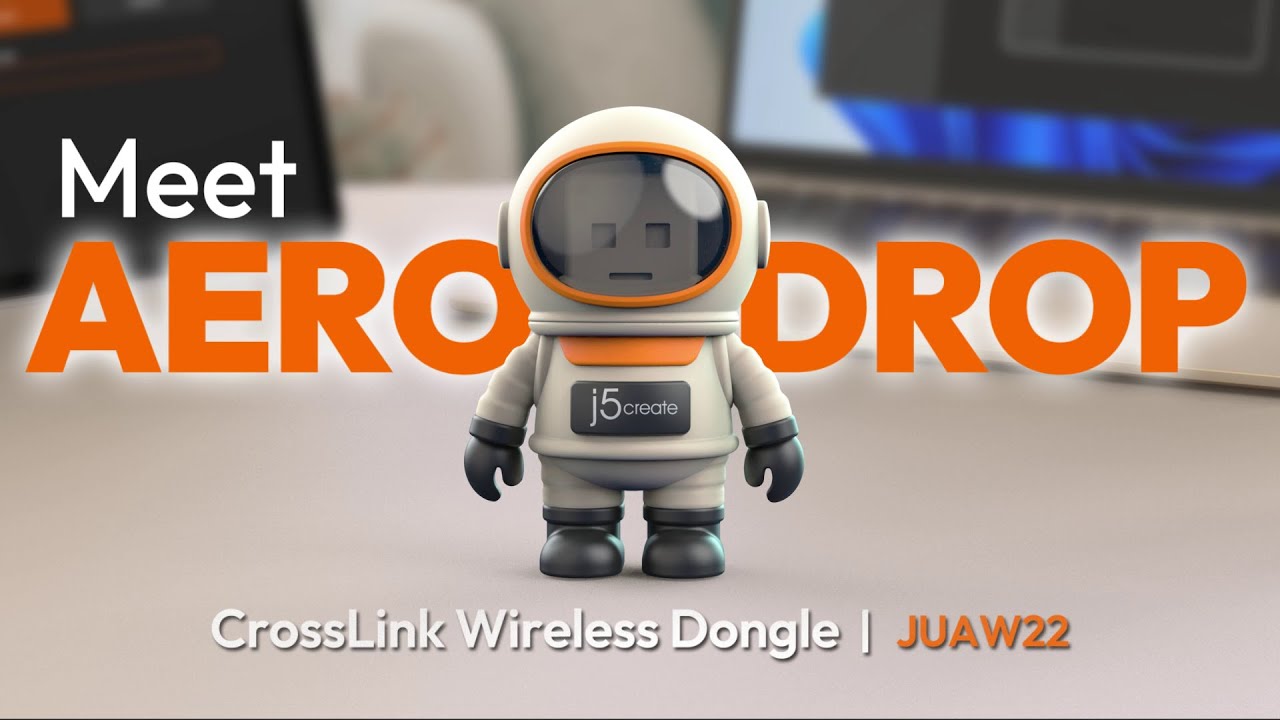
The most innovative recent entry from J5Create is the Aero Drop CrossLink (JUAW22). Packaged in an unconventional astronaut figure, this dongle addresses a modern reality: we aren’t just juggling PCs; we are juggling PCs, iPads, and iPhones.

The Aero Drop uses Bluetooth to allow a PC-connected keyboard and mouse to control mobile devices. This is a massive boon for power users who keep an iPad for reference or a smartphone for messaging. However, users should be aware of its limitations—it is a one-way street, designed to bridge the gap between PC and mobile, not to replace traditional PC-to-PC hardware bridges.
The "Perfect Pairing": Asuizo and LoopMotion
For those who view software installations as a security risk or a performance bottleneck, the landscape has shifted thanks to Kickstarter-funded innovation.
Asuizo Crossys
The Crossys offers a streamlined experience with permanently attached cables, reducing cable clutter. It requires a small "faceless" application, particularly on MacOS, to handle the necessary accessibility permissions that allow the cursor to traverse the screen boundary. It is a refined, minimalist solution for the professional who values aesthetics as much as utility.
LoopMotion: The Gold Standard for Hardware-Only
The LoopMotion stands alone as a truly "intelligent" switch that operates entirely without software installation. It is, effectively, a "location-aware" KM (Keyboard-Mouse) switch. By connecting the left and right USB ports to your respective machines, the device detects the physical orientation of your setup and enables seamless cursor movement.
Because it operates at the hardware level, it works with almost any operating system, including Linux, right out of the box. While it doesn’t support the "integrated touchpad movement" found in software-based solutions—meaning you can’t slide your finger across a laptop trackpad to jump to a desktop—this is often a feature, not a bug. It prevents the cursor from "leaking" into the wrong machine during intense tasks, a common frustration for users with multiple open workstations.
Implications for the Professional Workflow
The shift toward hardware-based multi-device control has profound implications for corporate and creative productivity.
- Security and Compliance: For businesses with strict "air-gap" policies or data loss prevention (DLP) software, network-based keyboard sharing is often blocked by IT. Hardware switches bypass these concerns, as they do not require open ports or network communication.
- Reduced Cognitive Load: The ability to transition between machines without moving your hands to a different keyboard reduces the "context switching" tax. When your desk feels like a singular, coherent environment, your focus remains on the task rather than the tools.
- Hardware Longevity: As hardware becomes more modular, the ability to keep an older, reliable laptop in the loop—perhaps as a dedicated terminal for email or a secondary display—extends the utility of your existing inventory.
Conclusion: Which Solution is Right for You?
If you are a casual user with four Windows PCs, Microsoft’s PowerToys "Mouse without Borders" remains the unbeatable, free, and robust choice. It is simple, effective, and well-integrated into the Windows ecosystem.
However, if you are a professional who requires cross-platform support (Mac/Linux/Windows), or if you work in an environment where network-based software is restricted, the hardware route is your best path forward.
For the absolute simplest, "it just works" experience, the LoopMotion is the standout, offering a software-free existence that is remarkably reliable. If you require the ability to transfer files or share clipboards between machines, the J5Create Wormhole cables provide the most mature, feature-rich ecosystem.
Ultimately, the goal is to create a "controlling interest" over your workspace. By investing in the right hardware bridge, you transform your desk from a chaotic collection of separate devices into a unified, high-performance command center. As technology continues to evolve, we can expect these hardware bridges to become even smaller, faster, and more integrated, further blurring the lines between the multiple computers that define our digital lives.