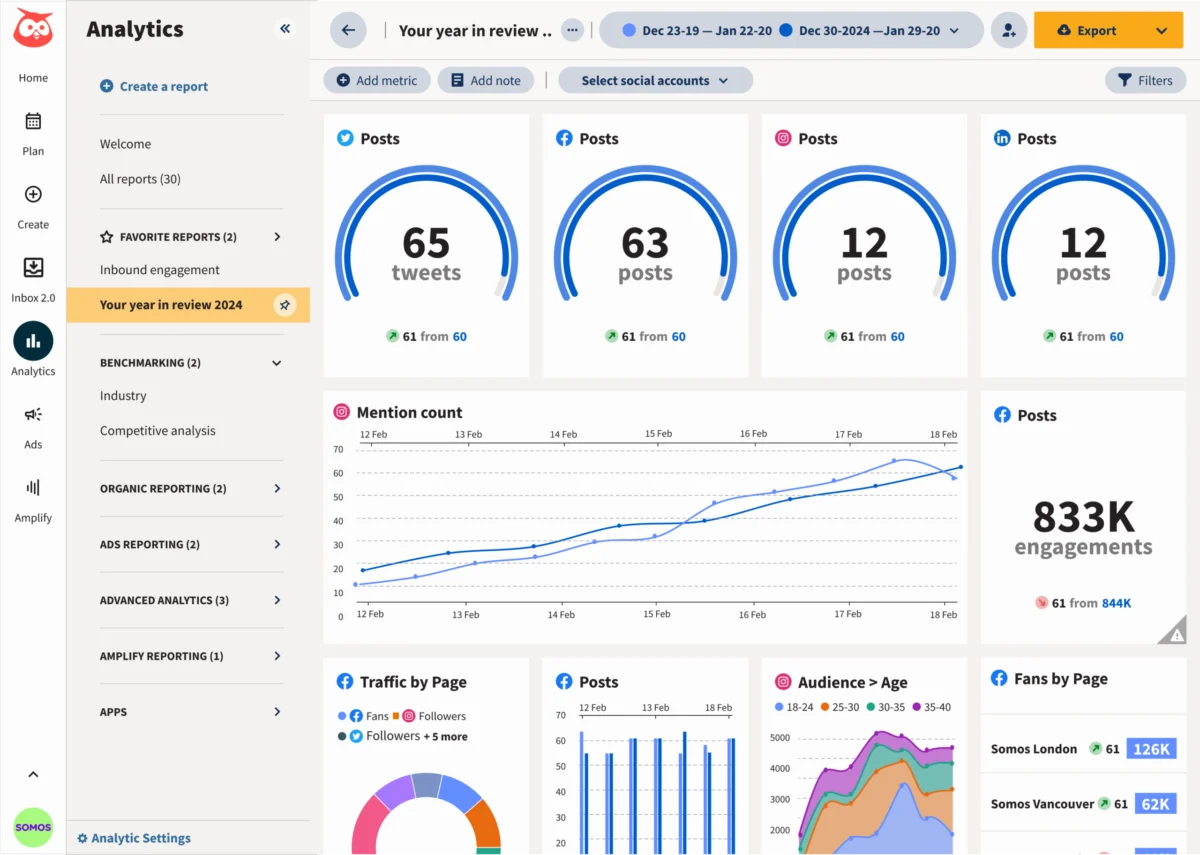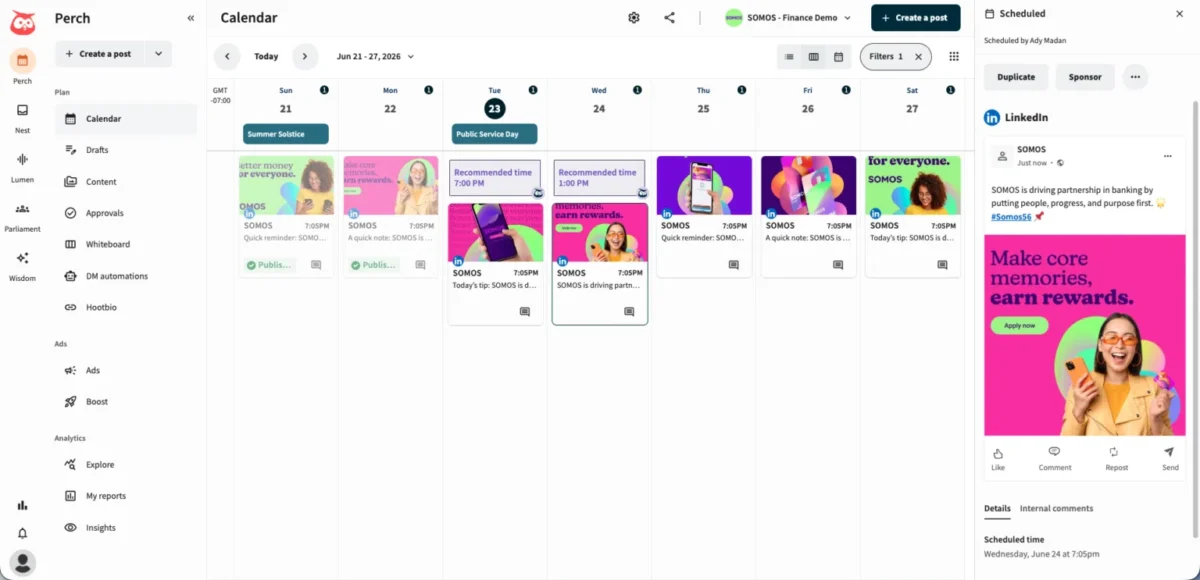
For years, the professional social media workflow has been defined by a tedious, fragmented ritual: writing a draft in an AI tool, copying the text, switching browser tabs, pasting it into a scheduling platform, and manually configuring the publish settings. This "copy-and-paste dance" has long been a bottleneck for social media managers juggling multiple platforms and tight deadlines.

However, a new paradigm is emerging. By leveraging Model Context Protocol (MCP) connectors, professionals can now bridge the gap between powerful AI assistants like Claude and comprehensive social media management suites like Hootsuite. This integration transforms Claude from a mere drafting engine into a functional command center, enabling users to plan, schedule, and publish content directly from their chat interface.

The Evolution of AI-Integrated Workflows
The integration of generative AI into social media management is not merely a convenience; it represents a fundamental shift in how digital strategies are executed. Previously, AI was an isolated silo—a place to brainstorm ideas and generate text that required human intervention to reach the final publishing destination.
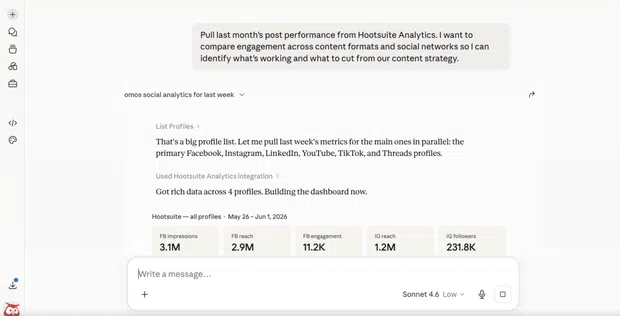
The introduction of MCP connectors—a standardized way to link AI models to external tools—effectively removes these silos. When you connect Claude to Hootsuite, you aren’t just giving the AI permission to view data; you are providing it with a bridge to execute actions. This evolution means that the AI can now "see" your content calendar, understand your performance metrics, and interact with your social media profiles in real-time.
The Technical Foundation: How It Works
At the heart of this transformation is the MCP connector. In simple terms, an MCP connector acts as a secure, standardized bridge between Claude and an external application. Normally, Claude’s knowledge is confined to the data provided during the conversation. By deploying an MCP connector, you extend Claude’s reach, allowing it to interface with tools like Hootsuite’s suite of applications: Perch, Nest, Lumen, and Parliament.
The Two Pillars of Connectivity
There are two primary methods to achieve this integration:
- MCP Connectors: The industry-standard approach for modern AI platforms. It is secure, relatively easy to set up, and requires no heavy coding knowledge. Most marketing teams will find this the most efficient path.
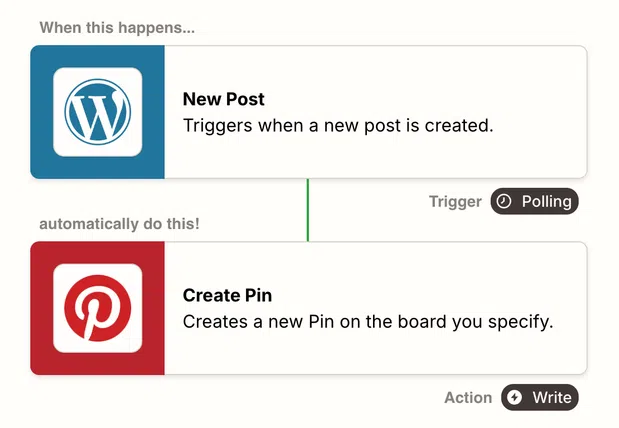
- API Integrations: For teams with custom needs or those using automation platforms like Zapier, Make, or n8n, API-based workflows allow for highly tailored, conditional logic. For example, you could trigger a workflow where a new blog post on your website automatically feeds into Claude, which then generates a series of platform-specific social posts and saves them as drafts in your scheduling queue.
Step-by-Step: Connecting Claude to Hootsuite
For those looking to optimize their workflow immediately, the process for connecting Claude to Hootsuite is streamlined via the Claude Desktop app.
1. Preparation
Ensure you have the latest version of the Claude Desktop app installed. The integration is optimized for the desktop environment, which allows for deeper system-level connectivity compared to the web-based version.
2. Configuring the Connector
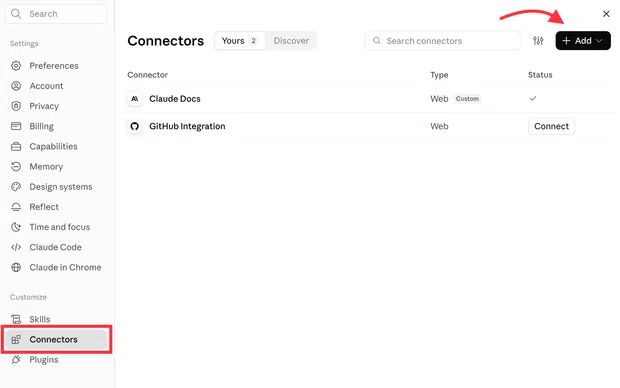
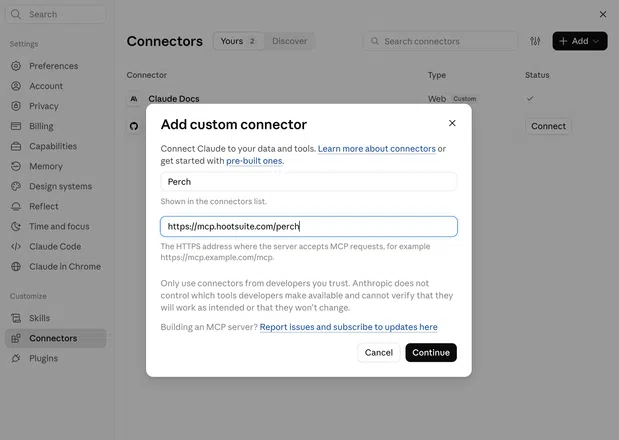
Within the Claude app, navigate to Settings > Connectors. From here, you can select the "Add custom connector" option. You will be prompted to enter the Hootsuite MCP server URL. These URLs are provided by Hootsuite for their specific apps (Perch for scheduling, Nest for inbox management, etc.).

3. Secure Authentication
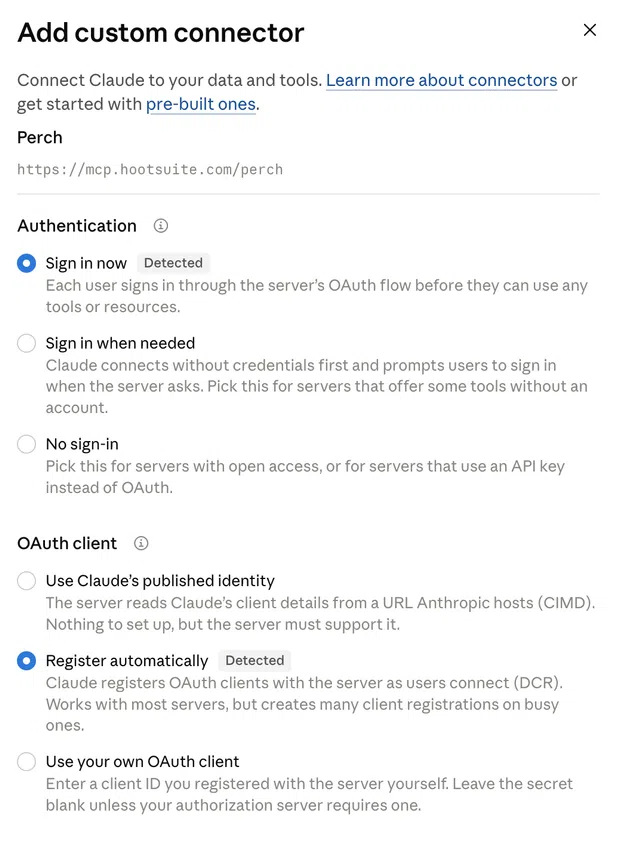
The integration utilizes OAuth, the industry standard for secure authorization. By selecting "Register automatically," you allow Claude to authenticate with your Hootsuite workspace without requiring you to manually handle complex security keys. Once you authorize the connection, you only need to perform this setup once.
4. Direct Interaction
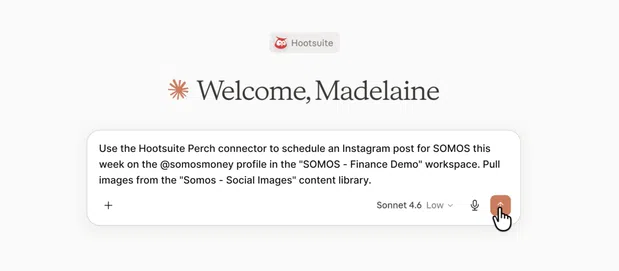
Once linked, your chat prompt becomes a command line. You can request specific actions, such as:
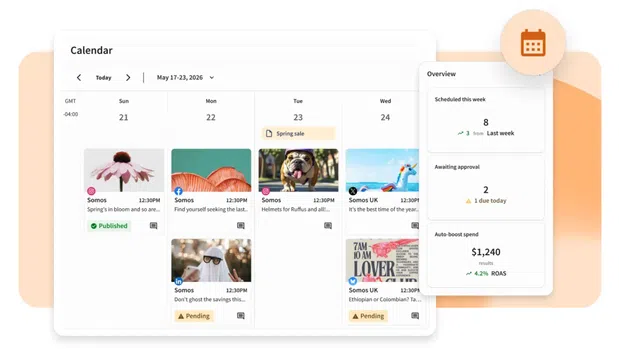
- "Check my content calendar for next Wednesday and suggest a post based on our Q4 goals."
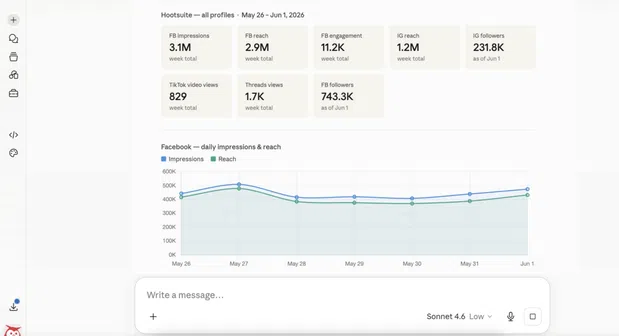
- "Analyze the engagement metrics from our last three Instagram posts and summarize the top-performing content themes."
- "Draft a reply to this customer query in our inbox using our brand voice and save it as a draft."
Implications for Brand Strategy and Operations
The ability to command social operations through an AI interface has significant implications for how social media teams are structured and how they manage their time.
Maintaining the "Human in the Loop"
While the efficiency gains are undeniable, the risks of full automation remain high. The primary danger is the loss of "brand soul." AI models are trained on vast, generalized datasets; if left unchecked, they tend to produce generic, "internet-standard" content that lacks the specific personality required to build a loyal audience.
Furthermore, the risk of "AI hallucinations" or tone-deaf responses to sensitive current events necessitates a rigorous human-led approval process. Experts like Melina Giorgalletou, Content & Social Media Manager at Supernormal, emphasize that the stakes dictate the level of involvement. Anything public-facing—especially when responding to customers—must be reviewed by a human professional to ensure it aligns with corporate values and sentiment.
Data Security and Compliance
Connecting an AI to your social media suite inherently grants it access to private data, including customer interactions and unreleased campaign details. It is critical to follow the principle of least privilege: only grant the specific permissions the AI needs to perform its job. For regulated industries—such as finance or healthcare—this integration must undergo the same compliance review as any other software-as-a-service (SaaS) tool.
Deep Dive: The Hootsuite Ecosystem Integration
Hootsuite has optimized its integration to cover four distinct functional areas, each managed by a specific app within their suite:
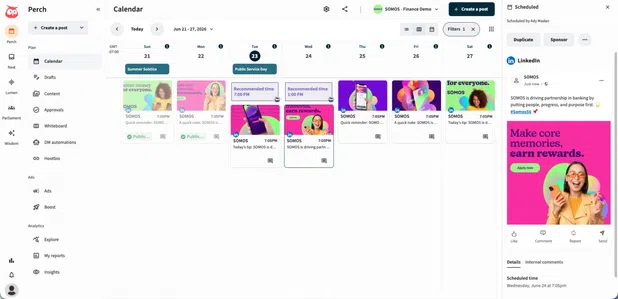
- Perch (Planning & Publishing): This is the core of the integration. It allows users to ask Claude to generate content, find empty slots in the calendar, and push posts to the live schedule. It effectively turns Claude into a virtual social media assistant that works 24/7.
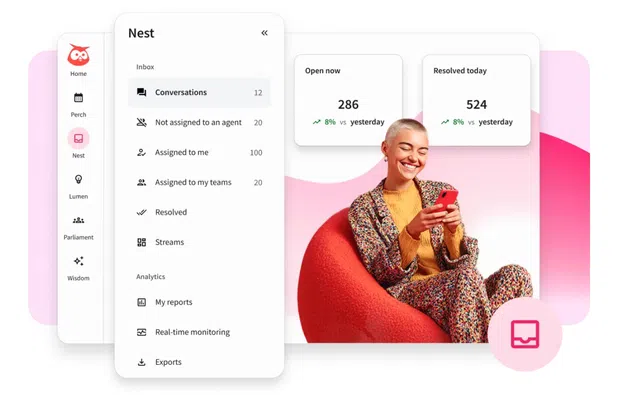
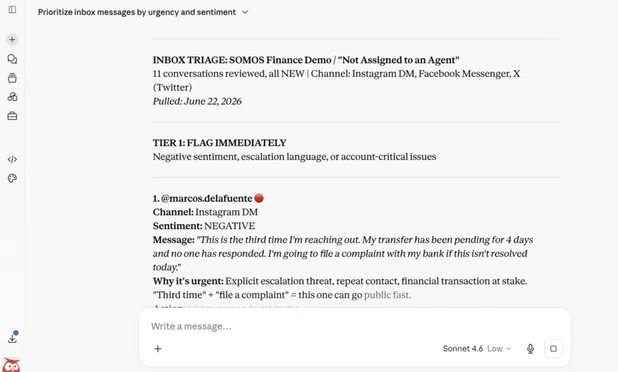
- Nest (Customer Conversations): By funneling comments and DMs into one inbox, Nest allows Claude to assist with triage. It can sort messages by urgency and sentiment, draft responses using saved templates, and notify team members of critical issues.
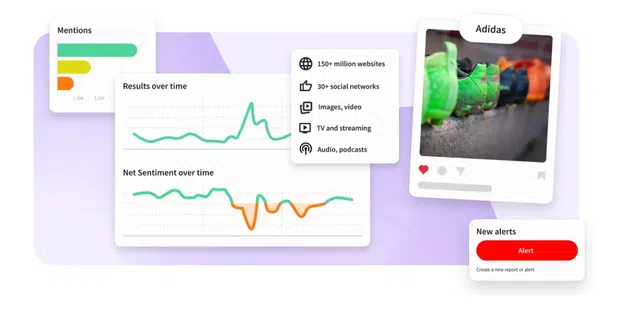
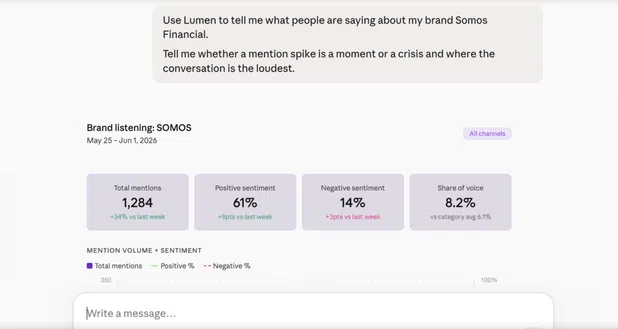
- Lumen (Social Listening): This provides real-time access to brand mentions and market trends. If a brand suddenly experiences a surge in mentions, Claude can analyze the sentiment of those mentions and provide a quick summary, allowing the team to decide whether to lean into a trend or mitigate a potential crisis.
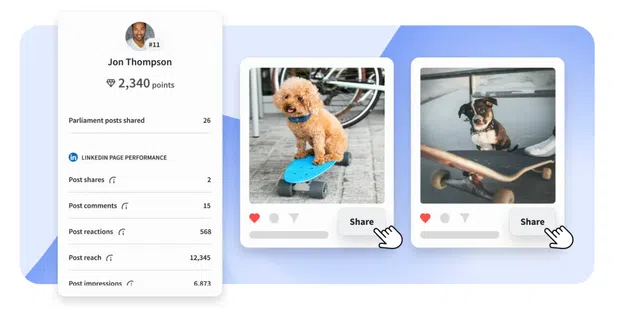
- Parliament (Employee Advocacy): This app empowers employees to share brand-approved content. By asking Claude for "available content for sharing," employees can quickly find and distribute brand-vetted assets to their own professional networks.
Conclusion: The Future of the Social Media Desk
The integration of Claude with platforms like Hootsuite marks the end of the era where social media managers spent their day "copy-pasting." By moving the workflow into a single, intelligent interface, teams can focus less on the mechanics of scheduling and more on the creative and strategic work that drives growth.
As these AI tools continue to evolve, the definition of a "social media manager" will shift further toward that of a "social media strategist." The ability to manage an entire social ecosystem through a conversational interface is not just a productivity hack—it is the new baseline for competitive social media management.

Whether you are a solo creator or part of a large agency, the path forward is clear: integrate, automate, and iterate. However, always remember that while AI can draft the content and analyze the data, the human perspective is what ultimately turns an engagement into a community.